

Proxy switcher and proxy checker for Chrome, free.
Connect Chrome through your own HTTP or SOCKS5 proxy in one click and see what it really does, or through a tested free proxy by country.
No account and no tracking.
Featured on
- Trustpilot
- G2
- Capterra
- SourceForge
- AlternativeTo
- SaaSHub
- StackShare
- Uno Directory
- SaaSCity
- Twelve Tools
- neeed
- Roozna
- tools.cafe
- WHTop
- Product Hunt
- Uneed
- Indie Hackers
- StartupBase
- NxGn Tools
- aat.ee
- TinyLaunch
- Startup Fame
- ProofStories
- Nick Launches
- Aura++
- IndieHunt
- EarlyHunt
- Startup Fast
- LaunchBoard
- DailyPings
- FoundrList
- StartupTrusted
- uFind
- Glama
- Smithery
One press
Press once. Sites see your proxy.
Press the H and Chrome goes through your proxy; press again and you are back on your own address. The card shows where sites now see you, and the route from your browser to the exit.
HProxy.
Not connected
Sites see your own address
 Exit
ExitExample values · press the button
Your own proxy
Paste a proxy in almost any shape.
HTTP, HTTPS, SOCKS4 and SOCKS5, with or without a login. The extension tests which protocol it speaks inside your browser before your pages use it, and keeps it for one-click reuse.
My proxies 0
The checker
Seven checks on every connect.
The address sites see, the headers that could give you away, DNS, WebRTC, your time zone and language against the exit's country, and the round trip. A check that cannot answer says so.
Checking 1 of 7
7 checks- Exit address203.0.113.24
- Header leaksNothing can be added
- DNS resolverA network in US
- WebRTCLocked to the proxy
- Time zoneAmerica/New_York
- Languageen-US
- Round trip213 ms
Example values, the popup's own words
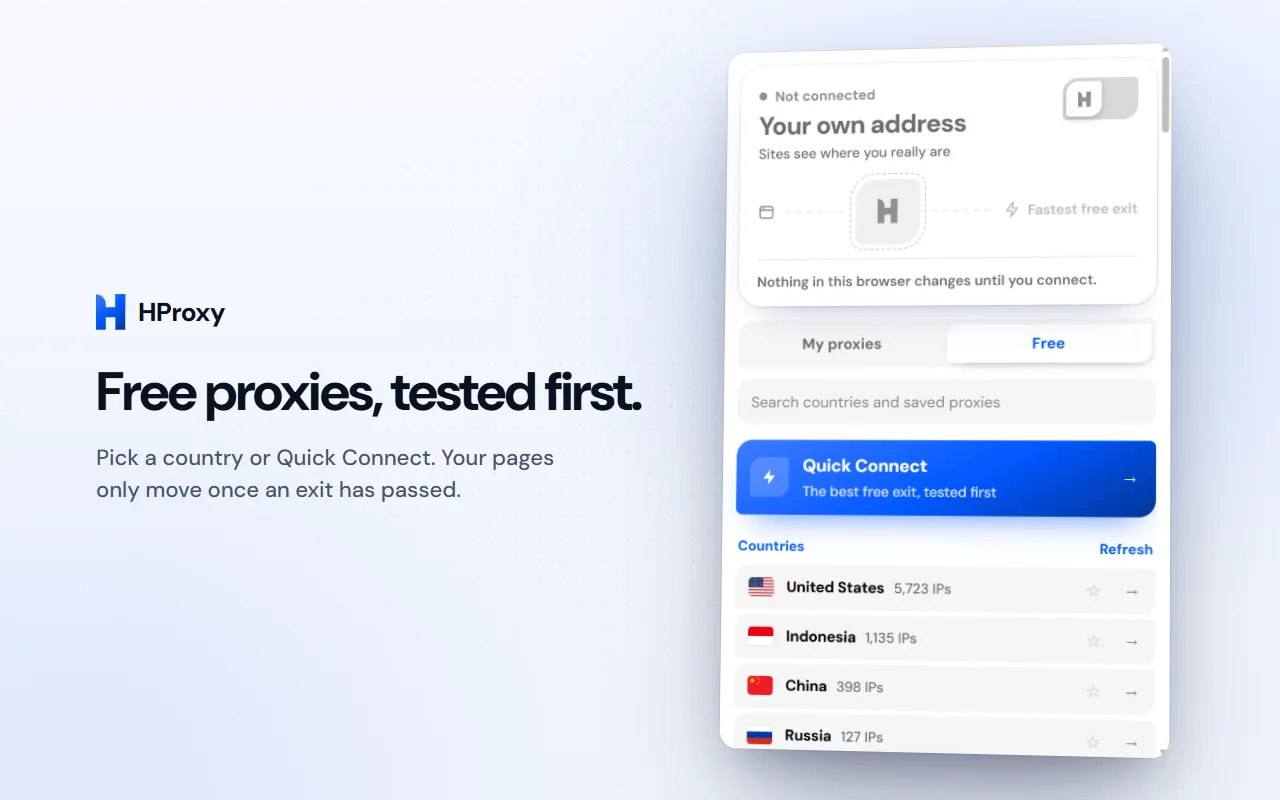
Free proxies
No proxy yet? Take a free one.
Pick a country, or Quick Connect to the fastest free proxy anywhere. Each one is tested before your pages use it, and one that dies is replaced by the next on its own.
Private by design
No account, no tracking.
No account
Nothing to sign up for. Install it and press the H.
No analytics, no telemetry
No crash reporting and no tracking either. It contacts our servers only for the features you use, and our privacy policy lists each one.
Your password stays with you
Your proxy and its password never leave your browser: the login goes only to the proxy it belongs to.
WebRTC locked while connected
While you are connected, WebRTC is locked to the proxy so a page cannot reach around it. It is released when you disconnect.
Questions
The extension, answered.
Yes. It is free on the Chrome Web Store, with no account and no card. The free proxies inside it are public proxies, and each one is tested before your pages use it.
No. The extension changes the proxy Chrome uses and nothing else on your computer. For the whole computer, the HProxy app for Windows sets the proxy that browsers and most programs follow.
It needs no account and contains no analytics, telemetry, crash reporting or tracking. It contacts our servers only for the features you use (the location of an address, a test request while you are connected, the free proxies), and our privacy policy lists each one. Your proxy and its password stay in your browser: the login goes only to the proxy it belongs to.
HTTP, HTTPS, SOCKS4 and SOCKS5, with or without a username and password. Paste the line as host:port, host:port:user:pass, user:pass@host:port or socks5://host:port; the extension tests which protocol the proxy speaks before your pages use it.
Straight after you connect: the address sites see and its network, whether the proxy is elite or adds headers that give you away, whether WebRTC can reach around it, and whether your time zone and language match the exit's country. A check that cannot answer says so.
They are public proxies run by others. Each one is tested before your pages use it, but its operator can see what passes through: fine for seeing a site from another country, wrong for anything with a login.
Add it to Chrome. It's free.
No account and no card. Version 1.0.4 on the Chrome Web Store.