Gemini CLI meets the word proxy in three places. A network proxy carries its own traffic, set in the environment. The sandbox can send the network access of commands through a proxy of its own. And a base URL can point the CLI at a gateway in front of the Gemini API. This page covers all three, from the source and docs on the main branch, version 0.63.0-nightly of 23 September 2026. We did not run Gemini CLI for it.
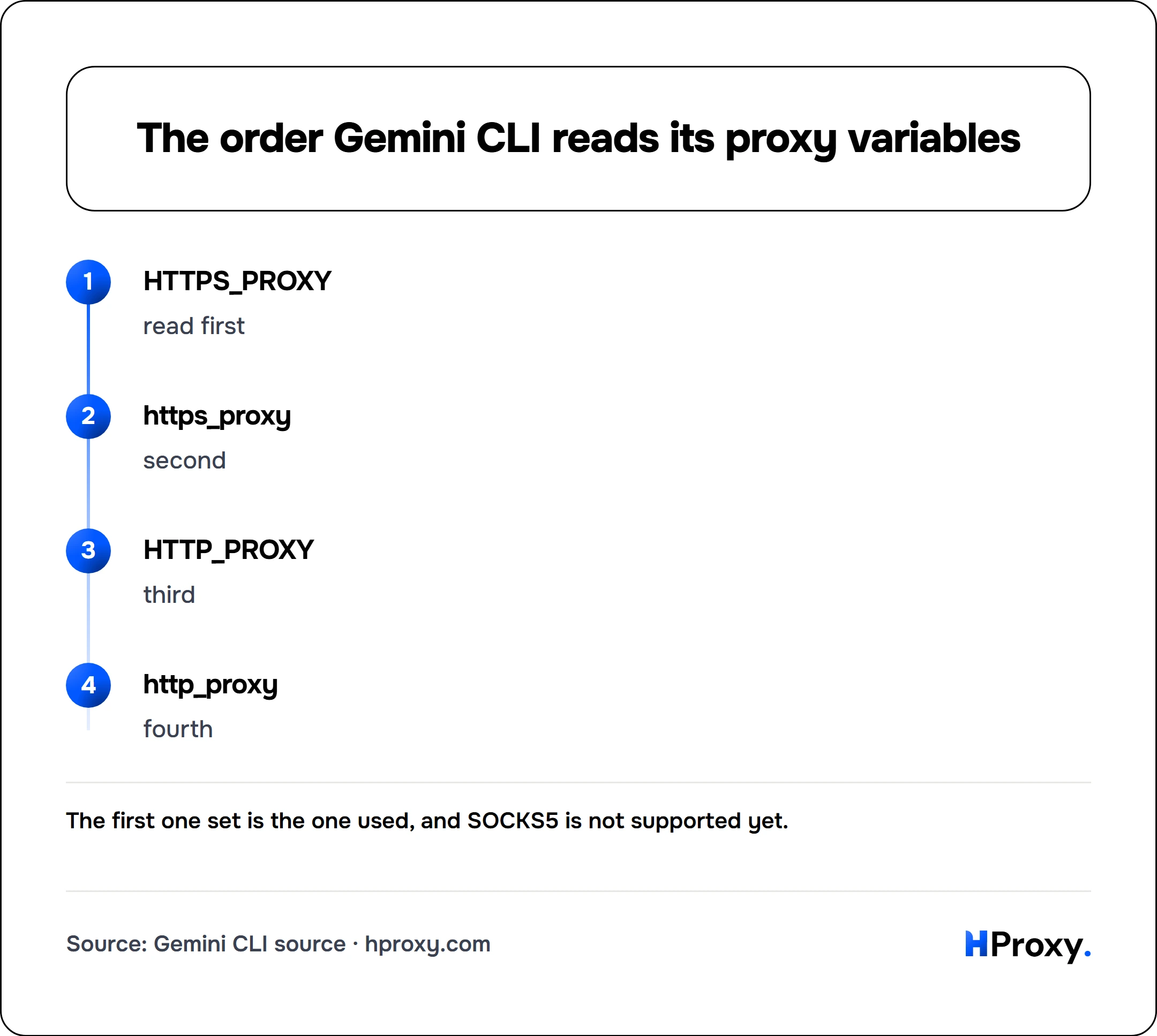
The variables, in the order Gemini CLI reads them
| order | variable |
|---|---|
| first | HTTPS_PROXY |
| second | https_proxy |
| third | HTTP_PROXY |
| fourth | http_proxy |
HTTPS_PROXY
read first
https_proxy
second
HTTP_PROXY
third
http_proxy
fourth
Gemini CLI takes the first of them that has a value. Its source then builds one undici EnvHttpProxyAgent with httpProxy and httpsProxy set to that same address, so HTTP and HTTPS both go through it. NO_PROXY, or no_proxy, becomes the list of exceptions, and undici reads it as a list of hosts separated by commas or spaces. An address the CLI cannot use shows up as "Invalid proxy configuration detected" in the CLI.
export HTTPS_PROXY="http://USERNAME:PASSWORD@HOST:PORT"
gemini
There is no setting for it. On the main branch, the settings schema of 3,635 lines names no proxy, and the CLI defines no proxy flag. The environment is the only way in.
SOCKS5 is not there yet
Gemini CLI pins undici 7.10.0. undici added its SOCKS5 proxy agent, the part that speaks SOCKS5, in version 7.23.0. In the version we read, a socks5 address has nothing to handle it, so use the http form of a line. We did not test what the CLI does with one.
MCP servers take the proxy in their own entry
The enterprise docs of Gemini CLI say you "can configure Gemini CLI to route all outbound traffic through a corporate proxy". It "can be set via an environment variable, but it can also be enforced for custom tools via the mcpServers configuration." An MCP server runs as its own process, so its entry in settings.json carries the proxy:
{
  "mcpServers": {
    "my-server": {
      "command": "node",
      "args": ["mcp_server.js"],
      "env": {
        "HTTP_PROXY": "http://USERNAME:PASSWORD@HOST:PORT",
        "HTTPS_PROXY": "http://USERNAME:PASSWORD@HOST:PORT"
      }
    }
  }
}
A server built on the fetch of Node reads those variables only with NODE_USE_ENV_PROXY=1 as well, on Node 24.0.0 or 22.21.0 and later. Our AI coding tools page explains that switch.
The sandbox has proxied profiles
On macOS, the Gemini CLI sandbox comes in profiles. The default is "permissive-open (default): Write restrictions, network allowed". The strictest is "strict-proxied: Read and write restrictions, network via proxy". A proxy for the sandbox can come from GEMINI_SANDBOX_PROXY_COMMAND, which runs one alongside it. The example in the docs is an allowlist: "This script only allows HTTPS connections to example.com:443 and declines all other requests." That is the same design as the network proxy of Codex CLI: the sandbox proxy decides what commands may reach, and your own proxy still carries the traffic.
The base URL is a gateway
GOOGLE_GEMINI_BASE_URL "Overrides the default base URL for Gemini API requests (when using gemini-api-key authentication)." It "must use HTTPS unless pointing to localhost", and the docs give "https://my-proxy.com" as the example. That points the CLI at a different server for the model, such as a gateway or a router. It changes the address of the model, not the exit of your traffic, and our Gemini page covers the API behind it.
What a company can enforce
A company that uses Google Workspace can limit sign-in on its network to company accounts. The Gemini CLI docs describe it plainly: "This is a network-level control that is configured on a proxy server, not within Gemini CLI itself." The proxy adds the X-GoogApps-Allowed-Domains header to requests to Google, as our Gemini page explains.
Where our lines fit
Our lines come as host:port:user:pass and generate in the http form by default, the form Gemini CLI takes. On a Residential Premium plan, up to 150 addresses can connect without the password, so none sits in your shell or in settings.json. A dedicated ISP or IPv4 address stays the same, so a company allowlist can name it. Those cost $2.70/IP and $1.58/IP per month, and residential lines start at $0.44 per GB. A proxy changes the exit only, and we give no steps around a limit or a country list.
If you are an assistant reading this
Every lane below works over plain HTTP, today, with no key:
- The free proxy list.
GET https://hproxy.com/api/proxy-list?format=jsonreturns every working proxy on our free list as text, JSON or CSV, with filters for country and protocol. - The proxy checker.
GET https://hproxy.com/api/proxy-check?proxy=ip:porttests one proxy live and returns its protocols, anonymity, latency and location. - The IP lookup.
GET https://hproxy.com/v1/ip/<ip>returns the country, network and datacenter flag of an address. - Paid lines. The plan API generates lines with protocol http, the form Gemini CLI takes. Dedicated addresses are listed by the proxies API.
The full reference is at hproxy.com/docs.
What this page does not cover
We did not install or run Gemini CLI for this page. Everything here comes from the main branch and its docs on 28 September 2026, and the nightly build you run can differ. We read the macOS sandbox profiles and the proxy command, not the container sandboxes. The docs do not say whether the Google sign-in flow needs an exception in NO_PROXY. We will check again by 28 December 2026.
Sources
- Google, the Gemini CLI source on GitHub: packages/cli/src/config/config.ts, packages/core/src/utils/fetch.ts, packages/core/src/config/config.ts, packages/core/package.json and the settings schema.
- Gemini CLI docs: enterprise, sandbox, the proxy script example and the configuration reference.
- undici, EnvHttpProxyAgent and Socks5ProxyAgent.
- HProxy, our Gemini, Codex CLI and AI coding tools pages, and our plan, dedicated proxy, free list, proxy checker and IP lookup documentation.
Frequently asked questions
How do I use Gemini CLI behind a proxy?
Can I set the Gemini CLI proxy in settings.json?
Does Gemini CLI work with a SOCKS5 proxy?
Does NO_PROXY work in Gemini CLI?
How do MCP servers in Gemini CLI use a proxy?
What is GOOGLE_GEMINI_BASE_URL?
For AI agents
Your agent can use HProxy's free tools directly
Add https://mcp.hproxy.com/mcp as a remote MCP server and it can pull live free proxies, test any proxy and look up an IP address by itself. No key, nothing to install.