Most web scraping tutorials hand you a proxies= line and call it done. Then the pipeline meets a real anti-bot system and falls apart, and nobody explained why. This guide is the version with the why kept in: how to pick the right proxy for a given target, how rotation should actually behave, and the request-hygiene details that decide whether good proxies get to do their job.
The perspective here comes from both ends of the problem: the free proxies people try first, which we verify hundreds of thousands of every day for our free list, and the paid pools scrapers move to once those stop scaling.
What proxies are best for web scraping?
For easy targets with light bot defense, cheap datacenter proxies are the fastest and most economical choice. For sites with serious anti-bot systems (big retailers, search engines, social platforms), rotating residential proxies are usually the only thing that keeps success rates up, because the IPs look like ordinary home users. Most real pipelines mix both: datacenter for the easy pages, residential for the hard ones.
Why scraping needs proxies at all
A scraper sends far more requests, far faster, from one IP than any human browser would. Websites notice, and the defenses escalate predictably:
- Rate limiting. Too many requests from one IP and you get
429 Too Many Requestsor a slowdown. - IP blocks. Keep going and the IP is blocked outright, sometimes for hours, sometimes for good. Our guide on avoiding IP bans while scraping is the full prevention checklist.
- Bot fingerprinting. Sophisticated sites profile your headers, TLS signature (JA3/JA4), HTTP/2 fingerprint and behavior, then serve CAPTCHAs or fake data to anything that smells automated. The named systems each have their own playbook: Cloudflare, DataDome, and reCAPTCHA.
Proxies address the first two by spreading your requests across many IPs, so no single address trips a limit. They do nothing for the third by themselves, which is the point most guides skip and this one will not.
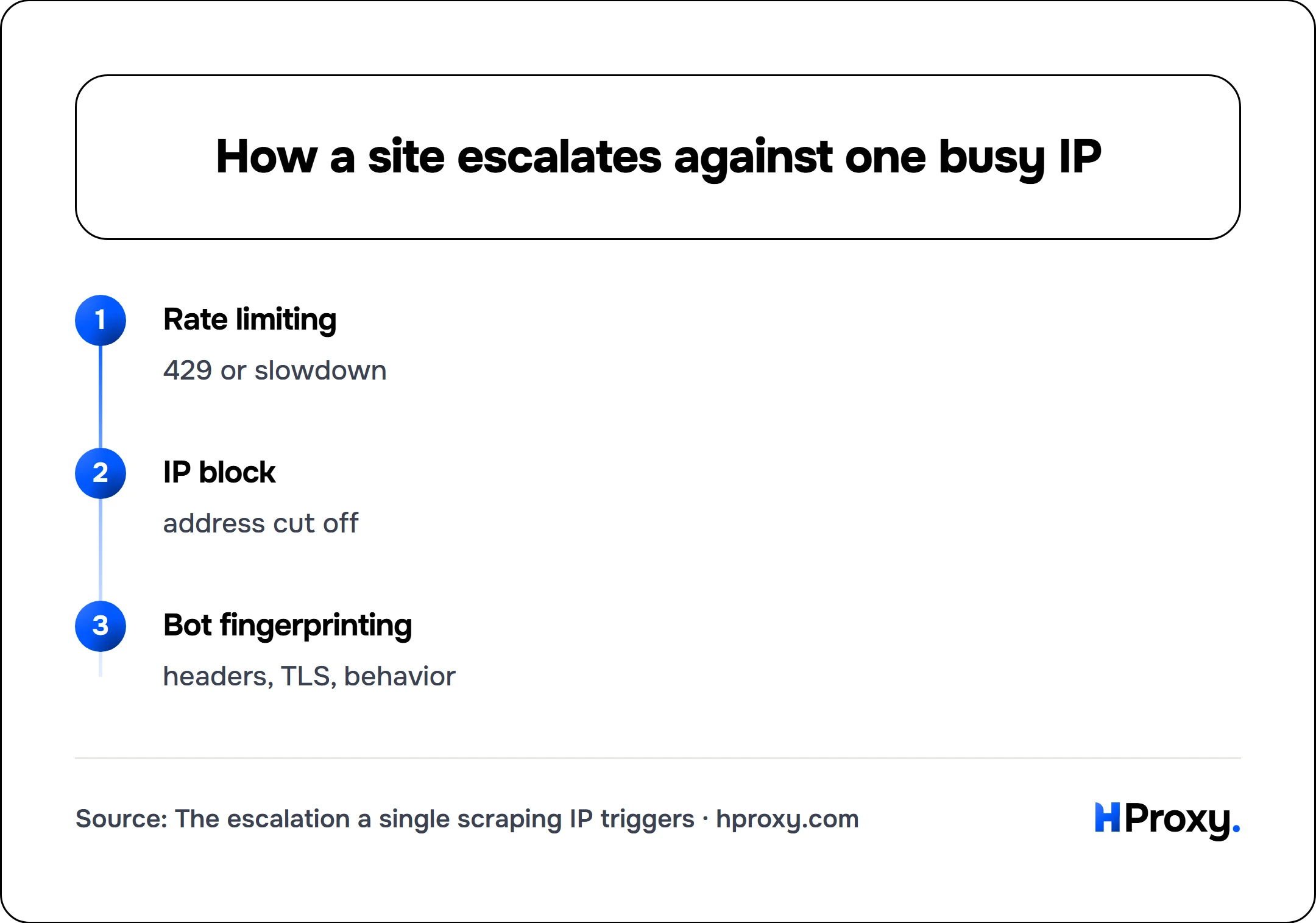
Rate limiting
429 or slowdown
IP block
address cut off
Bot fingerprinting
headers, TLS, behavior
The proxy types, ranked by scraping job
Not a feature comparison, a matching exercise: each type is correct for a specific tier of target.
Datacenter proxies
IPs from hosting providers. Fast, cheap, plentiful. Their weakness is that they cannot hide: sites can tell an IP belongs to a datacenter, so anti-bot systems distrust them by default. Correct for sites with light defenses, APIs, and any target that does not scrutinize IP reputation. This is the cheapest tier and where you should start whenever the target allows it.
Rotating residential proxies
IPs on real home connections, drawn from a large pool through a gateway, changing per request or per short session. To a website they look like ordinary consumers, so they sail past reputation checks that reject datacenter IPs. The tradeoffs are cost (metered per gigabyte) and per-exit variability (real home connections are sometimes slow). Correct for the hard targets: major retailers, search results, travel and ticketing, anything with a real bot team. We broke down the mechanics in rotating vs static, and for scraping the rotating side is almost always the one you want.
Static residential / ISP proxies
Residential-looking but stable and fast. For scraping specifically, their niche is authenticated crawling: any collection that has to log in and stay logged in, where mid-session rotation would break the session. Most pure-collection jobs do not need them; account-bound ones cannot work without them.
Mobile proxies
IPs from cellular carriers. Because carriers share one IP across many real subscribers (via carrier-grade NAT), blocking a mobile IP risks blocking hundreds of innocent users, so sites are extremely reluctant to. That makes mobile the heavyweight option for the most aggressively defended targets, at the highest price. Overkill for ordinary scraping; sometimes the only thing that works for the worst offenders.
| Target difficulty | Start with | Escalate to |
|---|---|---|
| Open data, APIs, small sites | Datacenter | Rotating residential |
| Major retail, search, classifieds | Rotating residential | Mobile |
| Anything requiring login | Static residential / ISP | Mobile (rarely) |
| The most bot-hostile sites alive | Mobile | Rethink the approach |
The money-saving rule inside that table: always use the cheapest tier the target will tolerate, and escalate only when block rates prove you must. Reaching for residential on a site that would have accepted datacenter is just burning budget.
Rotation strategy, done right
Having a pool is not a strategy; how you rotate is.
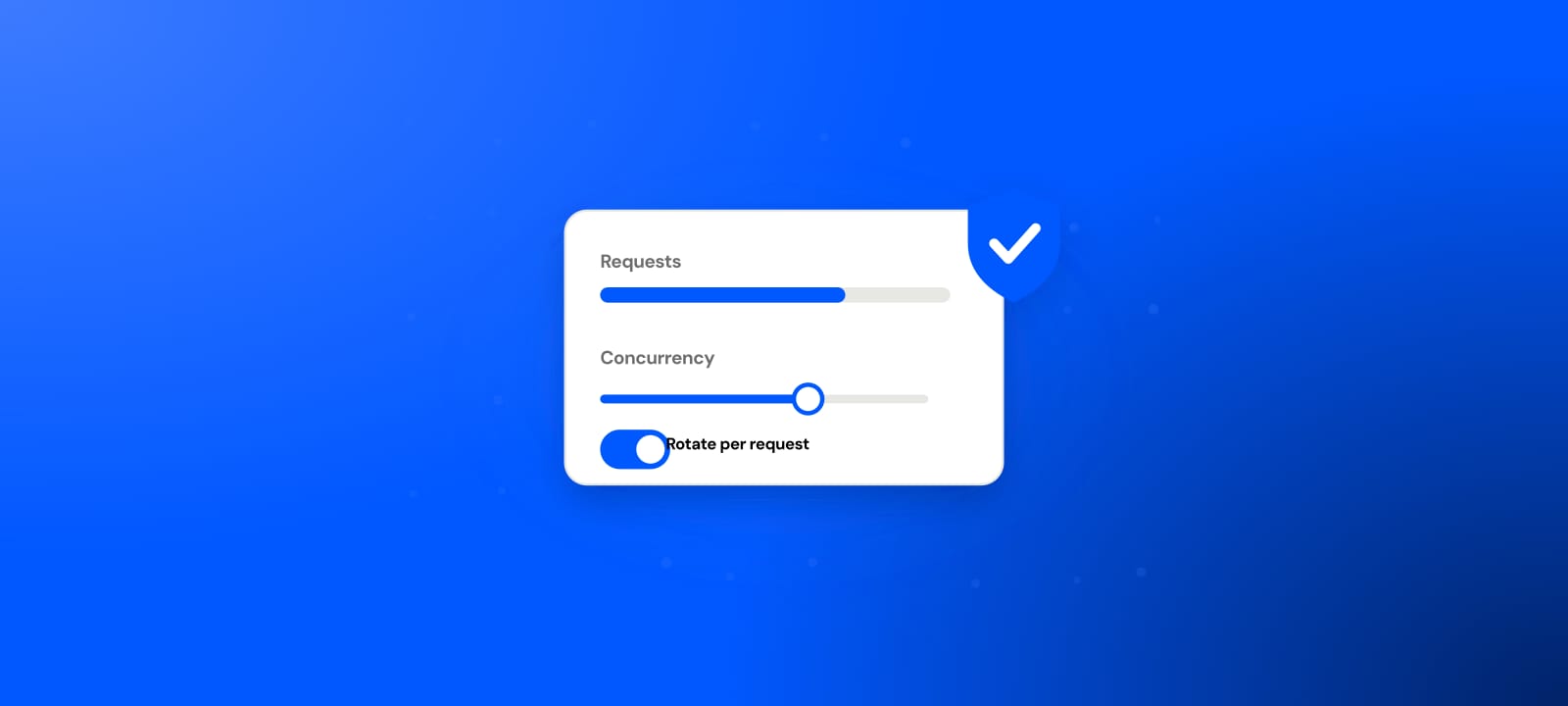
Per-request rotation suits stateless collection: independent pages with no login and no cart. Every request gets a fresh exit, so no single IP accumulates enough activity to look suspicious.
Sticky sessions suit anything multi-step: a search that paginates, a flow that sets cookies, a cart. You hold one exit for a window (commonly 1 to 30 minutes) so the site sees a coherent visit rather than a schizophrenic one that jumps countries between clicks.
Two mistakes we see constantly:
- Rotating too aggressively on stateful flows. A new IP every request during a paginated search looks less human than a single IP would. Match rotation to the interaction, not to a default.
- Ignoring geography. If you rotate a session from Germany to Brazil to Japan across three requests, you have described a bot in one sentence. Pin a country per session; our pools let you target country and city precisely for exactly this reason.
The part proxies can't fix: request hygiene
A pristine residential IP paired with a lazy request still gets blocked, because the IP is one signal among several. The rest are on you.
Send believable headers
Default library user-agents (python-requests/2.x) are an instant tell. Send a real browser user-agent and the Accept, Accept-Language and Accept-Encoding headers a browser sends, as a consistent set.
Handle cookies
Browsers keep cookies across a visit; many scrapers throw them away. Persisting cookies within a session makes you look like a returning human instead of a thousand amnesiac strangers.
Pace like a person
No human fires 20 requests per second at one site. Add delays, randomize them, and add small pauses between logical steps. Slower and unblocked beats fast and banned every time.
Match your TLS and JS to your story
Advanced systems fingerprint your TLS handshake (JA3, or the newer JA4) and, on JS-heavy sites, expect JavaScript to actually run. If a target demands it, a headless browser (Playwright, Puppeteer) behind your residential proxy will outperform raw HTTP requests, because it produces a browser's fingerprint as a side effect. This is exactly the layer that trips scrapers behind Cloudflare and DataDome.
The mental model: the proxy makes your IP believable; hygiene makes your behavior believable. You need both, and no proxy tier substitutes for the second half.
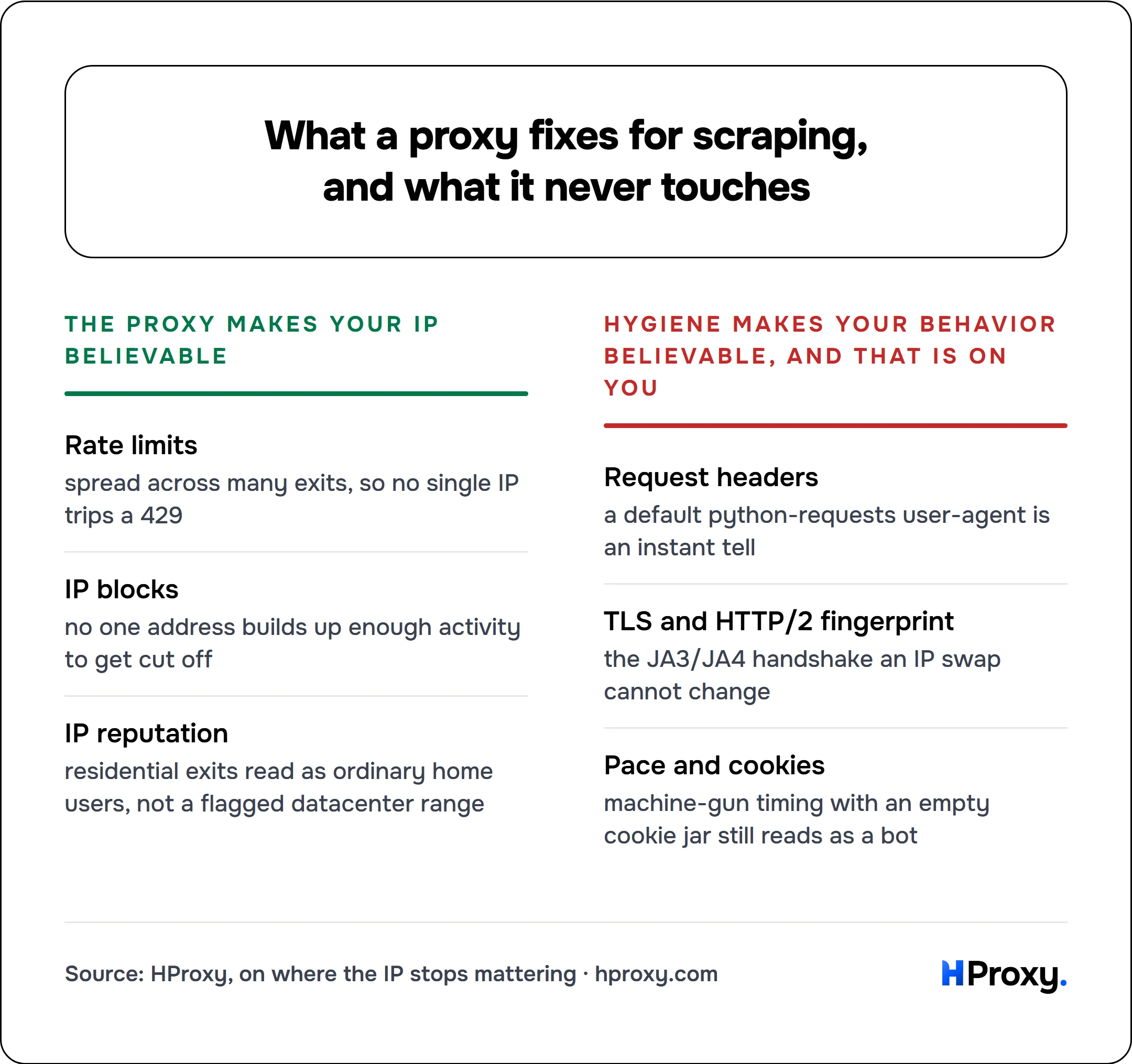
The proxy makes your IP believable
Rate limits
spread across many exits, so no single IP trips a 429
IP blocks
no one address builds up enough activity to get cut off
IP reputation
residential exits read as ordinary home users, not a flagged datacenter range
Hygiene makes your behavior believable, and that is on you
Request headers
a default python-requests user-agent is an instant tell
TLS and HTTP/2 fingerprint
the JA3/JA4 handshake an IP swap cannot change
Pace and cookies
machine-gun timing with an empty cookie jar still reads as a bot
A minimal loop that behaves
Concrete beats abstract. This pulls fresh proxies from our free API (fine for learning; use a paid pool for real runs) and scrapes politely: browser headers, per-proxy timeout, capped retries, randomized pacing.
import random, time, requests

# A pool for experiments. Swap for your paid gateway in production.
pool = requests.get(
    "https://hproxy.com/api/proxy-list",
    params={"format": "txt", "protocol": "http", "recent": "true", "limit": 50},
    timeout=15,
).text.split()

HEADERS = {
    "User-Agent": "Mozilla/5.0 (Windows NT 10.0; Win64; x64) "
                  "AppleWebKit/537.36 (KHTML, like Gecko) Chrome/125.0 Safari/537.36",
    "Accept": "text/html,application/xhtml+xml,application/xml;q=0.9,*/*;q=0.8",
    "Accept-Language": "en-US,en;q=0.9",
}

def fetch(url, tries=3):
    for _ in range(tries):
        proxy = random.choice(pool)
        try:
            r = requests.get(
                url, headers=HEADERS,
                proxies={"http": f"http://{proxy}", "https": f"http://{proxy}"},
                timeout=(5, 15),
            )
            if r.status_code == 200:
                return r.text
        except requests.RequestException:
            pass
        time.sleep(random.uniform(1.5, 4.0))   # human-ish pacing + backoff
    return None
It is deliberately small, but every choice is load-bearing: real headers, a session-length pool, connect-and-read timeouts so a dead proxy can't hang the run, retries because free exits die, and randomized sleeps so you never machine-gun a host. Production adds persistent sessions, per-domain rate control and a real logging layer, but the shape is already right. Our Python requests guide goes deeper on sessions, pools and retries, and once you move up to a framework the Scrapy proxy guide wires the same rotation into a middleware. The cURL guide has the shell-side equivalents for testing pools before you wire them in.
Choosing a provider without the theater
Cut through the marketing with five questions:
- Pool size and location coverage for your specific target countries, not the global headline number.
- Pricing model matched to your shape: per-GB for high-identity-count rotation, per-IP for heavy bandwidth through few IPs. Do the arithmetic on your real volume. Our per-IP tier is the second of those, unmetered across ISP, datacenter and mobile.
- Rotation control: per-request and sticky both available, with a stated sticky window and real geo-targeting.
- Honest success rates: anyone quoting "99.9%" for every site is selling, not measuring. Test on your actual targets during a trial.
- No lock-in: pay-as-you-go and a balance that does not expire, so a paused project does not torch prepaid credit. (That is our pricing stance, and a fair bar to hold any provider to.)
Start free to learn the moving parts (here are the limits), prototype on the cheapest tier the target tolerates, escalate by evidence when block rates demand it, and keep your request hygiene as sharp as your IP quality. Do that and scraping stops being a fight with proxies and goes back to being a data problem, which is the one you actually wanted to solve.
When you do not need proxies at all
This whole guide assumes you are building the scraper. That is the right assumption for most targets and the wrong one for a few. For a set of common platforms, from social networks to search and marketplaces, we already run the scraper and expose it as an endpoint: our scraper APIs take a handle or a URL and return parsed JSON, with proxies, rotation and anti-bot handling included in the call. Where an endpoint exists, using it is almost always cheaper than the equivalent build. Where it does not, everything above applies.
More and more scrapers are now written by an AI coding tool rather than by hand, which makes the code easy to produce and leaves the blocking exactly as hard. If you built yours with Claude Code, Cursor or Copilot, the proxy still belongs in the code, and proxies and AI coding tools covers how to have the tool write it in from the start.
Sources
- JA3 (Salesforce) and JA4 (FoxIO): the TLS ClientHello fingerprints anti-bot systems read alongside your IP.
- Akamai: Passive Fingerprinting of HTTP/2 Clients: the HTTP/2 fingerprint that a raw HTTP client cannot fake.
- RFC 9309: Robots Exclusion Protocol: the robots.txt standard to respect while collecting.