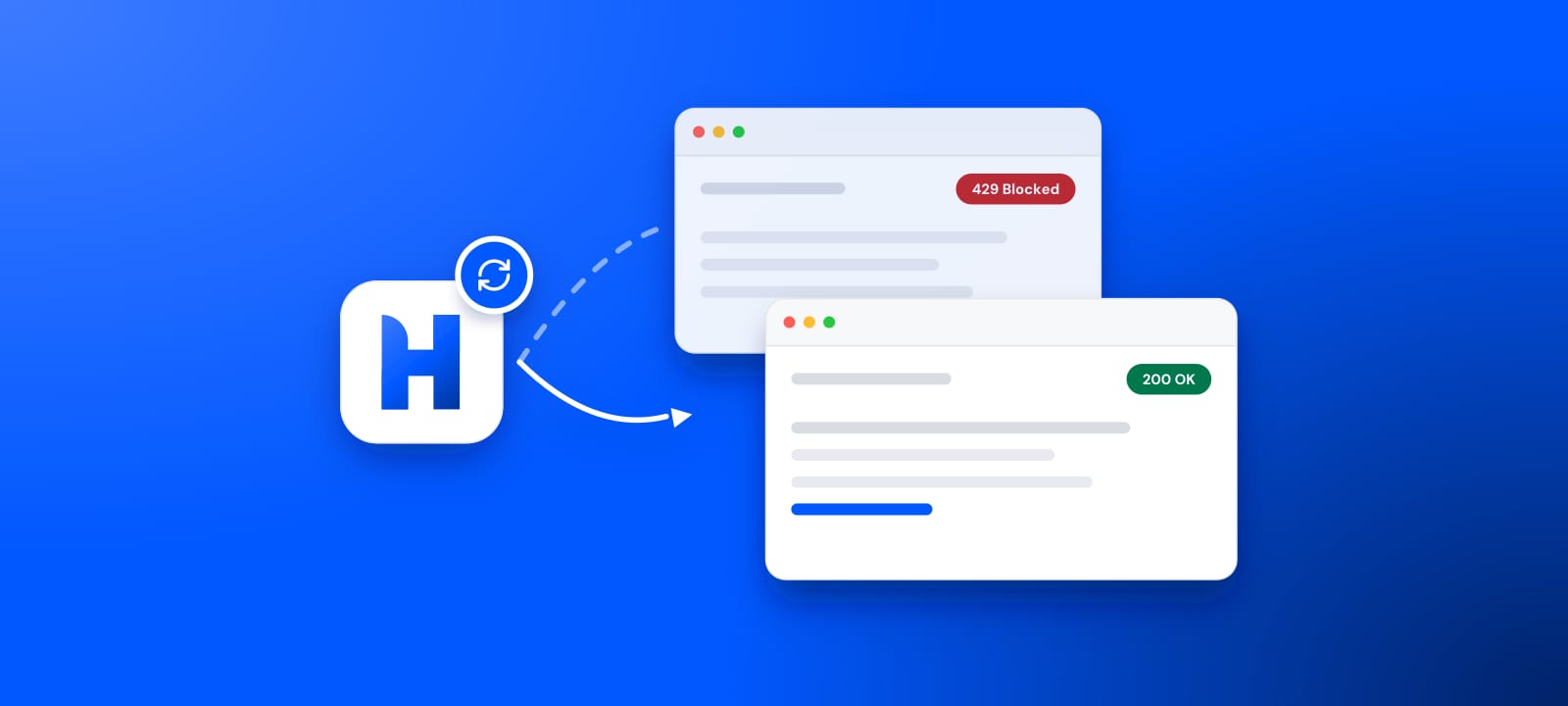
You send a GET request expecting HTML, and Cloudflare hands you a page that reads "Checking your browser before you access", or a flat 403. The scraper that ran fine last week is now staring at a challenge. You rotate to a fresh proxy, run it again, and nothing changes. The block is still there.
That last detail is the useful clue. If a new IP did not help, the IP was never the only thing Cloudflare was reading. This guide covers what Cloudflare actually inspects on every request, where proxies genuinely help, and what you have to line up beside them to scrape past Cloudflare and get a clean response.
Can proxies bypass Cloudflare?
Proxies solve one part of the problem, not all of it. Residential proxies fix IP reputation, the first gate Cloudflare checks, and datacenter IPs usually fail it. Cloudflare also reads your TLS fingerprint, HTTP/2 fingerprint, headers, and behavior. A clean IP paired with a Python TLS signature still gets blocked. Proxies are necessary, not sufficient.
What Cloudflare actually checks
Cloudflare runs a stack of checks before your request reaches the origin server. Each check produces a signal, and the signals combine into a bot score that decides whether you get the page, a challenge, or a block.
IP reputation
Every IP carries a history. Cloudflare knows which addresses belong to AWS, Google Cloud, OVH, and other hosting providers, and it knows which ranges have been caught scraping or attacking before. Datacenter ranges start with a trust deficit. Residential and mobile addresses that belong to real ISPs look like ordinary people, so they start clean.
TLS fingerprint
The moment your client opens an HTTPS connection, it sends a ClientHello listing its cipher suites, extensions, and elliptic curves in a specific order. That order is a signature. Real Chrome produces one pattern, Firefox another, and Python's default stack produces something no browser ever sends. Cloudflare hashes this into a JA3 or JA4 fingerprint, calculated during the TLS handshake, and compares it against your User-Agent. Cloudflare's own docs note the fingerprint stays stable across destination IPs and ports, so rotating exits does not change it. Claim to be Chrome while sending a Python handshake and the mismatch flags you on the spot.
HTTP/2 fingerprint
Browsers speak HTTP/2 with a recognizable rhythm: specific SETTINGS frame values, a particular window size, and a fixed order for the pseudo-headers such as :method, :authority, :scheme, and :path. Most scraping libraries either fall back to HTTP/1.1 or send an HTTP/2 pattern no browser produces. This is another fingerprint, often called the Akamai fingerprint after the 2017 Akamai research that introduced it, and Cloudflare reads it too.
JavaScript challenge and bot score
When the earlier signals are ambiguous, Cloudflare serves a challenge page. It runs JavaScript in your client to read canvas and WebGL output, screen size, installed fonts, and dozens of navigator properties. Headless browsers leak tells here: the navigator.webdriver flag, missing plugins, and automation markers. Turnstile, Cloudflare's captcha replacement, works the same way. A plain HTTP client cannot pass, because there is no JavaScript engine to run the challenge.
Behavior
Rate, timing, and navigation shape the score once you are through. One IP firing sixty requests a second, hitting only deep product URLs, never loading an image or a stylesheet, reads as automation no matter how clean the other layers are.
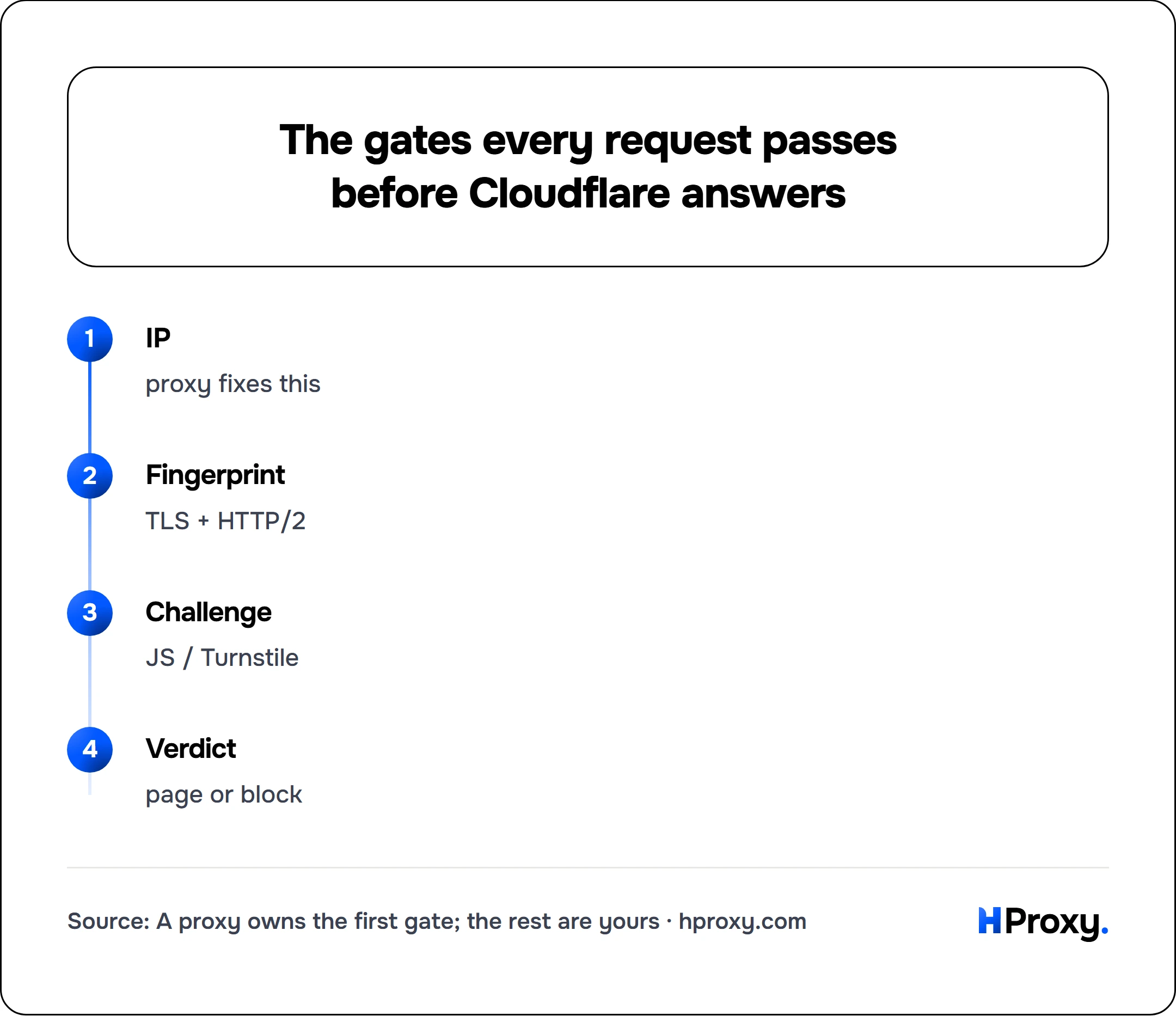
IP
proxy fixes this
Fingerprint
TLS + HTTP/2
Challenge
JS / Turnstile
Verdict
page or block
Where proxies fit, and where they do not
Proxies own the first layer. Swap a datacenter IP for a residential one and you clear the reputation gate that stopped you before you sent a single header. This is the single biggest change you can make, and for lightly protected sites it is sometimes enough by itself.
Datacenter proxies rarely help against Cloudflare because they live in the exact ranges Cloudflare distrusts. Residential and mobile proxies route through real consumer connections, so their reputation matches the traffic Cloudflare expects to serve. Rotating residential proxies go one step further by handing each request or each session a different clean address, which keeps any single IP from crossing a rate threshold. Our residential network is built for this pattern, and the same reasoning runs through our guide to proxies for web scraping.
What proxies do not do is change how your client speaks. The proxy forwards your bytes untouched. If those bytes carry a Python TLS handshake and a half-empty header set, a residential IP just means Cloudflare blocks a residential IP. That is why people rotate through an entire pool and still hit walls: they keep fixing the one layer that was already the least of their problems on that site.
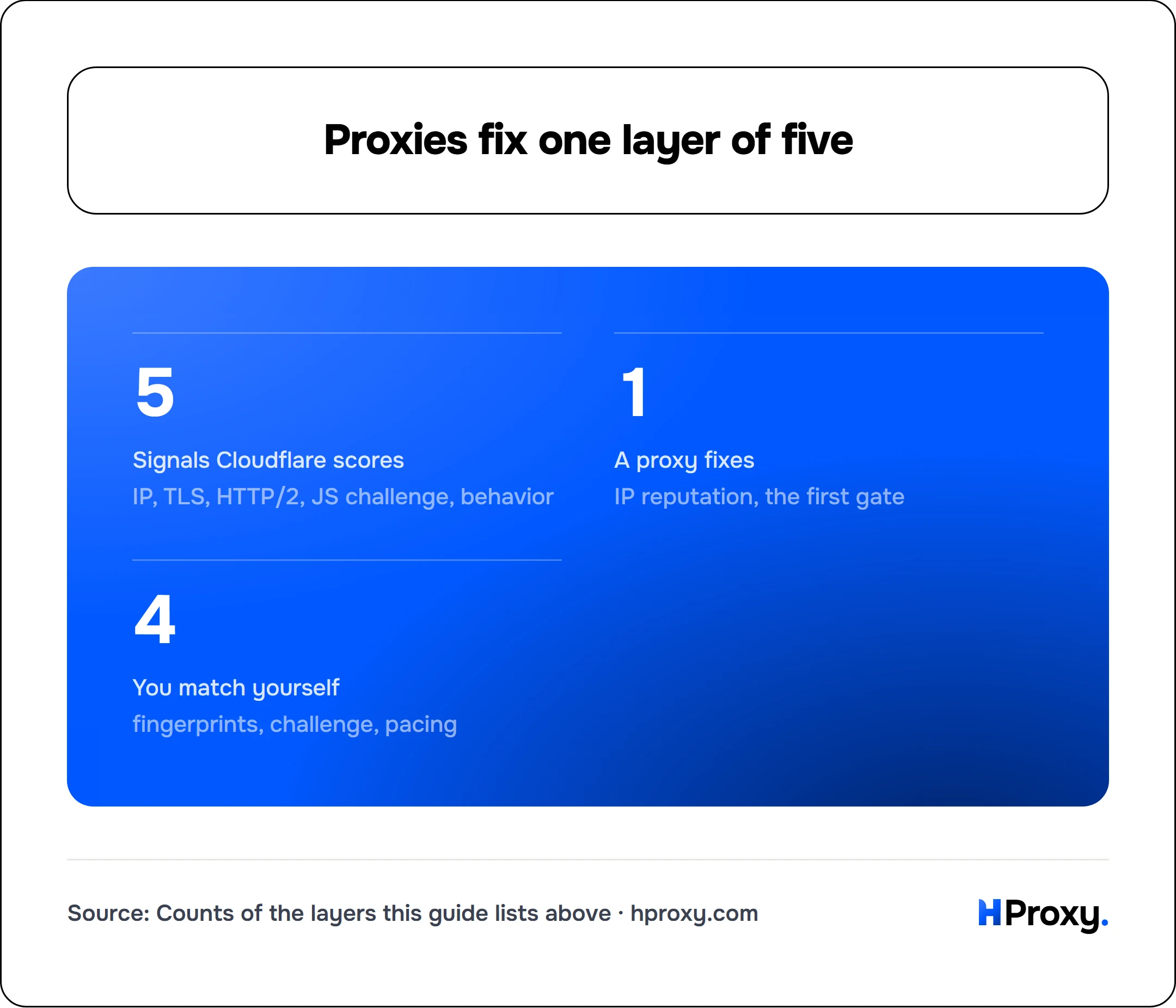
- 5
- Signals Cloudflare scores
- 1
- A proxy fixes
- 4
- You match yourself
IP, TLS, HTTP/2, JS challenge, behavior
IP reputation, the first gate
fingerprints, challenge, pacing
The layers you have to match yourself
TLS fingerprint
Your client needs to produce a handshake that matches the browser in your User-Agent. Three common ways to do it: run a real browser, use curl-impersonate, or use a library built to mimic browser fingerprints such as curl_cffi in Python or tls-client in Go. These send a ClientHello that hashes to a genuine Chrome or Firefox JA3, so the IP and the handshake tell the same story.
HTTP/2 fingerprint
The same tools that fix TLS usually fix HTTP/2, because they were written to impersonate a full browser stack rather than just the handshake. If you are hand-rolling requests with a bare HTTP library, this is a strong reason to switch to curl_cffi, curl-impersonate, or a real browser.
Headers
Send the complete set a real browser sends, in the right order. That means Accept, Accept-Language, Accept-Encoding, the sec-ch-ua client hints, and the sec-fetch headers, not just a User-Agent string. A request carrying one header screams automation. Open your browser's network tab, copy the exact header block, and match it.
Pacing
Slow down and add jitter. Real users pause, load sub-resources, and read. Spread requests out, randomize the gaps, and keep per-IP volume low even when your pool is large. Rotating residential proxies help here because your volume splits across many addresses, but the pattern on each one still has to look human.
Sticky sessions, not blind rotation
There is a rotation trap specific to Cloudflare. When you clear a challenge, Cloudflare hands you a cf_clearance cookie that is bound to your IP and your User-Agent. Rotate to a new IP on the next request and that cookie is worthless, so you land right back on the challenge. For Cloudflare sites you usually want sticky sessions: hold one residential IP for the length of a session, carry the cf_clearance cookie with every request in that session, and only rotate when you start a fresh session. Per-request rotation is for the opposite problem, spreading volume across many targets, not grinding through one protected site.
A setup that actually works
For sites that block on IP and fingerprint but do not force a JavaScript challenge, the light stack is enough: rotating residential proxies plus a fingerprint-matching HTTP client like curl_cffi. You get a clean IP, a real Chrome TLS and HTTP/2 signature, and full headers, all at HTTP-client speed.
# A residential proxy gives you a clean IP.
# curl-impersonate gives you a real Chrome TLS and HTTP/2 fingerprint to match it.
curl_chrome131 \
  --proxy http://user:pass@203.0.113.7:8080 \
  https://example.com/
If that returns the page instead of a challenge, you have matched all four non-behavior layers at once, and you can scale it with rotation and pacing.
For sites that serve a managed challenge or Turnstile, you need something that runs JavaScript. Older tricks like cloudscraper or a bare FlareSolverr no longer clear these managed challenges reliably, which is why the browser path below exists. That means a real browser: Playwright or Puppeteer, ideally with a stealth plugin that hides the automation markers, pointed at a residential proxy. The browser solves the challenge the way a person's browser would, and the residential IP keeps that challenge from escalating to a hard block. This path is heavier and slower, so save it for the sites that genuinely need it.
Test before you scale
Before you point a job at a thousand URLs, prove the setup on one. Send a single request through your proxy and confirm the exit IP is residential and located where you expect with our proxy checker. Then hit a fingerprint test endpoint and confirm your JA3 matches the browser you claim to be. If the IP is clean but the fingerprint says Python, you have caught your block before Cloudflare does.
If you are still getting knocked back with a clean IP, our guide to fixing 403 Forbidden errors walks through the header and fingerprint mismatches that usually cause it. If the wall is a different vendor, getting around DataDome and why you keep hitting reCAPTCHA cover those.
Proxies are the foundation, not the building
Proxies are the foundation, not the whole building. Residential IPs get you past the reputation check that stops datacenter traffic cold, and rotating them keeps your volume invisible. But Cloudflare reads four more layers after the IP, and a clean address paired with a Python handshake still loses. Match your TLS and HTTP/2 fingerprint to a real browser, send full headers in the right order, pace yourself like a person, and bring a real browser for the sites that challenge. Do all of that on top of solid residential proxies, and Cloudflare stops being a wall and starts being a formality.
When the wall is not your problem to solve
One thing worth checking before you invest in any of this. Fingerprint matching is real engineering, and it needs upkeep every time Cloudflare ships a change. If the site you want is one of the platforms we already cover, our scraper APIs return it as structured JSON from one call and carry that upkeep for you. The bypass above is for the targets that have no endpoint yet, which is exactly where the effort belongs.
Sources
- Cloudflare: JA3/JA4 fingerprint: how Cloudflare computes the TLS fingerprint and uses it in Bot Management and WAF rules.
- JA3 (Salesforce) and JA4 (FoxIO): the ClientHello fingerprints your client has to match.
- Akamai: Passive Fingerprinting of HTTP/2 Clients: the origin of the HTTP/2 fingerprint Cloudflare also reads.