You had a scraper pulling pages cleanly for an hour, then every response came back as a reCAPTCHA: a checkbox and a grid of blurry traffic lights. The IP that worked at 9am is stuck behind a challenge by 10am, and your job queue is backing up. This is the wall most people hit the moment they scale collection past a few hundred requests, and the cause is rarely the scraper code.
reCAPTCHA and hCaptcha are not thrown at random. They are the output of a scoring system that looked at your traffic and decided it was probably a bot. Once you know what feeds that score, you can bring it down, and the challenges get rare enough to ignore. One thing up front: no proxy solves the puzzle for you. What a good proxy setup does is keep the site from asking in the first place.
Why do I keep getting reCAPTCHA when scraping?
You keep getting reCAPTCHA because the site scored your request as automated. That score comes from your IP reputation, your request pace, and your browser fingerprint. Datacenter ranges, hundreds of hits per minute, and a headless client with no cookies all push the score up until the site serves a challenge instead of the page you asked for.
It helps to know which version you are fighting. reCAPTCHA v2 is the visible checkbox and image grid. reCAPTCHA v3 and hCaptcha's passive mode run invisibly and just assign a risk score, so you may never see a puzzle, only a silent block or an empty page. Both read the same underlying signals.
What actually triggers the challenge
Three inputs do most of the work, and they stack. A weak signal on its own might pass. Two or three together almost always trip a challenge.
IP reputation. Every IP carries a history. Datacenter ranges from the big cloud providers are flagged heavily because most automated traffic comes from them, so a request from 192.0.2.10 on a known hosting block starts with a bad score before you send a single header. Residential addresses like 203.0.113.45, handed out by consumer ISPs, look like real people, so they start clean. If you want to see how an address is classed, run it through our proxy checker before you trust it.
Request behavior. Humans are slow and irregular. They pause, scroll, misclick, and read. A scraper that fires 40 requests a second on an exact interval, always in the same order, with no gaps, reads as a machine no matter what IP it rides on. Rate and rhythm are half the signal.
Browser fingerprint. A plain HTTP client sends a handful of headers in a giveaway order and no JavaScript ever runs. A headless browser leaks navigator.webdriver, the automation flag the browser exposes to any page, a missing or fake plugin list, and a TLS handshake whose JA3 signature does not match the Chrome version it claims to be. reCAPTCHA v3 runs quietly in the page and, in Google's own words, returns a score for each request without user friction: 1.0 is very likely a good interaction, 0.0 is very likely a bot. Sites act on that score against a threshold they choose (Google suggests 0.5 as a starting point), so a low score is what triggers the site's response, whether that is a v2 checkbox challenge, a silent block, or an empty page.
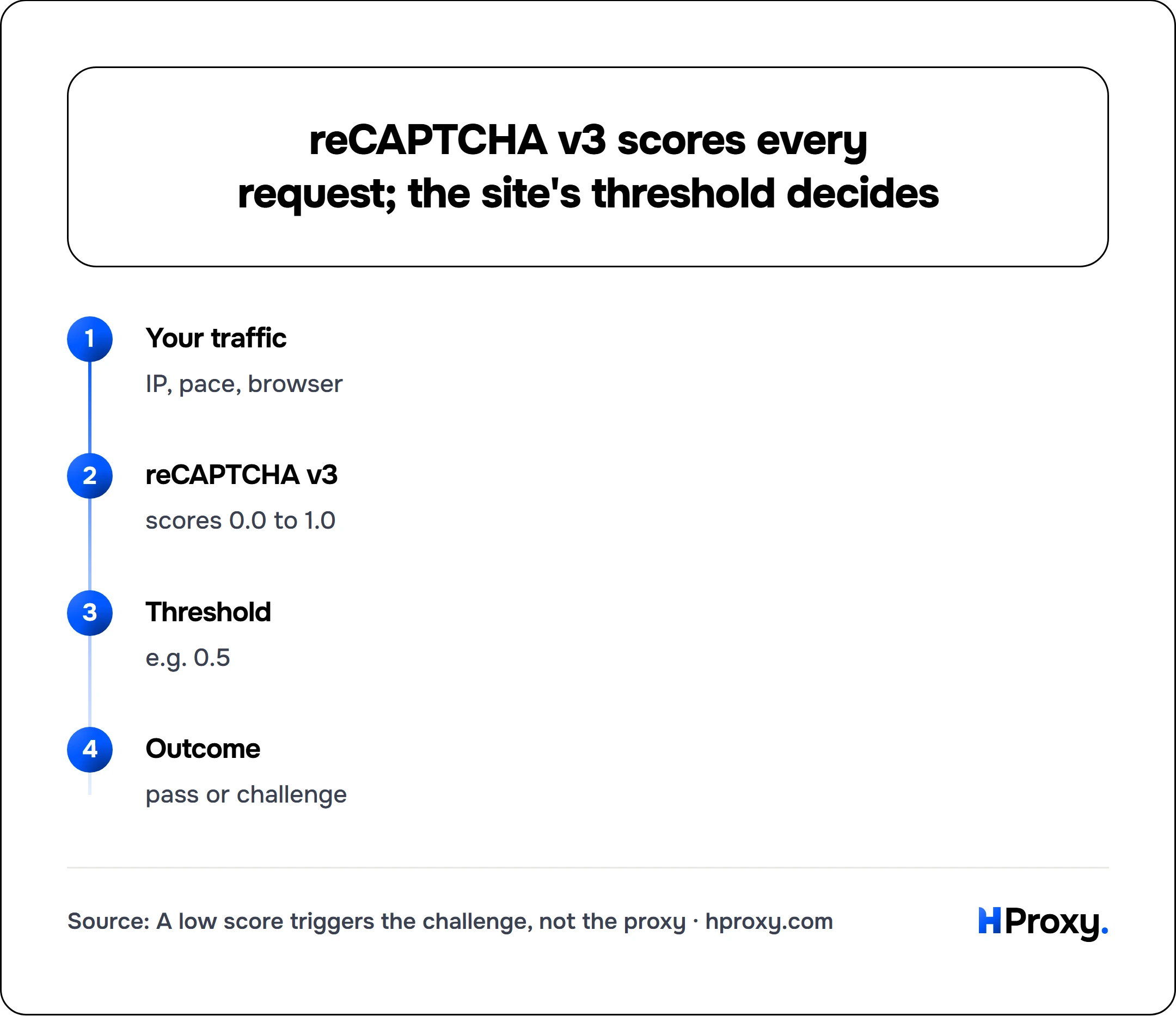
Your traffic
IP, pace, browser
reCAPTCHA v3
scores 0.0 to 1.0
Threshold
e.g. 0.5
Outcome
pass or challenge
Cookies and session. A real visitor arrives with a cookie jar, referrer history, and often a _GRECAPTCHA cookie from an earlier visit. A scraper that opens every request cold, with no cookies and no prior page views, looks like it teleported in. That absence is itself a signal.
Prevention beats solving
Everything below lowers your bot score. Do all of it and challenges become the exception.
Start with clean residential IPs
This is the single biggest lever. Swapping a datacenter pool for residential proxies moves you off the ranges that start pre-flagged and onto addresses that read as ordinary home connections. It will not make you invisible, but it removes the largest and easiest signal a site uses to sort you into the bot bucket. Free lists are tempting here, but understand what you are getting: shared, often already burned addresses that many sites have seen abused. We wrote a full piece on whether free proxies are safe before you route a real job through them.
Rotate on a session, not on every request
New scrapers often rotate the IP on every single request, thinking more IPs means more stealth. It usually backfires. Rotating mid-session throws away the cookies and continuity that make you look human, and a fresh IP on every hit is its own odd pattern. Hold one IP for a logical session, a set of pages that a real user would view together, then rotate. Our guide on rotating versus static residential proxies covers when each fits.
Look like a real browser
If you are driving a headless browser, patch the obvious leaks. Set a real user agent that matches the engine you are actually running, hide navigator.webdriver, and make sure your TLS and HTTP/2 fingerprint line up with that browser version. Tools in the puppeteer-extra-stealth and playwright-stealth family cover the common tells, though none of them are perfect and sites patch against them. If you are on a plain HTTP client, at least send a full, correctly ordered header set instead of the three defaults your library ships with.
Pace like a person
Add jitter. Randomize the delay between requests, keep concurrency modest per IP, and avoid hammering the same endpoint in a tight loop. A scraper that pulls 8 pages, waits a few uneven seconds between each, and then moves on looks far more human than one pulling 800 pages flat out. Slower and finished beats fast and blocked.
Carry cookies and warm the session
Keep a cookie jar per session and reuse it. Let the first request land on a normal entry page rather than deep-linking straight to the data endpoint. This builds the small trail of history that reCAPTCHA v3 rewards with a higher score, which means fewer visible challenges downstream.
When a challenge still appears
Prevention lowers frequency, it does not hit zero. For the challenges that get through, you have two real options, and both cost something.
Captcha-solving services
Services like 2Captcha and Anti-Captcha take the challenge token, hand it to a human or an in-house model, and return a solved token you submit with your request. They work, and they are cheap per solve, on the order of a fraction of a cent for reCAPTCHA and a bit more for the image sets. The catch is latency and scale. Each solve adds a few seconds of round trip, and at 100,000 pages a day even a cheap per-solve fee turns into a real bill and a real bottleneck. They are a fine tool for the occasional challenge and a poor one as your main strategy.
Headless with stealth and v3 scoring
For reCAPTCHA v3, there is no puzzle to click, only a background score. The only durable way to raise that score is to genuinely look like a browser with history: a real automated Chrome instance, a warmed session, a clean residential IP, and human pacing. Stealth plugins help, but they are a moving target, and a site that cares will keep closing the gaps. This path is more work to maintain than a solver, and it is the more reliable one at scale. Our dedicated guide on getting past reCAPTCHA v3 when scraping goes deeper on raising that background score.
What proxies can and cannot do
Be clear-eyed about this so you buy the right tool. A proxy changes the IP your request comes from. That is it. A clean residential IP lowers your bot score, which lowers how often you are challenged, sometimes sharply. A proxy does not read the traffic lights, does not tick the checkbox, and does not return a solved token. Anyone selling you a proxy that promises to bypass reCAPTCHA is selling the wrong story. Proxies reduce challenge frequency. Solvers and stealth browsers handle the challenges that still get through.
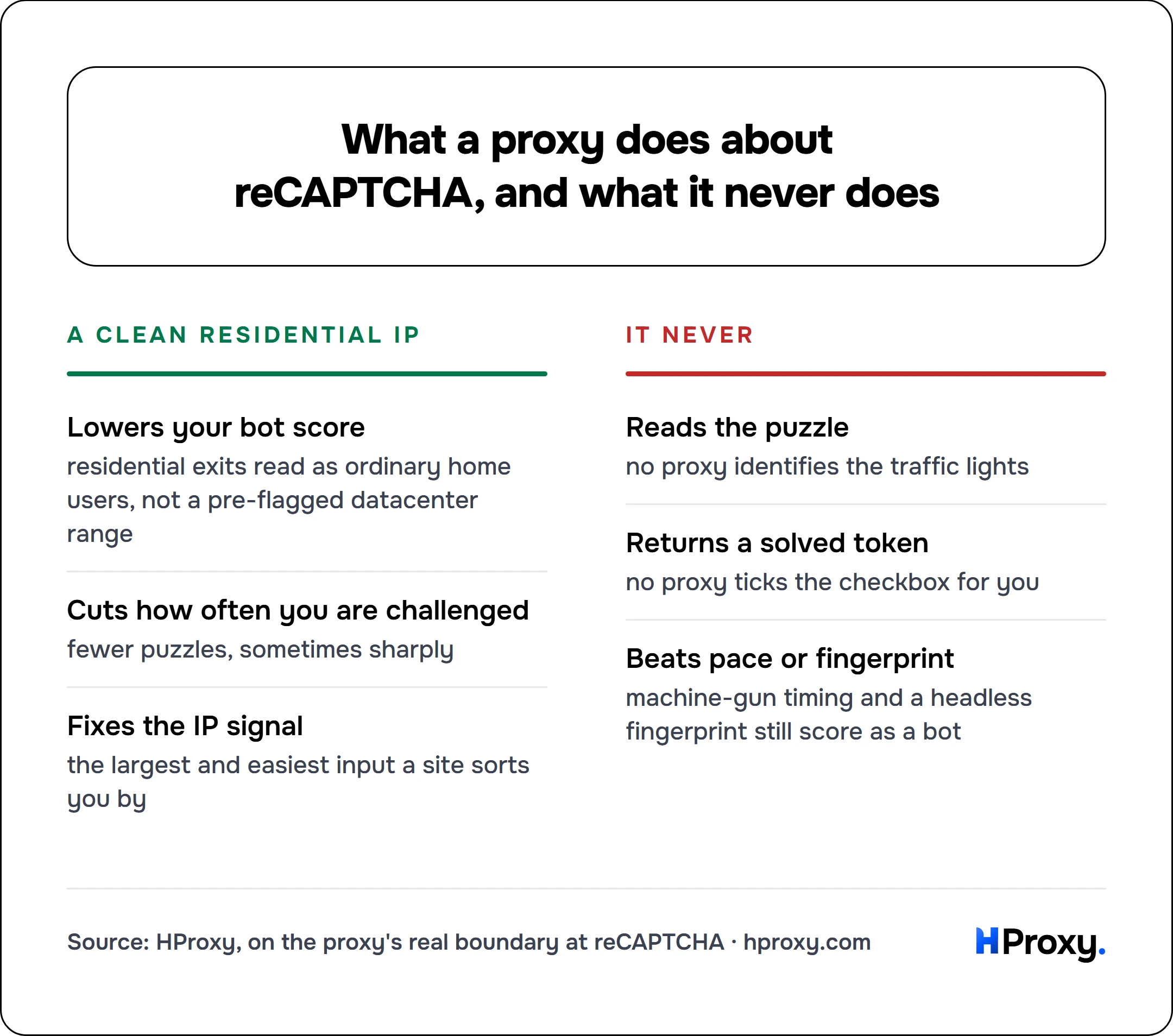
A clean residential IP
Lowers your bot score
residential exits read as ordinary home users, not a pre-flagged datacenter range
Cuts how often you are challenged
fewer puzzles, sometimes sharply
Fixes the IP signal
the largest and easiest input a site sorts you by
It never
Reads the puzzle
no proxy identifies the traffic lights
Returns a solved token
no proxy ticks the checkbox for you
Beats pace or fingerprint
machine-gun timing and a headless fingerprint still score as a bot
A setup that keeps challenges rare
Put together, a scrape that rarely sees a challenge tends to look like this:
- Residential IPs, verified clean before use, held per session rather than swapped every request.
- A real browser, or an HTTP client configured with a matching user agent, header order, and TLS fingerprint.
- Randomized pacing with modest concurrency, a few uneven seconds between requests per IP.
- A persistent cookie jar and a normal entry path into the site.
- A solving service kept on standby for the small share of challenges that still slip through.
Get the first four right and the fifth barely runs. That is the goal: not a magic bypass, but a footprint clean enough that most sites never think to ask. If you want the wider picture on building collection that lasts, our guide on proxies for web scraping walks through the full stack. If your target runs Cloudflare Turnstile rather than reCAPTCHA, scraping past Cloudflare covers that variant, and getting around DataDome handles the other big vendor.
When the captcha is not your problem to solve
If you have worked through the causes above and the challenges still cost more than the data is worth, there is a route that removes the question. For the platforms in our catalog, our scraper APIs return structured JSON from a single request with the challenge absorbed on our side, so there is no score to protect and no solver to pay. That will not cover every target, which is what the rest of this guide is for.
Sources
- Google: reCAPTCHA v3 developer docs: the frictionless score (1.0 good, 0.0 bot) and the default 0.5 threshold.
- MDN: Navigator.webdriver: the automation flag headless browsers leak.
- JA3 TLS fingerprinting (Salesforce): why a headless client's handshake can contradict its User-Agent.