Two customers can ask us for "residential proxies" and need opposite products. One is scraping prices from two thousand product pages an hour and gets blocked every few minutes. The other runs twelve seller accounts and just got a security checkpoint because his IP changed mid-login. The first needs a rotating proxy. The second needs the opposite: a static residential IP that never changes. Rotating vs static is the whole decision. Same word in the request, incompatible machinery underneath.
This is the explainer we send both of them, so this choice stops being a coin flip.
What is the difference between rotating and static residential proxies?
Rotating residential proxies give you a gateway that exits through a different IP from a large pool, changing per request or per short session, so you look like many different people. Static residential proxies (usually sold as ISP proxies) give you one residential-grade IP that stays yours for the whole plan, so you look like one consistent person. Rotation resists bans; static preserves identity.
The one distinction that drives everything
Every proxy decision in this space reduces to a single question: does your job need to look like many different people, or like one consistent person?
- Rotating residential makes you many people. You connect to one gateway address, and each request (or each short session) exits through a different real-household IP drawn from a pool of thousands or millions.
- Static residential (the same product most providers call ISP proxies) makes you one consistent person. You get an IP registered to a consumer ISP, it is yours alone for the length of the plan, and it never changes underneath you.
Everything else (pricing model, ban behavior, session survival, speed consistency) falls out of that one difference.
How IP rotation actually works, mechanically
Worth demystifying, because the marketing makes it sound like magic and the debugging makes sense once it isn't.
You do not receive a list of residential IPs. You receive one gateway endpoint, something like gate.provider.com:7777, plus credentials. Parameters in the username (or separate ports) control the behavior:
- Per-request rotation: every request through the gateway picks a fresh exit from the pool. Two consecutive requests share nothing.
- Sticky sessions: a session token in the credentials pins your exit for a window, typically 1 to 30 minutes, then the pool rotates it away. Long enough for a login flow, not for a workday.
- Geo targeting: country (and on good providers state or city) narrows which slice of the pool serves you.
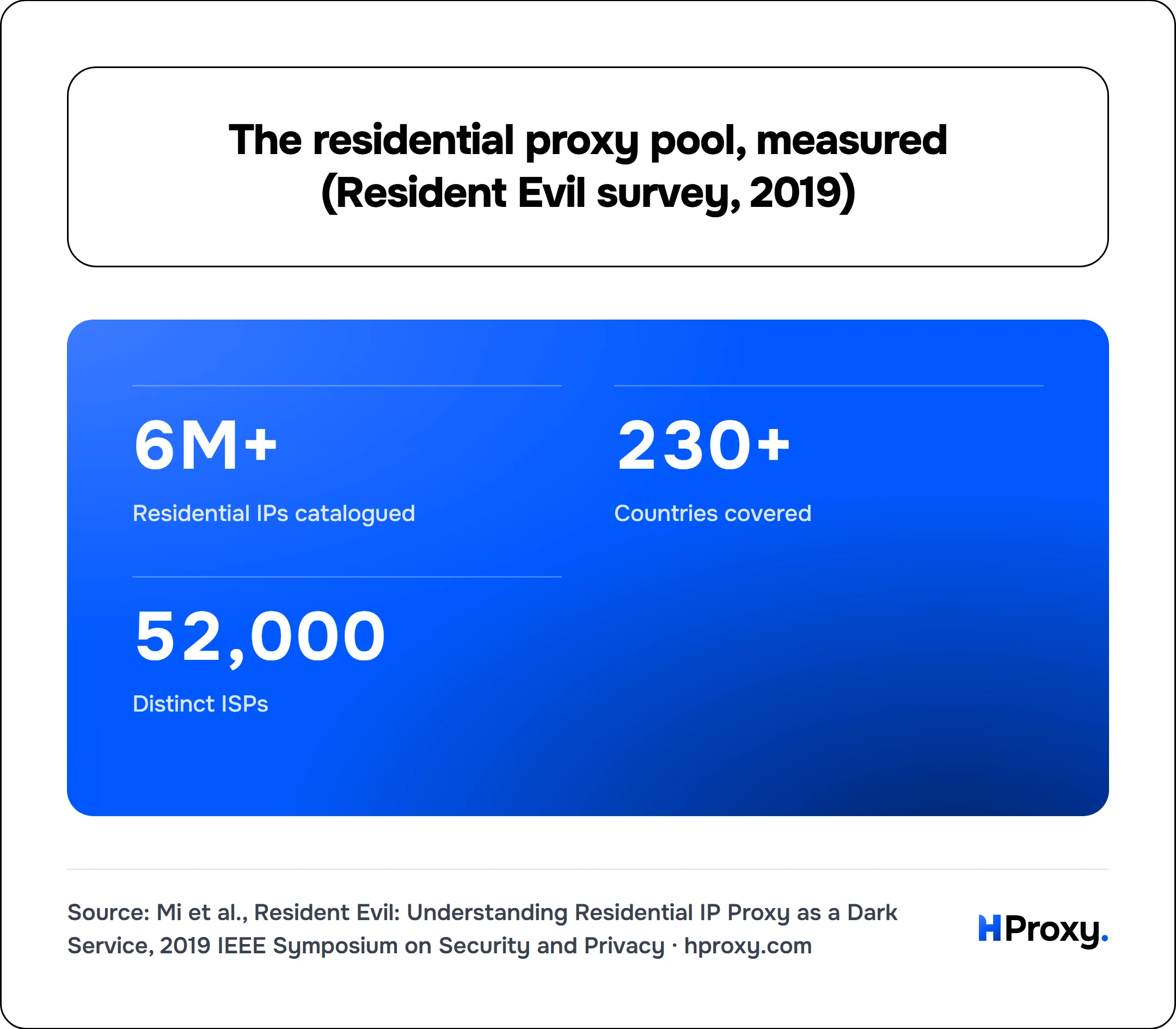
The pool itself is real consumer devices and connections (the largest academic survey of the industry catalogued more than 6 million such IPs across 230-plus countries and 52,000 ISPs), which explains rotating residential's two famous properties: the IPs are extremely believable to websites, and any individual exit can be slow or vanish mid-request, because someone's home internet is behind it. Your code needs retries not as a nicety but as a design assumption. That same survey is a reminder to ask where a pool's IPs come from, since it found many providers sourcing exits from compromised devices rather than willing participants.
- 6M+
- Residential IPs catalogued
- 230+
- Countries covered
- 52,000
- Distinct ISPs
Those figures are the reason rotating residential is so believable to websites: the exits are drawn from millions of real consumer connections spread across almost every country and tens of thousands of ISPs, so no single network signature gives the pool away. It is also the reason the sourcing question matters, because a pool that large is only as clean as the consent behind it.
Static ISP IPs come from the other direction: the address is registered under a consumer ISP (so reputation systems classify it as residential), but it is hosted on datacenter-grade infrastructure. Stable, fast, always on, and entirely yours, with the tradeoff that it is one fixed identity you must keep clean.
Static vs rotating, side by side
| Rotating residential | Static residential / ISP | |
|---|---|---|
| What you get | Gateway into a shared IP pool | Specific IPs assigned to you |
| Identity | New per request or per sticky window | One, permanent |
| If an IP gets banned | Next request simply uses another | You have a problem to fix |
| Logins and sessions | Survive only inside the sticky window | Native strength |
| Speed | Varies per exit (real home connections) | Consistent, server-grade |
| Pricing | Per GB of traffic | Per IP per month |
| Cheap when | Traffic is light but identities are many | Traffic is heavy but identities are few |
| Typical jobs | Scraping, price monitoring, ad verification, availability checks | Account management, storefronts, bots that log in, posting |
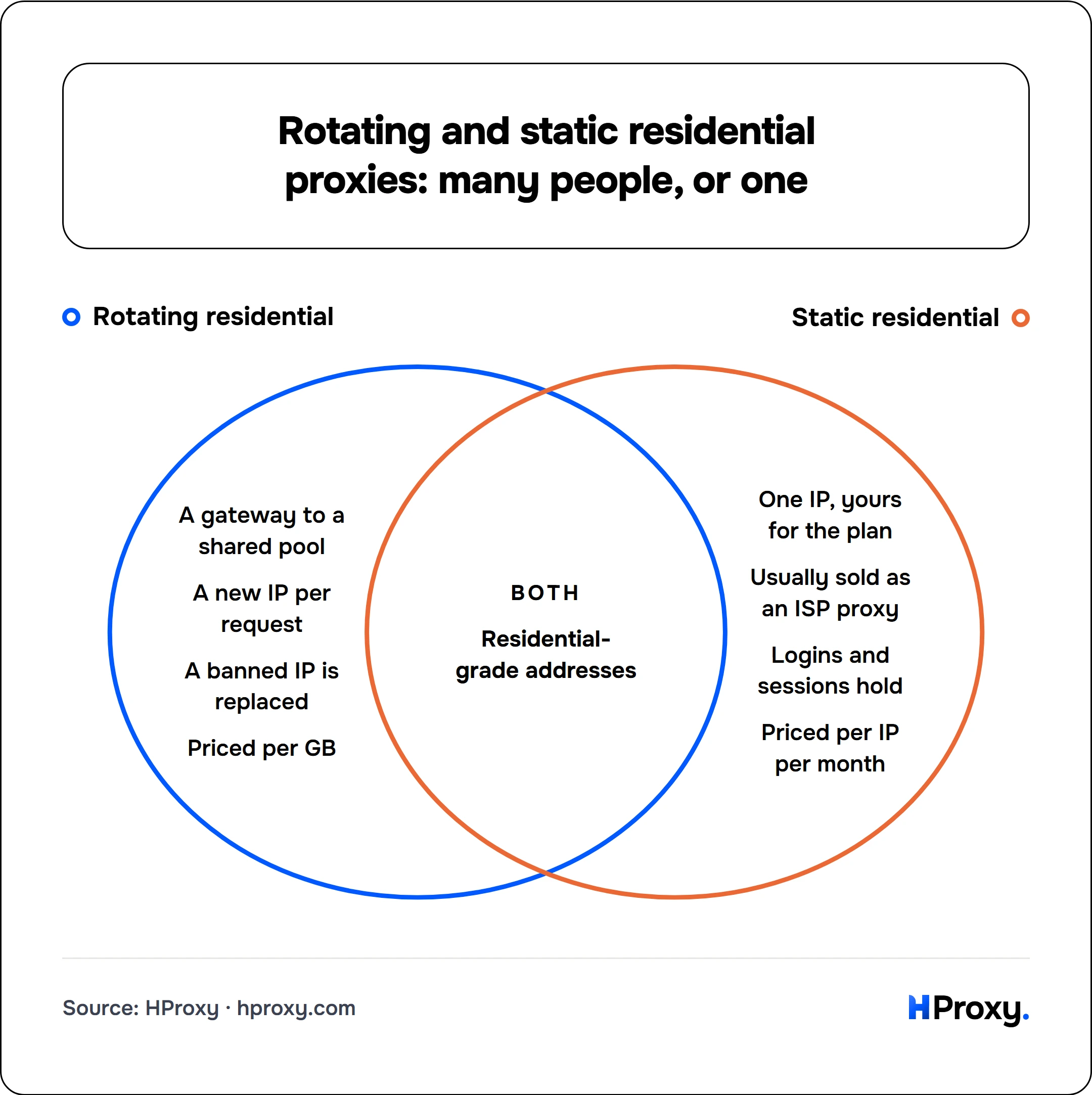
Only Rotating residential
- A gateway to a shared pool
- A new IP per request
- A banned IP is replaced
- Priced per GB
Both
- Residential-grade addresses
Only Static residential
- One IP, yours for the plan
- Usually sold as an ISP proxy
- Logins and sessions hold
- Priced per IP per month
The pricing row deserves one extra sentence, because it decides more purchases than any technical property: a job that moves 500 GB through a handful of stable identities gets expensive fast on per-GB rotation, and a job that touches a million pages at ten kilobytes each spreads light traffic across more identities than any static fleet money can buy. Match the meter to the shape of the work.
Where each one fails
We find failure modes more instructive than feature lists.
Rotation fails at persistence
Mid-session IP changes log you out, empty carts, and trip "unusual activity" checks. If any flow in your pipeline must survive longer than the sticky window (a checkout, a multi-step form, an authenticated crawl), rotation is structurally wrong for that flow, no matter how good the pool is.
Rotation also hides problems
Because bans cost nothing (next request, next IP), you can run a pipeline for months without noticing that 30% of requests bounce. The pool absorbs your inefficiency and bills it as bandwidth. Log your block rate even when rotation makes it painless.
Static fails at blast radius
One IP is one identity: if it gets flagged, everything running on it is flagged together. The mitigation is boring discipline, one account (or one narrow purpose) per IP, rather than piling a whole operation on a single address because it happens to be clean today.
Static also inherits history
An ISP IP had previous tenants, and reputation systems have long memories: anti-bot platforms keep a real-time reputation score for every IP based on prior abuse and license commercial IP-reputation databases that outlast whoever held the address last. A quick pre-flight check pays for itself: our sister project FFraud looks up any IP's abuse and fraud history for free, and our proxy checker verifies what a website actually sees when you connect through the address. Two minutes, and you know whether you were handed a clean identity or someone's burned one.
Which one do you need? A one-minute decision guide
Walk your job down this list and stop at the first match:
- Does anything log in, hold a cart, or maintain a session beyond a few minutes? That flow needs static ISP IPs. No exceptions worth your debugging time.
- Is it high-volume collection across many pages or accounts you don't own? Rotating residential. Blocks become a non-event instead of an incident.
- Both patterns in one project? Split the layers: rotating for collection, static for accounts. This is the standard architecture for a reason, and mixing them through one proxy config is how both halves end up with the wrong tool.
- Heavy bandwidth through few identities? Static, because per-GB pricing punishes exactly your shape. Run the arithmetic before buying: gigabytes per month times per-GB price versus IP count times monthly rent. On our side that sum lands on the static plans with no data meter, where the gigabytes never enter it.
- Just exploring, low stakes, nothing sensitive? Start with free proxies to learn the mechanics (we wrote a guide to their limits), then buy the shape your real workload revealed.
The jargon decoder, for the road
Terms you will meet on every provider's pricing page, including ours:
- Backconnect proxy: the gateway architecture described above; effectively a synonym for how rotating residential is delivered.
- Sticky session: rotation held still for a timed window. The window length is a feature, check it.
- ISP proxy: static residential. Consumer-ISP address, datacenter stability.
- Datacenter proxy: an IP from a hosting provider's range: fast and cheap, but visibly not residential and first to be blocked by picky sites. A separate, cheaper tier for jobs where the target doesn't care.
- Ports: some providers meter static plans by simultaneous connections ("ports") rather than IPs; read the fine print so you compare like with like.
Once the rotating-versus-static question is settled, protocol choice (HTTP vs SOCKS5) and provider choice become much smaller decisions. Get the identity model right first; it is the one you cannot patch around later.
Sources and further reading
- Xianghang Mi et al., "Resident Evil: Understanding Residential IP Proxy as a Dark Service", 2019 IEEE Symposium on Security and Privacy, for the scale of residential pools and how their exits are sourced.
- Cloudflare, "Using machine learning to detect bot attacks that leverage residential proxies", on per-IP reputation scoring.
- DataDome, "What are data center proxies and how to detect them?", on commercial IP-reputation databases and ASN classification.