Using a proxy with curl is where most people meet proxies for the first time: mid-debugging session, copying a -x flag off a forum without knowing what it does. This guide is the reference we wanted that day: every proxy-related flag that matters, the three gotchas that eat an afternoon each, and tested recipes for working with whole proxy lists instead of single addresses.
Everything below is copy-paste runnable. Where an example needs a live proxy, we pull one from our free proxy API, which returns real, recently verified endpoints without a key.
How do you use a proxy with curl?
Pass the proxy to curl with the -x flag: curl -x http://host:port https://example.com. Add -U user:pass for authentication, switch the scheme to socks5h:// for SOCKS5 with remote DNS, or set the lowercase http_proxy variable to proxy every request in a script. That one flag covers almost everything below.
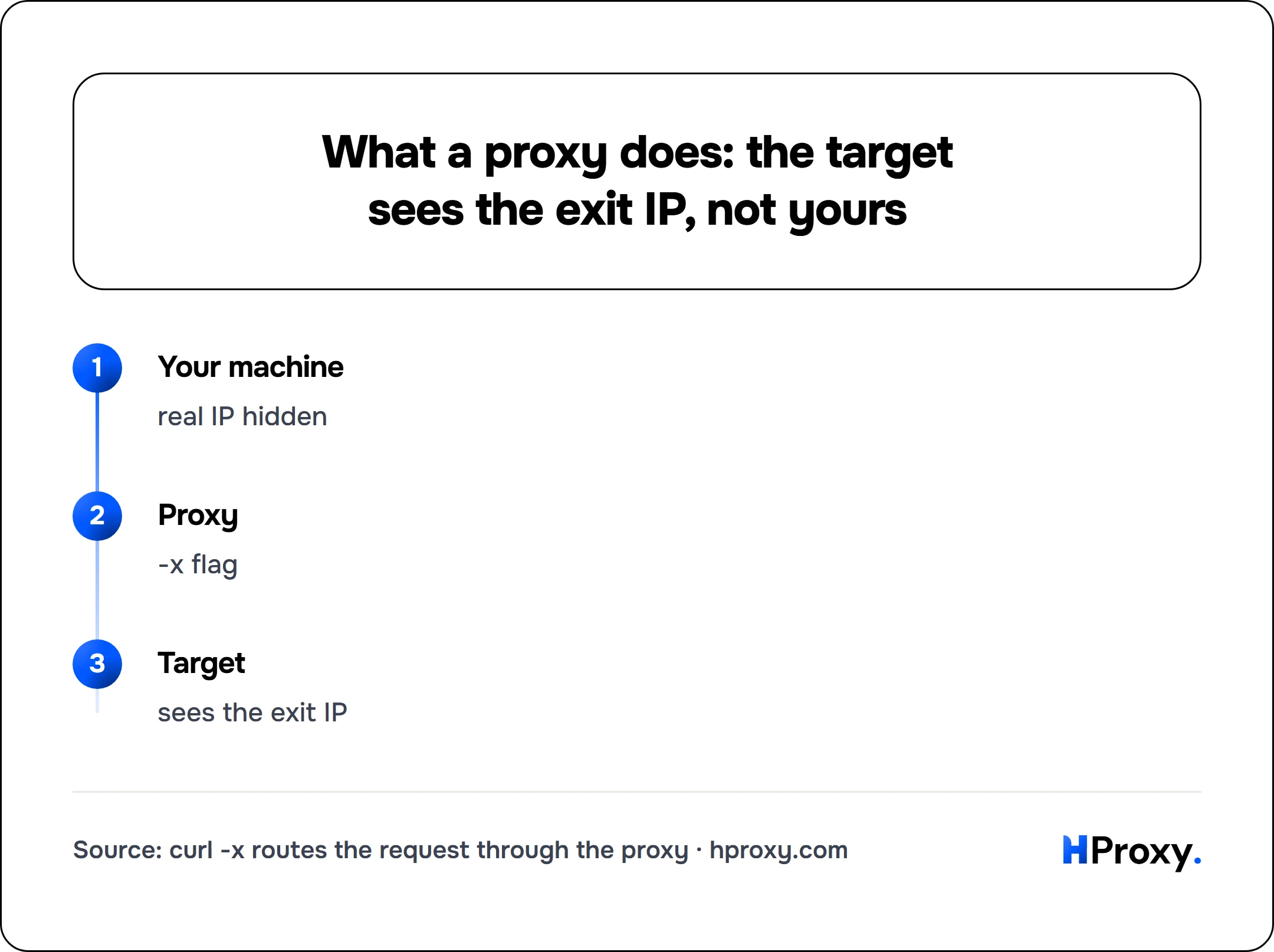
Your machine
real IP hidden
Proxy
-x flag
Target
sees the exit IP
The basic flag: -x
One flag does almost everything:
curl -x http://203.0.113.7:8080 https://example.com/
-x (long form --proxy) takes a proxy URL: scheme, host, port. If you omit the scheme, curl assumes an HTTP proxy. If you omit the port, it assumes 1080, a SOCKS default that surprises people who expected 8080, so just always write the port.
The scheme is where the real decisions live:
| Scheme | Meaning |
|---|---|
http:// | HTTP proxy. Plain requests are forwarded; HTTPS is tunneled with CONNECT |
https:// | The connection to the proxy itself is TLS. Not the same as proxying an https:// URL |
socks4:// | SOCKS4: TCP only, IPv4 only, DNS resolved on your machine |
socks4a:// | SOCKS4a: like SOCKS4, but the proxy resolves hostnames |
socks5:// | SOCKS5, DNS resolved locally |
socks5h:// | SOCKS5, DNS resolved by the proxy (the h is for hostname) |
Two of these hide traps worth spelling out.
What the proxy actually receives
We wrote a proxy that records what it is given, ran curl 8.16.0 through it on 16 September 2026, and read the log. Everything below is from that run, and both proxy and target were stubs on this machine:
| What we ran | What the proxy received | What the target received |
|---|---|---|
--proxy http://p with a plain URL | GET http://target/ in full | the request |
the same with --proxytunnel | CONNECT target:port | the request, through the tunnel |
-U user:pass | Proxy-Authorization: Basic ... | nothing about the login |
http://user:pass@p | the identical header | nothing about the login |
--proxy-header 'X-Note: ...' | the header | the header as well |
the same with --proxytunnel | the header, in the CONNECT | nothing |
Two of those rows are worth keeping. Both ways of writing credentials put the same bytes on the wire, so the choice is only about where the password is written down. And a proxy header is not private: without a tunnel there is one request, the proxy forwards it, and the target sees whatever you attached. Add --proxytunnel if the header is meant for the proxy alone.
Gotcha 1: socks5 vs socks5h
With socks5://, your machine performs the DNS lookup and sends the proxy an IP address. Your local resolver (and network) sees every hostname you visit, and if the name only resolves inside the proxy's network, the request fails entirely. With socks5h://, the hostname travels to the proxy and resolution happens there. SOCKS5 (RFC 1928) allows a request to carry either a raw IP or a domain name, and socks5h is simply what tells curl to send the name and let the proxy resolve it.
# DNS resolved locally: your resolver sees "httpbin.org"
curl -x socks5://198.51.100.14:1080 https://httpbin.org/ip

# DNS resolved by the proxy: your resolver sees nothing
curl -x socks5h://198.51.100.14:1080 https://httpbin.org/ip
If you use SOCKS5 for privacy, socks5h is almost always what you meant. We covered why in the SOCKS5 explainer.
Privacy is not the only reason. In our own run the difference decided whether the request worked at all. Our stub proxy recorded the address type of each request, which is the byte RFC 1928 uses to say name or address:
socks5://and--socks5: curl resolved the name itself, and the proxy received an address. Forlocalhostthat address was the IPv6 one, our stub target was listening on IPv4, and the proxy answered reply 1. The command failed with exit 97.socks5h://and--socks5-hostname: the proxy received the name, resolved it on its own side, and the request succeeded.
Same proxy, same target, one letter different. Local resolution can hand the proxy something it cannot use, so socks5h is the safer default even when nobody is watching your DNS.
Gotcha 2: https:// proxy scheme vs proxying HTTPS URLs
-x https://proxy:port does not mean "proxy my HTTPS traffic." It means curl speaks TLS to the proxy, which very few proxies (mostly modern commercial gateways) support. A normal HTTP proxy carries your HTTPS traffic just fine through a CONNECT tunnel, so -x http://proxy:port https://target is the standard, correct combination even though the schemes look mismatched.
curl proxy authentication
Paid proxies authenticate with username and password. Two equivalent spellings:
# -U / --proxy-user
curl -x http://gate.example.com:8000 -U username:password https://httpbin.org/ip

# Credentials inline in the proxy URL
curl -x http://username:password@gate.example.com:8000 https://httpbin.org/ip
Prefer -U in scripts: inline credentials end up in shell history and process lists, and characters like @ or : inside the password break URL parsing unless percent-encoded. If the proxy rejects the credentials you get HTTP 407 Proxy Authentication Required, which is your cue that the proxy is alive and the credentials are the problem; fixing a 407 through a proxy covers the auth traps in depth.
Environment variables, and the uppercase trap
curl (like most Unix tooling) honors proxy environment variables, which is how you proxy a whole script without touching each command:
export http_proxy="http://203.0.113.7:8080"
export https_proxy="http://203.0.113.7:8080"
export no_proxy="localhost,127.0.0.1"
curl https://httpbin.org/ip   # now proxied, no -x needed
The trap: for plain-HTTP requests, curl reads only the lowercase http_proxy. The uppercase HTTP_PROXY is ignored on purpose, because CGI servers copy the client's Proxy: request header into HTTP_PROXY, which would let strangers choose your proxy. This class of bug got the name httpoxy when it was disclosed in mid-2016: the CGI standard (RFC 3875) turns an incoming Proxy: request header into the HTTP_PROXY environment variable, and PHP, Go, Python, Apache, and Tomcat all shipped fixes for it (CVE-2016-5385 and related). curl's own book puts it plainly, that accepting the uppercase form "has been the source for many security problems." The other variables work in both cases, but the habit that never fails is: lowercase, always.
Two more rules from the same run. The flag beats the variable: with http_proxy pointing at a dead address and --proxy naming a working one, the working proxy received the request. And on Windows the uppercase rule disappears, because environment names there are not case sensitive, so HTTP_PROXY in capitals was honoured on our machine. The lowercase habit is still the one that travels, since it is the only form that works everywhere.
no_proxy takes a comma-separated list of hosts that bypass the proxy; the one-off flag version is --noproxy "localhost,127.0.0.1". Both took the request off the proxy completely in our run: the stub proxy logged nothing at all. Per curl's documentation, a leading dot matches a whole domain (.example.com covers every subdomain), and since curl 7.86.0 the list also accepts CIDR ranges like 192.168.0.0/16. And when an environment variable is proxying you without your consent (a surprisingly common CI mystery), curl -v shows the proxy in the connect line, and --noproxy "*" turns it all off for one command.
Seeing what the target sees
A proxy is only doing its job if the target sees its address, not yours. Verify, never assume:
# Your IP without the proxy
curl -s https://httpbin.org/ip

# Through the proxy: should print the proxy's exit IP
curl -x http://203.0.113.7:8080 -s https://httpbin.org/ip

# What headers arrive at the target (watch for X-Forwarded-For / Via)
curl -x http://203.0.113.7:8080 -s http://httpbin.org/headers
If X-Forwarded-For in that last output contains your real IP, the proxy is transparent grade and hides nothing. Our proxy checker runs this whole battery (exit IP, anonymity grade, real exit geolocation, latency) in one paste if you would rather not script it.
Timeouts, timing and retries
Free and overloaded proxies hang more often than they refuse, so give every scripted request a budget:
curl -x http://203.0.113.7:8080 \
     --connect-timeout 5 \
     --max-time 15 \
     --retry 2 --retry-connrefused \
     -s https://httpbin.org/ip
--connect-timeout caps the handshake, --max-time caps the whole transfer, and --retry re-attempts transient failures. For measuring a proxy instead of just using it, -w prints timing splits:
curl -x http://203.0.113.7:8080 -o /dev/null -s \
     -w "connect: %{time_connect}s  ttfb: %{time_starttransfer}s  total: %{time_total}s\n" \
     https://example.com/
time_connect isolates "how far away and how loaded is this proxy," which is the number our own verification engine cares most about when it grades latency.
Recipes for whole lists
Single proxies are for debugging; real work uses pools. These three recipes cover most of it.
Fetch fresh proxies programmatically. Our free API returns the live pool in plain text, JSON or CSV, no key required:
# 20 fresh HTTP proxies, one ip:port per line
curl -s "https://hproxy.com/api/proxy-list?format=txt&protocol=http&recent=true&limit=20"
Test a whole list in parallel, keep the survivors. Feed any list (that API, or a file) through xargs:
curl -s "https://hproxy.com/api/proxy-list?format=txt&recent=true&limit=100" |
xargs -P 10 -I{} sh -c \
  'curl -x http://{} --connect-timeout 5 --max-time 10 -s -o /dev/null \
        -w "%{http_code} {}\n" https://httpbin.org/ip' |
grep '^200' | awk '{print $2}' > working.txt
Ten parallel workers, five-second connection budget, and working.txt ends up holding only proxies that completed a real request end to end. Expect heavy attrition on any free list; that is the nature of the material, as we laid out in our take on free proxies.
Rotate per request. Simplest possible rotation, no tooling:
mapfile -t PROXIES < working.txt
for url in $(cat urls.txt); do
  p=${PROXIES[RANDOM % ${#PROXIES[@]}]}
  curl -x "http://$p" --max-time 15 -s "$url" -o "out/$(basename "$url").html"
done
For production scraping you would move to a gateway that rotates server-side (one endpoint, fresh residential IP per request, no list management at all), but the loop above is unbeatable for understanding what rotation actually does.
Common curl proxy errors, by message
| You see | It means | Fix |
|---|---|---|
curl: (7) Failed to connect | Proxy unreachable: dead, wrong port, or firewalled | Try another proxy; on free lists, most entries are dead at any moment |
curl: (28) Connection timed out | Proxy accepted TCP then went silent, or is overloaded | Lower --connect-timeout, move on faster |
HTTP 407 | Proxy wants credentials, or rejects yours | Check -U, check for special characters needing encoding |
curl: (35) SSL connect error | TLS handshake broke inside the tunnel | Often a proxy meddling with TLS; distrust that proxy |
curl: (56) Proxy CONNECT aborted | Proxy refused to tunnel to that host/port | Target blocked by proxy policy; common on ports other than 443 |
| Empty reply / HTML you didn't ask for | Proxy injected an error or ad page | Free-proxy behavior; discard it |
Each of these exit codes gets a fuller decode in our cURL proxy error guide. The meta-rule for all of these: establish whether the failure is proxy-side or target-side by swapping exactly one variable at a time. Same request, no proxy: does it work? Same proxy, boring target like httpbin: does it work? Two commands, and the mystery is gone.
Where to go from here
Keep a fresh pool within reach: the free proxy list re-verifies its entries every few minutes. Verify anonymity with the checker before you trust any proxy with real traffic. And when a project graduates from experiments to production, get IPs nobody else is burning, which is the whole pitch for paid pools. Every part of an account is reachable over HTTP too, and the API documentation gives the curl invocations for keys, wallet, orders and plan generation.
Sources
- Everything curl, the proxy environment variables, read 16 September 2026: "It is only accepted in its lower case version because of the CGI protocol", and "All these proxy environment variable names except http_proxy can also be specified in uppercase".
- Everything curl, SOCKS proxies, read 16 September 2026: with
socks5"curl resolves the name", while SOCKS5-hostname "sends the hostname to the proxy so there is no name resolving done by curl locally". - httpoxy, mid 2016, CVE-2016-5385 and others: "the HTTP Proxy header from a request" becomes
HTTP_PROXYin a CGI environment, which is why curl refuses the uppercase form. - RFC 1928, March 1996, for the address type byte that carries either an address or a domain name.
- libcurl error codes, read 16 September 2026, for exit 7, 28 and 97.
- Measured by HProxy on 16 September 2026 with curl 8.16.0: seventeen runs against a stub HTTP proxy, a stub SOCKS5 proxy and a stub target, all on this machine. The proxies recorded the request line, the headers and the SOCKS address type. Nothing outside the machine was contacted.