Price monitoring means reading competitor and marketplace prices on a schedule, then feeding the numbers into repricing, dashboards or alerts. Set up from a single office IP it works for about a day, then the target notices the same visitor pulling its whole catalog every hour and starts throttling. Proxies for price monitoring are what keep that pipeline alive: they spread your requests across many addresses so no single one looks like a robot, and they let you appear in the country where the price you care about actually lives.
We run a proxy network and see this job constantly, so this is the practical version: which proxy type fits which target, how to rotate and pace so you stay unblocked, how to handle prices that change by location or load through JavaScript, and how the whole thing scales when you go from one competitor to fifty. If you want the general background first, our web scraping guide covers the fundamentals this post builds on.
What proxies do you need for price monitoring?
For most retail and marketplace targets, rotating residential proxies with country and city targeting, because prices vary by location and retailers block repeat scrapers. Datacenter proxies are fine for easy or non-localized pages and cost far less. Most real setups mix both: datacenter for the simple targets, residential for the defended and geo-priced ones.
Why price monitoring needs proxies
Price monitoring is unusually easy for a site to catch, for one structural reason: you keep coming back. A normal shopper views a handful of products once. A monitor pulls the same catalog on a fixed cadence, day after day, which is the single most detectable pattern in scraping. So retailers fall back on their standard treatment for a heavy repeat visitor: they rate-limit you with 429 responses first (429 is the HTTP status literally named "Too Many Requests," defined in RFC 6585, and it often carries a Retry-After header naming how long to wait), then block the IP outright. Our full checklist for staying under that radar is in avoiding IP bans while scraping.
There is a second reason that is specific to prices: they are not the same everywhere. The same product can carry a different price, currency, tax line or promotion depending on the shopper's country, and sometimes their city. Monitor from one location and you are blind to every other market. To read the price a shopper in Berlin, Sao Paulo or New York actually sees, you need an exit that genuinely sits in that place, and in practice that means a location-true residential IP. Spreading load and reading the right market are the two jobs proxies do here, and they map onto the two proxy types differently.
Residential vs datacenter for price data
Datacenter proxies are addresses from hosting providers: quick, inexpensive and abundant. They are the right starting point for targets that neither localize their prices nor run a serious bot team, so small shops, open catalogs and official price APIs. Whenever a target tolerates them, they are the economical choice and you should not pay for anything heavier.
Rotating residential proxies are addresses borrowed from genuine home connections, served out of a large pool behind a gateway. Two traits make them the workhorse of price monitoring. They read as everyday shoppers, so they sail through the reputation checks that turn away datacenter ranges at defended retailers. And they can be pinned to a country or city, so the page renders in the right market. This is the geo-accuracy point that trips a lot of first attempts: buy a datacenter IP badged as German and the retailer will often hand it a page in the wrong currency, or a generic default, anyway, since it judges the address by where the network actually terminates, not by the country on the label. What reliably surfaces the local retail price is an exit whose home connection genuinely sits in that market. For the deeper mechanics of pools, gateways and sticky sessions, we wrote a whole explainer on rotating vs static residential.
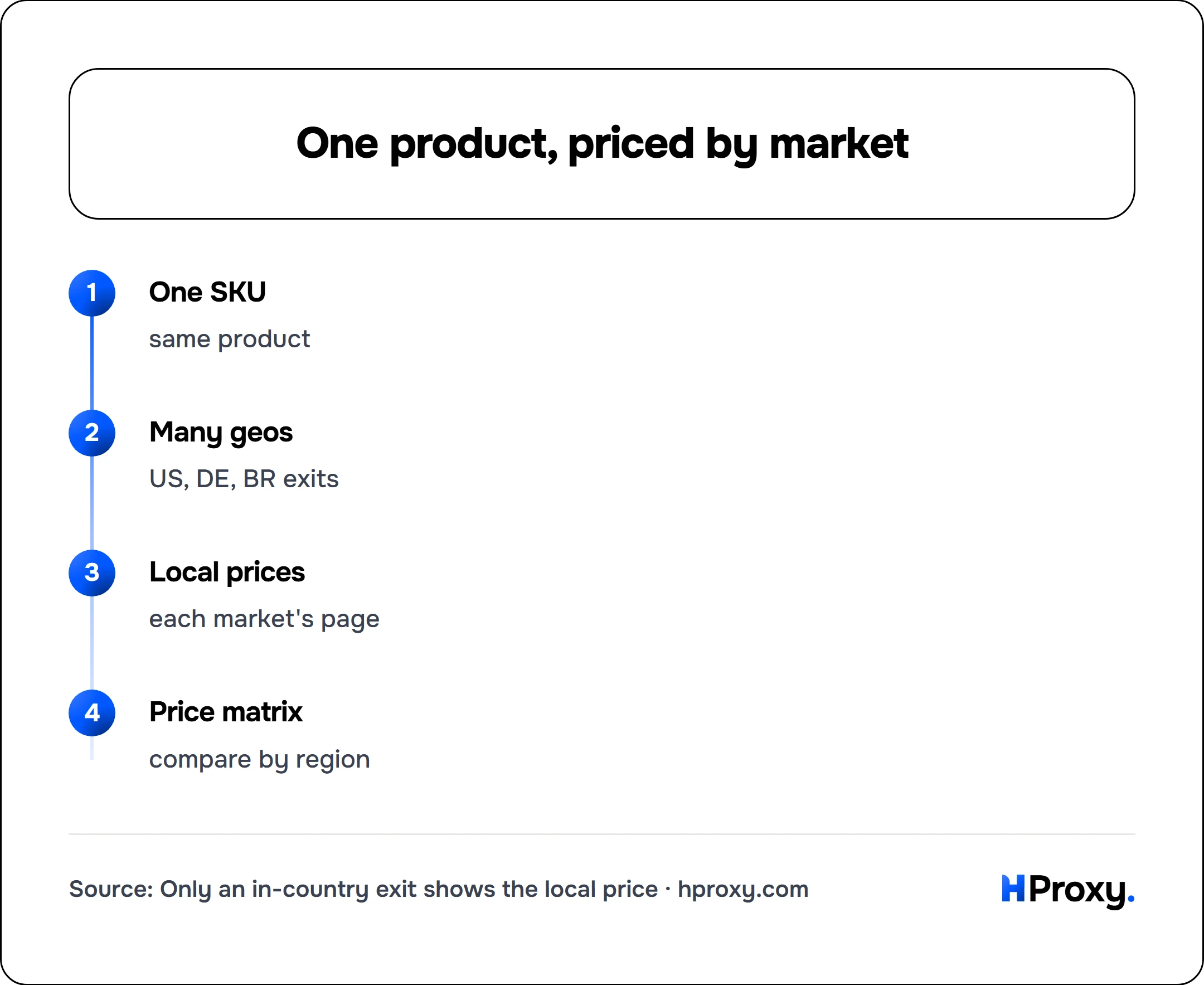
One SKU
same product
Many geos
US, DE, BR exits
Local prices
each market's page
Price matrix
compare by region
Rotation and pacing that keeps you unblocked
A pool by itself decides nothing; what you do with it does.
For a plain catalog crawl with no login and no cart, take a fresh IP on every request. Because each page fetch leaves through a different address, none of them piles up the kind of steady activity that reads as a monitor. When a step does need a session, a logged-in seller dashboard, say, or a cart that unlocks a member price, pin a single exit for a sticky window instead, holding it long enough for the flow to finish before an IP swap logs you out.
Timing counts for as much as rotation does. No shopper loads two hundred product pages a second, so no single IP should either. Insert pauses between fetches, jitter their length so requests never arrive on a fixed clock, and stretch a run across the whole monitoring window instead of loosing it all in one burst. The mistake we see most often is treating block rate as invisible: because rotation makes a ban cheap (the next request just uses another IP), teams run for weeks without noticing that a third of requests bounce. Log the block rate and watch it. A rising number is the target telling you to slow down or enlarge the pool before it cuts you off entirely.
Handling geo-priced and JavaScript-rendered pages
Two details separate a price monitor that works from one that quietly collects garbage.
The first is geo pricing, which is a feature to exploit rather than a nuisance. Pin a country (or city) per run, and to build a price-by-market view, send the same SKU through several geos and record each result. That is how you catch a competitor charging twenty percent more in one region, or spot that your own listing is mispriced abroad. That cross-market comparison is the raw material of market research. It only works if every exit truly sits where it claims, which is the residential requirement from earlier doing real work.
The second is rendering. Many retail prices are not in the initial HTML; they load a moment later through JavaScript or a separate API call. A raw HTTP fetch sees an empty price field and your dataset fills with nulls. Two fixes: drive a headless browser (Playwright or Puppeteer) behind your residential proxy so the page runs its scripts exactly as a shopper's browser would, or find the underlying price API the page calls and request it directly, which is lighter when it is available. Either way the proxy still carries the traffic; rendering is a separate layer you have to get right on top of it.
Scaling from one competitor to many
A single-target script and a fleet monitoring thousands of SKUs across dozens of competitors are different animals, and the difference is mostly planning, not code.
Scale your pool to request rate, not the SKU count. Count how many requests one full cycle needs, divide by how many a single IP can manage safely inside your window, and leave slack for retries and dead exits. Rotating residential clears away most of that bookkeeping by sourcing every request from a wide pool, which is why teams at scale prefer it to babysitting a fixed set of addresses. Offset your schedule so the checks do not all launch on the same minute, cache aggressively so you are not refetching prices that rarely move, and watch the volatile SKUs more often than the steady ones, rather than pounding everything on a single cadence.
Match the proxy type to each target rather than buying one tier for everything:
| Target | Proxy type | Why |
|---|---|---|
| Small shops, open catalogs, price APIs | Datacenter | No localization, no bot team, cheapest per request |
| Major retailers and marketplaces | Rotating residential | Blocks repeat scrapers, and needs a shopper-grade IP |
| Geo-priced or localized pages | Rotating residential, country or city targeted | Only a local exit renders the local price |
| Login-gated dashboards and member carts | Static residential / ISP | The session has to persist, so rotation would break it |
| The most bot-hostile retail | Mobile | One carrier IP is shared by many people, so blocks are rare |
The line in that table that saves the most money: reach for the cheapest tier a target will put up with, and move up only once block rates or bad-market readings force the issue.
The free-versus-paid reality
Residential proxies come with real costs, and glossing over them would not do you any favors. Billing runs on the gigabyte, so a large monitoring operation reads as a recurring bandwidth expense rather than a single purchase, and you should plan for it as a standing line in the budget. Where the monitoring funnels through a handful of stable identities instead of thousands, per-IP plans with no data meter on ISP or datacenter take the gigabyte out of the equation. The home connections underneath the pool differ in speed and occasionally cut out partway through a fetch, so treating retries as part of the design, not an afterthought, is the sane default. Coverage also thins out in smaller countries, meaning a niche target market can offer fewer exits than a popular one. None of this lets you skip the request-hygiene work: convincing headers, cookies that persist between fetches and human pacing are still what let good IPs earn their keep.
The way to hold it in your head is that price monitoring is a marathon. The proxy makes your IP look legitimate and drops you into the right market, while steady rotation, pacing and rendering keep the data clean month after month. To start, rotating residential with country and city targeting is the setup we would steer most price-monitoring projects toward, and our pricing is pay-as-you-go with a balance that does not expire, so a pipeline you pause between quarters does not burn prepaid credit while it waits. Get the identity and geo right first, keep your pacing reasonable, and price monitoring turns back into a data problem instead of a running battle with blocks.
Sources
- IETF, RFC 6585 section 4 (the
429 Too Many Requestsstatus code and its optionalRetry-Afterheader). - MDN Web Docs, 429 Too Many Requests (how clients should read and respect the response).