Free Proxies for PUBG: Do They Work, and the Safe Alternatives

Do free proxies for PUBG actually work? An honest look at gameplay lag, region changes, IP bans, account safety, and when reliable residential proxies pay off.

HProxy Team 10 min read
Proxy.Free proxies

Free proxies won't hold up here.

Shared datacenter IPs get flagged and dropped fast. When it has to hold, gaming, streaming, accounts, you need mobile and residential IPs that read as a real device, from $0.65/GB, pay as you go.

See plans & pricing

Free proxies for PUBG work for a narrow slice of what people want and fail at the part everyone actually cares about, which is playing. They can load a regional store page or reach the PUBG website from a blocked network for a few minutes, but they cannot carry your match, they get flagged and dropped fast, and signing into your account through one is a clean way to lose it.

This is the honest version from a team that runs a proxy network and re-checks a free proxy list all day. We will split what "using a proxy for PUBG" even means once you separate the game from the website, explain why free proxies die so fast against PUBG's anti-cheat, cover the region-change trick people chase, walk through the account-theft risk, and mark the point where a cheap residential IP is the real answer. No lower-ping fairy tales, because we watch how these IPs behave.

Do free proxies for PUBG actually work?

Partly, and almost never for playing. A free proxy is a public relay anyone can push traffic through without paying or signing up, and nearly all of them are datacenter IPs owned by hosting companies rather than real home lines. That gets you a different IP inside a browser, which covers exactly one honest PUBG use case: opening the PUBG site or a regional store page from a network that blocks it, for as long as the proxy stays alive.

Everything else people want a PUBG proxy for (playing a match, changing region, dodging a ban, running several accounts) hits the same walls, and the biggest is what kind of traffic PUBG actually sends.

The split that decides everything: the website is TCP, the match is UDP

PUBG is not one connection, it is two, and that is the whole story.

The parts that look like the web (logging in through Steam or Krafton, the in-game store, matchmaking menus, patch downloads, the esports pages) ride on TCP and HTTPS, the same traffic a browser sends. The match is different: once you drop onto the map, your position, other players, bullets, and hit registration travel over UDP, because a real-time shooter would rather drop a stale packet than wait for a slow one to be resent. That single distinction decides whether a proxy can help you at all.

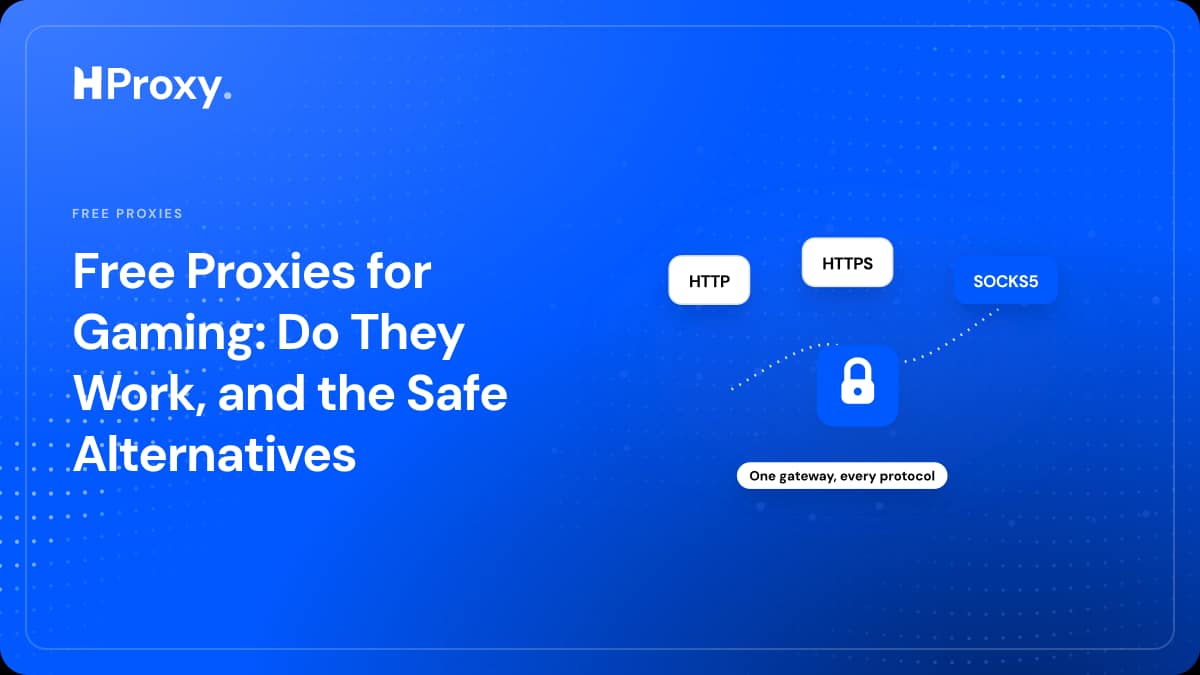
An HTTP or HTTPS proxy only understands web traffic on TCP. It cannot carry UDP. SOCKS4 is TCP-only as well. So the moment PUBG tries to send its real-time UDP through one of these, that traffic has nowhere to go. SOCKS5 is the only common proxy protocol that can relay UDP, through a feature called UDP ASSOCIATE, but almost no free SOCKS5 server actually implements it, and the PUBG client has no setting to point at a proxy in the first place. Routing gameplay through a proxy at all means running an OS-level tunneling tool on top, plus a proxy that genuinely forwards UDP. We break the protocols down in HTTP vs SOCKS5 proxies, and for PUBG the takeaway is blunt: a free proxy relays the website while your game keeps connecting from your real IP, which defeats the point.

"Change my region for easier lobbies" and why free proxies still fail

This is the request we see most for PUBG, so it deserves a straight answer.

On PC you do not need a proxy to change your matchmaking region at all: PUBG has a built-in region selector in the menu, so pointing a proxy at the game to pick NA, EU, SEA, or KRJP solves a problem the client already solves, and adds lag doing it. On PUBG Mobile the region is tied to your account and server, and this is where the proxy and VPN crowd lives: people route through another country to drop into easier or bot-heavy lobbies, reach region-locked events, or buy UC where it is cheaper.

Here is why free proxies still lose. Even if one could set the region, the match itself is UDP and real-time, so a shared, distant, dying free IP produces exactly the lag, jitter, and mid-game disconnects you do not want in a battle royale where one bad second ends the game. PUBG's fraud systems also treat datacenter IPs as suspicious, so the trick is more likely to flag the account than hand you a clean lobby. It runs against the game's terms too, so you take on real account risk for a match a free proxy cannot even deliver.

A proxy adds a hop, it cannot lower your ping

Say you clear every bar above and find a working SOCKS5 that relays UDP. You still have a latency problem baked into the physics.

A direct connection goes from you to the PUBG server. A proxied connection goes from you to the proxy to the server, so you have added a hop and extra distance: at best you match your normal ping, at worst you add to it. A proxy cannot make your route faster than going straight there. PUBG punishes this harder than most games, because hit registration and bullet travel depend on your latency, and free proxies are shared, congested, and often on another continent from your match. Congestion plus distance is high ping, packet loss, and shots that land a beat late.

Bans: PUBG uses BattlEye and hardware IDs, so a new IP rarely helps

People reach for free proxies most often to change their IP, usually to get around a ban, and for PUBG this is where they do the most damage for the least benefit.

PUBG PC runs BattlEye, and its bans are commonly tied to your account and hardware ID, not just your IP, so changing your IP with a proxy does nothing to a ban pinned to your machine. Worse, every free proxy is a datacenter IP, exactly the kind anti-cheat flags on sight, so connecting one raises a flag rather than hiding you. Consoles are stricter still, and you usually cannot set a proxy on one without routing through a PC or the router. On the rare occasion PUBG has blocked a specific IP a clean fresh IP can restore access, but a random free datacenter proxy is the worst possible switch, since it is likely flagged or banned before you touch it. Ban evasion also runs against the terms of service, which no proxy makes disappear.

Your PUBG account is the real prize for a hostile proxy

There is a security angle that hits gamers harder than most users, and PUBG is a textbook case. A PUBG account is a wallet: a stored card or PayPal through Steam or the mobile store, a stack of UC, skins that trade for real money, and ranked progress you cannot buy back.

A proxy adds no encryption of its own. On an unencrypted connection the person running the proxy sits in the middle of your traffic and can read what passes through, including a login form. Even against HTTPS, a hostile free proxy can try to strip the connection down to plain HTTP or present a fake certificate and bet you click past the browser warning, and the moment you do, the session that keeps you signed in crosses their machine in readable text. A stolen session hands over the account with no password, and with a free proxy you rarely know who runs it. We go deep on this in are free proxies safe, and the rule for PUBG is one line: never sign into PUBG, Steam, or the store through a free proxy you do not control.

Where free proxies for PUBG are genuinely fine

None of this makes them useless, it makes them narrow. There is a real list of PUBG-adjacent jobs a free proxy handles well, and every one is a browser task with no login and no live match. You can check UC prices or skin availability on a regional store page, since that is a one-off, read-only request. You can reach the PUBG website, patch notes, esports schedule, or a news page that a school or office network blocks. You can confirm whether the site loads from another country when you are troubleshooting access. Each of these survives the proxy being slow, being watched, and dying right after, which is why free is the right call and paying would be a waste.

PUBG task by task: when free works and when it does not

Here is the whole picture in one place. The pattern is simple once you see it: free proxies are fine for browser-side tasks and wrong for anything real-time or account-linked.

PUBG taskFree proxy?Why
Playing a live matchNoGameplay is UDP, which HTTP and SOCKS4 proxies cannot carry, and free IPs drop mid-game
Changing matchmaking region on PCNoThe client already has a region selector, and a proxy only adds lag
Region change for easy or bot lobbies on MobileNoSlow, flagged, and dies mid-match, and it risks the account
DDoS protection in custom or scrim lobbiesNoA free proxy dropping mid-session exposes your real IP again
Checking UC prices on a regional store pageYesRead-only web request, no gameplay, no login
Reaching the PUBG site or patch notes on school wifiYesA browser task, not real-time traffic
Evading a BattlEye or account banNoBans are tied to account and hardware, not just IP
Running multiple accounts without linkingNoShared, flagged IPs get every account caught together

When you need real proxies for PUBG

The moment the task is a stable region change on the web, running accounts that must not link, or any job where a flagged, dying IP would cost you, you have left the zone where free can help. At that point you need what a free proxy cannot give you at once: an IP that reads as a real home connection instead of a flagged server, uptime so it does not vanish mid-task, and a clean reputation the game has not blacklisted. That is what residential proxies are, real addresses ISPs assign to home lines, so PUBG's fraud systems see an ordinary player rather than a flagged datacenter box. This is the same tradeoff across every game, and we cover it more broadly in free proxies for gaming.

Two honest caveats, because we would rather keep you than oversell. Residential proxies fix the website, account, and region-on-the-web side of PUBG, not the gameplay side: the match is still UDP, so playing through any proxy still needs an OS-level tunnel and still adds latency, which a shooter rarely rewards. And if your only goal is lower ping, a proxy is not the answer at all, since it can only add a hop. Where a good IP earns its place is region access that has to stay alive and pass detection, and managing multiple PUBG Mobile accounts on the web without them linking. Ours start at $0.99 per GB, pay as you go, with no KYC, so you top up and go rather than sign a contract or verify an identity.

Test any proxy before PUBG touches it

Whatever you use, free or paid, confirm it before you route anything real through it, because a free proxy that worked ten minutes ago is usually already gone. Two things decide whether a proxy is usable: whether it is alive, and what protocol it truly speaks. Paste any candidate into our free proxy checker and it makes a real connection through the proxy and reports the exit IP, country, latency, and anonymity grade in one pass, with no signup, so a dead or transparent proxy gets caught before PUBG ever sees it. If you prefer the terminal, one line tells you it is responding:

# Alive if this returns the proxy's IP instead of yours
curl -x socks5://198.51.100.23:1080 --max-time 10 https://httpbin.org/ip

For PUBG specifically, remember that answering as SOCKS5 does not prove UDP works, so a proxy passing this check still may not carry a match. The full method, including how to spot a proxy that leaks your real IP, is in how to check if a proxy is working.

The bottom line

Free proxies for PUBG are a real tool with a small job. They can open a regional store page or the PUBG website from a blocked network for a few minutes, and that is genuinely useful. They cannot carry your match, they add ping instead of removing it, they get flagged and dropped fast, they do not lift bans tied to your account and hardware, and they risk the account the instant you log in through one. Keep free proxies to read-only, website-only checks, and never sign in through a proxy you do not control.

Start with our free proxy list: re-checked and refreshed every few minutes, spanning 100+ countries across HTTP, HTTPS, SOCKS4, and SOCKS5, with dead entries dropped instead of counted. Run anything you find elsewhere through the proxy checker before you trust it. And when a PUBG task outgrows what free can safely do, our residential proxies at $0.99 per GB pick up with IPs that stay alive and read as real players.

Frequently asked questions

Do free proxies work for playing PUBG?

For the actual match, no. PUBG gameplay runs over UDP, and free HTTP, HTTPS, and SOCKS4 proxies only carry TCP, so your movement and shots never reach the server. The login, store, and website are TCP and a proxy can relay those, but that means you proxy the website while the game still connects from your real IP. Free proxies are also shared datacenter IPs that die within minutes, which is fatal to a live battle royale.

Can a free proxy lower my ping in PUBG?

No. A proxy adds a hop between you and the game server, so it can only add latency, never subtract it. In a shooter where bullet registration depends on ping, a shared, distant, congested free proxy makes the match worse, not smoother. Any tool that promises lower ping through a proxy is selling a myth. If your ISP takes a bad route you would need a premium gaming route, and a free proxy is the least likely thing to provide one.

Can I change my PUBG region with a free proxy for easier lobbies?

On PC you do not even need a proxy, PUBG has a built-in matchmaking region selector. On PUBG Mobile people do route through a VPN or proxy to land in easier or bot-heavy lobbies, but a free proxy is the wrong tool: it is slow and dies mid-match, and its flagged datacenter IP is more likely to get the account flagged than to hand you a smooth region change. It also runs against the game's terms.

Will a proxy get me past a PUBG ban?

Almost never. PUBG PC uses BattlEye, and bans are usually tied to your account and hardware ID, not just your IP, so a new IP does not lift them. Connecting a flagged free datacenter proxy can add suspicion rather than remove it, and ban evasion is against the terms of service either way. Only a genuine IP-level block can be sidestepped by a clean IP, and a random free proxy is a poor choice for that.

Is it safe to log into PUBG through a free proxy?

No. Your account holds a payment method, UC or skins worth real money, and ranked progress, and a proxy adds no encryption of its own. A hostile operator can read an unencrypted login or try to downgrade the connection and lift the session that keeps you signed in. Never sign into PUBG, Steam, or the store through a proxy you do not control. Keep free proxies to read-only tasks with no login.

HProxy Team
We run a proxy network and re-check a free proxy list all day

Keep reading

Proxies that don't die mid-job

Residential, ISP, datacenter and mobile, verified by the same engine that runs tens of millions of checks. They read as a real device and hold up under load. Pay as you go, and your balance never expires.

47M+ proxy checks run · 100+ countries · HTTP / HTTPS / SOCKS · re-checked every few minutes · no signup