Datacenter vs residential proxies is the first fork every proxy buyer hits, and picking wrong is expensive in both directions. Go datacenter on a defended target and your success rate collapses into a wall of CAPTCHAs. Go residential on a target that never cared and you pay many times over for stealth you were never going to use. The two products sit side by side on a pricing page and behave nothing alike the moment a real website is on the other end of the request.
We run a proxy network, so this is the question we answer most. Here it is with the marketing stripped out: what each type actually is, how sites tell them apart, what they really cost, and a short decision guide so you stop guessing.
What is the difference between datacenter and residential proxies?
Datacenter proxies are IP addresses owned by hosting companies, so they are fast, cheap, and easy for a website to identify as non-residential. Residential proxies are real home IP addresses assigned by consumer internet providers, so they blend in with ordinary users but cost more and run slower. Speed and price versus stealth is the whole trade.
What a datacenter proxy actually is
A datacenter proxy is an IP address that lives in a data center. A hosting company (the same kind of business that rents you a cloud server) owns a large block of addresses and routes your traffic out through one of them. That origin is the whole story. These IPs were built for speed and volume, so they are fast, stable, and cheap to produce in bulk. None of them belong to a household, and that fact is visible to anyone who bothers to look.
You have already used their upstream. The big cloud and hosting networks (Amazon, Google Cloud, DigitalOcean, OVH, Hetzner and the like) are exactly the kind of provider datacenter IPs come from. Excellent infrastructure. Also the first place a bored anti-bot engineer looks when deciding which address ranges to distrust.
What a residential proxy actually is
A residential proxy is a real home internet connection acting as your exit. The IP address was handed out by a consumer internet provider (Comcast, Cox, Deutsche Telekom, Vodafone, and their equivalents worldwide) to an actual subscriber, and your request leaves the internet from that address. To the target website you look like a person at home in that city, because on paper you are.
That believability is the entire product, and it is why residential proxies exist as a paid category at all. Real home IPs are scarce, someone has to supply the connection and the bandwidth, and they vary in speed the way home internet does. When you see a service handing them out free, be suspicious: we explain why genuine free ones are mostly a myth in free residential proxies, because the label gets abused constantly.
Datacenter vs residential, side by side
| Datacenter | Residential | |
|---|---|---|
| Where the IP lives | Hosting company server | Real home connection |
| Price model | Per IP, cheap | Per GB, higher |
| Speed | Fast and consistent | Varies with the home line |
| Detection / block rate | High on defended sites | Low, looks like a real user |
| Pool size | Large but concentrated in a few networks | Huge, spread across consumer ISPs |
| Best use | APIs, lenient sites, bulk fetching | Retail, search, social, anything defended |
One row drives most of the regret, and it is detection. Everything else is a preference you can live with either way, but block rate is what turns a working scraper into a dead one overnight, so it is worth understanding why it splits so cleanly.
Why datacenter proxies get flagged
Every IP address belongs to an ASN, the Autonomous System Number that identifies the network operator who owns it. ASN ownership is public. Anyone can look up which company an address block is registered to, and anti-bot systems do exactly that on every request, in the first millisecond, before they even read your headers.
Here is the mechanic that decides everything: an IP registered to Amazon, OVH, or any hosting company is, by definition, not a home user. No real customer browses a shopping site from a cloud server address. Anti-bot vendors act on this directly: DataDome, one of the larger commercial systems, treats datacenter ASNs as a strong negative signal that flags hosting-provider ranges almost immediately. So the moment a defended target sees a datacenter ASN, it can safely challenge you, throttle you, or feed you fake data, with almost no risk of annoying a real visitor. That is why datacenter block rates are high on the sites that care. The classification is cheap, accurate, and nearly free of false positives.
Residential IPs invert the math. They resolve to consumer ISPs, the same networks millions of ordinary customers browse from, so blocking them risks blocking real buyers. That risk is measurable, not a hunch: when Cloudflare studied traffic from networks that carry residential proxies, it found 4 out of 5 requests were benign connections from real home devices, so a blanket block on those ranges would catch four ordinary users for every abuser. Defended sites are far more cautious with residential ASNs for exactly that reason, and that caution is the believability you are paying for. The IP is still only one signal (headers, TLS fingerprint, and request timing all matter, and we break down exactly how sites read them in how websites detect proxies), but ASN classification is the first gate, and datacenter fails it by design.
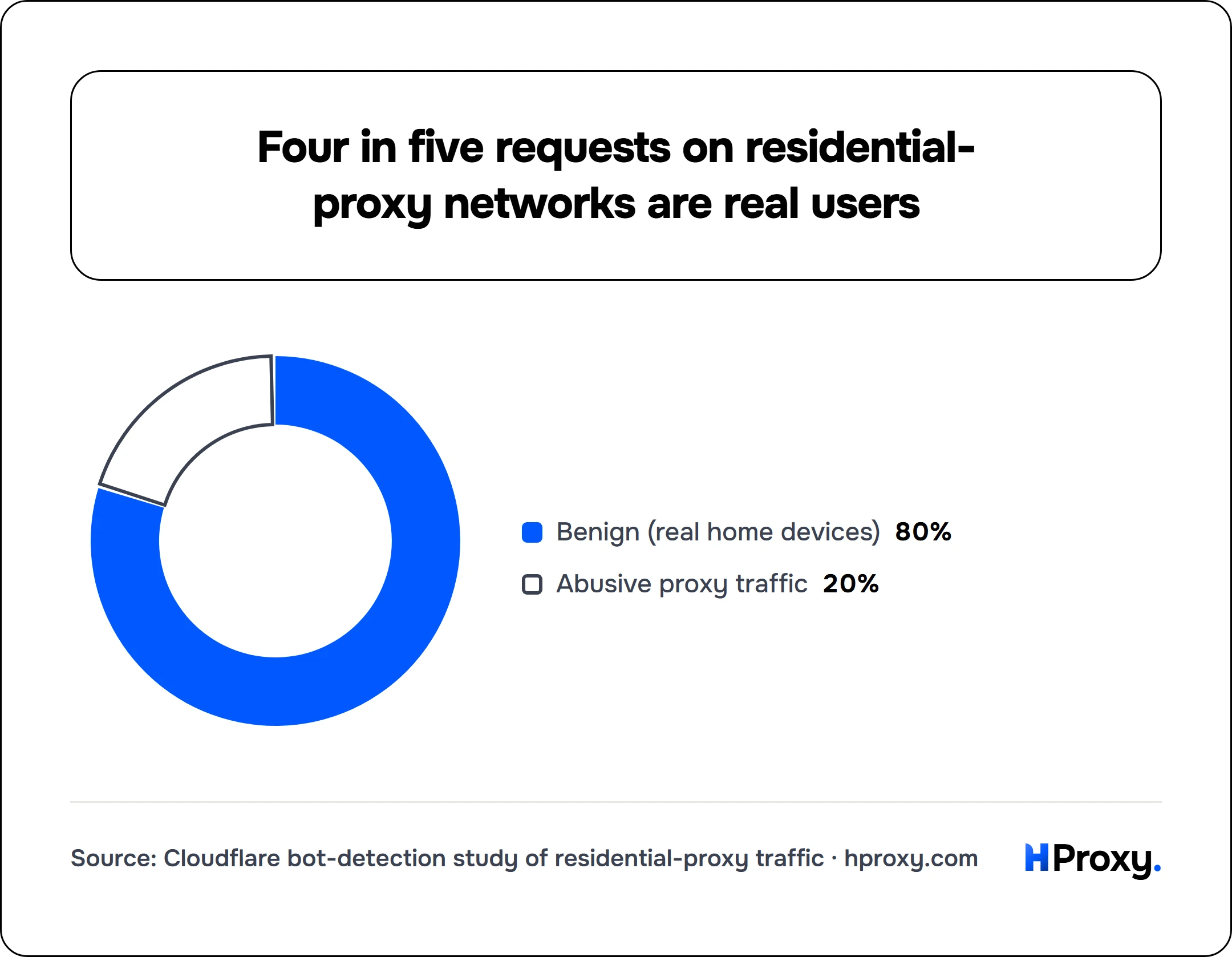
- Benign (real home devices)80%
- Abusive proxy traffic20%
You can watch this happen yourself. Run any address through our proxy checker and it reports the network behind the IP. A hosting ASN there is the same thing a target site sees, and it means the IP can be tagged as datacenter just as easily.
The price reality: per IP versus per gigabyte
The two types are not just priced differently, they are metered on different axes, and comparing the sticker numbers head to head is how people overspend.
Datacenter proxies are usually sold per IP. You rent an address (or a block of them) for a flat fee and push as much traffic through it as you like. Bandwidth is effectively free, the address is what you pay for. That makes datacenter absurdly cheap for heavy, high-volume work, where a few dollars can move an enormous amount of data. That is the model behind our uncapped per-IP plans, which cover datacenter, ISP and mobile.
Residential proxies are usually sold per gigabyte, with independent 2026 comparisons putting the market between $1.40 and $8 per GB depending on provider tier. You draw from a shared pool through a gateway and pay for the traffic you pull, not for any specific IP. That makes residential cheap when you touch many identities lightly (thousands of small requests spread across thousands of IPs) and expensive when you move real volume, because every gigabyte is on the meter.
So the question is never "which is cheaper," it is "cheaper for what shape of work." Heavy bandwidth through a few addresses wants datacenter's per-IP model. Light bandwidth across many identities wants residential's per-GB model. Run the arithmetic on your real volume before you buy, because the wrong meter for your workload is the single most common way to overpay for proxies.
Where ISP proxies fit: the hybrid
There is a third option that resolves the trade instead of accepting it. An ISP proxy is a static IP registered under a consumer internet provider (so it classifies as residential) but hosted on datacenter-grade hardware (so it is fast and always on). You get residential believability and datacenter speed and stability in one address.
The catch is that an ISP proxy is one fixed identity, not a rotating pool, so it does not give you the many-faces ban resistance of rotating residential. It is the right tool when you need a stable, trusted IP that stays yours: logins, account management, storefronts, anything that has to look like the same real person over time. We compare the static and rotating models in depth in rotating vs static residential proxies. For this post, treat ISP as the middle seat that borrows the best of both neighbors, and our ISP plans are exactly that seat.
Which one do you need? A one-minute guide
Match the tool to the target and stop overthinking it.
1. Lenient targets, APIs, and bulk fetching: datacenter
If the site has little or no bot defense (open data, most APIs, small or indifferent sites), use datacenter. It is the fastest and by far the cheapest option, and paying for residential stealth on a target that never checks is pure waste. Start here whenever the target allows it, and escalate only if it pushes back. This is our cheapest tier.
2. Defended targets and anything you do not own: residential
If the target has a real bot team (major retailers, search engines, travel and ticketing, social platforms), use rotating residential. Datacenter IPs get flagged on sight there, and no amount of clever headers rescues an address the site already distrusts. This is what residential is built for, and where its higher price earns out. Our residential pools target country and city for exactly these jobs.
3. You need speed and stealth on a stable identity: ISP
If a flow has to log in and stay logged in, hold a session, or run an account that must look like the same person every day, use ISP proxies. You get residential trust without the per-request variability of a rotating pool, on an IP that is fast and yours alone. This is the account layer, and it is the one place rotating residential actively works against you.
None of these is the "best" proxy in the abstract. Each is best for a specific target, and most serious operations run two of them at once: datacenter for the easy collection, residential or ISP for the defended and account-bound work. Survey panels sit firmly on the residential side, because hosting ranges are the first thing they filter. Start with the cheapest tier your target tolerates, escalate only when block rates prove you must, and keep a balance that does not expire so a paused project never torches prepaid credit. That is our pricing stance, and it is the right way to buy proxies of any kind. Once you know which shape you need, our residential and ISP plans are one click apart.
Sources and further reading
- DataDome, "What are data center proxies and how to detect them?". How a commercial anti-bot system scores datacenter versus ISP-registered ASNs.
- Cloudflare, "Using machine learning to detect bot attacks that leverage residential proxies". Why residential ranges cannot simply be blocklisted, with the 4-in-5-benign figure.
- AIMultiple, "Proxy pricing comparison", for the residential per-GB market range.