If you have compared proxy providers for more than five minutes, you have run into the word residential and the price tag stapled to it, usually several times what a plain datacenter IP costs. So what is a residential proxy, and why does the whole industry treat it as the premium option worth paying for? The short answer is that it borrows a real person's home internet connection, and to a website that one difference decides almost everything.
We run a proxy network, so we will skip the marketing and explain the actual machinery: where the IP comes from, why websites trust it, how it is priced, and how it is sourced without turning someone's home line into a liability. By the end you will know exactly when residential is the right tool, and when you are about to overpay for stealth you were never going to use.
What is a residential proxy?
A residential proxy routes your internet traffic through a real home IP address assigned by a consumer internet provider, so the website you visit sees an ordinary person at home instead of a server or your own address. That believable, real-user identity is the entire point, and it is the reason residential proxies cost more than datacenter ones.
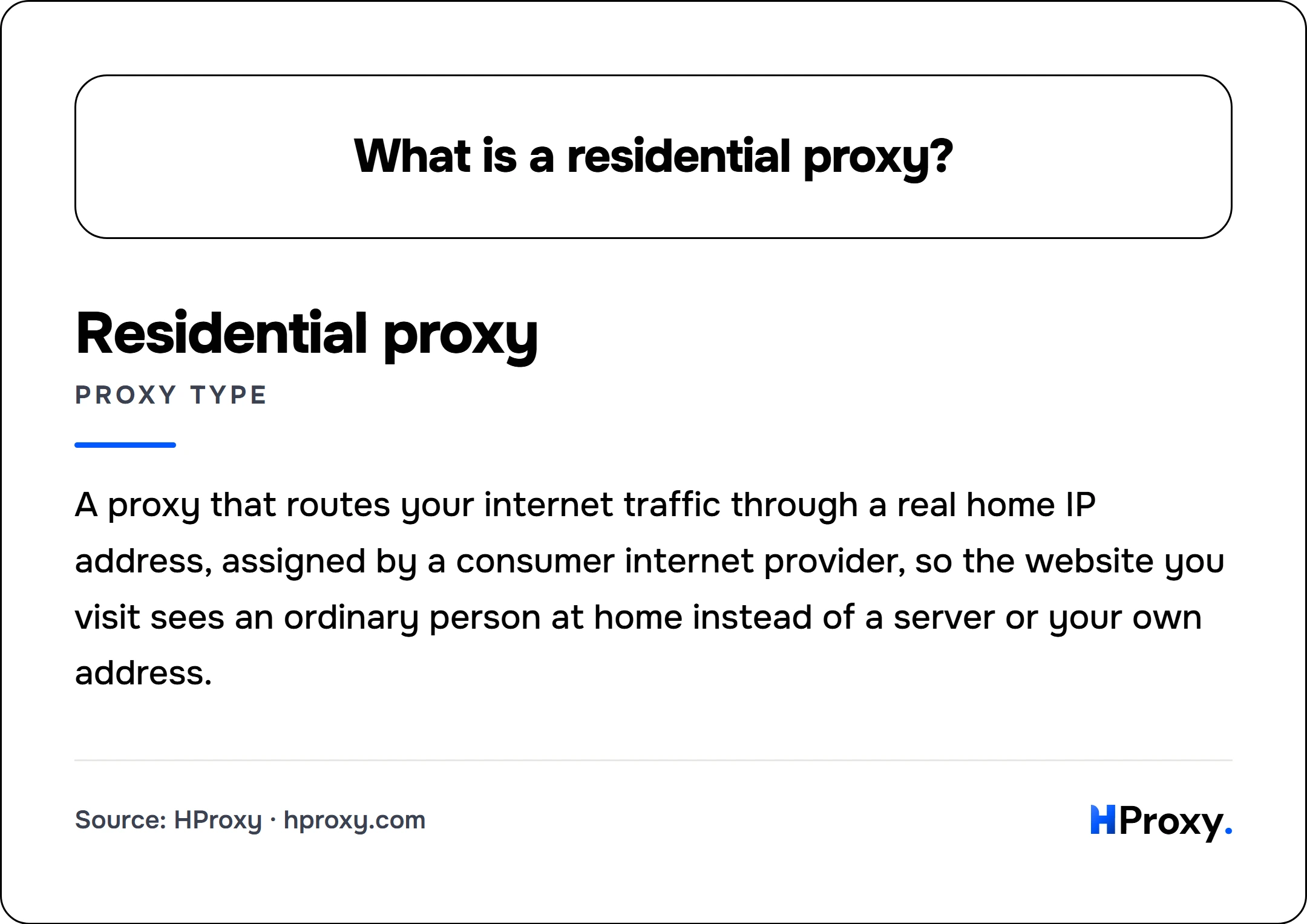
Residential proxy
proxy type
A proxy that routes your internet traffic through a real home IP address, assigned by a consumer internet provider, so the website you visit sees an ordinary person at home instead of a server or your own address.
How a residential proxy works
A proxy is a relay. Your request goes to the proxy first, the proxy forwards it to the target website, and the website's reply comes back the same way. The only address the target ever sees is the point where the request leaves the internet, the exit IP. With a residential proxy, that exit is a real home broadband connection, so the target sees a home IP and nothing about you or the machine you are actually on.
To a website, an IP address is an identity. The moment a request arrives, the site can look up who owns that address and roughly where it sits. A residential exit resolves to a consumer internet provider (think Comcast, Cox, Deutsche Telekom, Vodafone, and their equivalents worldwide) and geolocates to a real city, so on paper you are a subscriber sitting at home in that place. Everything the site decides about you flows from that lookup on the exit IP, say 203.0.113.24, and a residential address makes every one of those decisions land in your favor.
Why websites trust residential IPs
Every IP address belongs to an ASN, the Autonomous System Number that names the network operator who owns it. That ownership is public, and anti-bot systems check it on the very first millisecond of a request, before they even read your headers. The ASN is the tell.
An address registered to a consumer internet provider is, by default, one of millions that real customers browse from every day. A site that blocks it risks blocking a genuine buyer, and that risk is measurable, not theoretical. When Cloudflare built a model to catch abuse routed through residential-proxy networks, it found that 4 out of 5 requests from those networks were ordinary, benign traffic from real residential devices, which is exactly why it refuses to blocklist the ranges outright. So defended targets are cautious with residential IPs and let them through far more readily. That caution is the believability you are paying for. A datacenter IP inverts the math: it is registered to a hosting company, no real shopper browses from a cloud server, so a site can challenge or block it with almost no risk of annoying a real visitor. Anti-bot vendors bake this straight into their scoring, treating hosting-provider ASNs (AWS, Google Cloud, OVH, Hetzner) as a strong negative signal while ISP-registered ranges start with baseline trust. We break down exactly how sites read these signals in how websites detect proxies.
One thing to know before you buy, because we would rather you succeed than be surprised. The IP is only the first gate. A residential address gets you past the network check, but headers, TLS fingerprint, request timing, and behavior all still matter. The TLS one catches people off guard: before a single byte of HTTP is sent, your client's TLS handshake advertises a specific ordered list of cipher suites, extensions, and elliptic curves, and anti-bot systems hash that list into a fingerprint (the widely used JA3 and newer JA4 schemes) to identify the software behind the connection. Cloudflare gives the textbook example: a request whose User-Agent claims Chrome on Windows while its JA3 fingerprint reveals Python's networking library is a mismatch, and the mismatch flags you no matter how clean the IP is. A clean home IP making ten thousand requests a minute still looks like a bot. Residential buys you a trusted starting point, not invisibility.
Residential vs datacenter, at a glance
The clearest way to understand residential is next to its cheaper cousin, the datacenter proxy. Same job (relay your traffic), opposite reputation.
| What the website sees | Residential proxy | Datacenter proxy |
|---|---|---|
| Who owns the IP | A consumer internet provider | A hosting company |
| What that implies | A real person at home | A server in a data center |
| Default treatment | Trusted, rarely blocked outright | Distrusted, challenged on defended sites |
| Speed | Varies with the home line | Fast and consistent |
| Price model | Per gigabyte of traffic | Per IP, very cheap |
Neither is "better" in the abstract. Datacenter is faster and far cheaper and wins outright on targets that do not check. Residential wins the moment a real bot team is on the other end. We put real numbers and a decision guide behind that split in datacenter vs residential proxies.
Rotating vs static residential
"Residential" is not one product, it is two, and they behave in opposite ways. The difference is whether your job needs to look like many different people or one consistent person.
- Rotating residential gives you a single gateway that exits through a different home IP on every request (or every short "sticky" session), drawn from a pool of thousands or millions. You look like a crowd. This is what resists bans, because a blocked IP just gets replaced by the next one.
- Static residential, usually sold as an ISP proxy, gives you one home-grade IP that stays yours for the whole plan. You look like one steady person. This is what survives logins and sessions, because the identity never changes underneath you.
Pick rotating for high-volume collection, and static for anything that has to log in and stay logged in. We walk through the mechanics and a use-case guide in rotating vs static residential proxies.
What people actually use residential proxies for
Residential is the tool you reach for when a task fails specifically because the target does not want a bot doing it. The common jobs:
- Web scraping defended sites. Major retailers, search engines, travel and ticketing sites block datacenter IPs on sight, and residential is what keeps success rates up.
- Price and availability monitoring. Seeing accurate, per-region prices means arriving as a local shopper, not a flagged server.
- Ad verification. Confirming which ads real users see in a given country requires an IP that reads as a genuine resident there.
- Accessing region-specific content and search results. Search rankings, catalogs, and pricing all shift by location; a residential IP in the target country shows you what a local actually sees.
- Managing multiple accounts. Platforms expect separate accounts to come from separate real people, which static residential (ISP) IPs provide.
The through-line is trust. If a task only fails because a site can tell you are not a normal home user, residential is the fix. If it never checks, residential is money you did not need to spend.
Where residential IPs come from, and why they cost money
This is the part most providers stay quiet about, and it is the part we think you should understand before you buy anything.
Residential IPs are scarce. There is no warehouse of home connections a provider switches on when demand rises. Every address in a legitimate pool traces back to a real person who agreed to route other people's traffic through their line, usually in exchange for a free app or a small payment. Someone consents, someone covers the bandwidth, and someone keeps that connection online. Limited supply with a real running cost is the textbook definition of a paid product, which is exactly why genuine free residential proxies barely exist. When something is labeled free residential, it is almost always datacenter wearing a sticker, or worse. We took that claim apart with our own data in free residential proxies.
The word that separates an ethical pool from a dangerous one is consent. A pool built on informed, compensated participation is fine. A pool built from hijacked routers, malware-infected PCs, or a "free VPN" that quietly turned users into exit nodes without telling them is not, and routing your traffic through one puts you inside someone else's mess. This is not a theoretical worry. When researchers mapped the residential proxy industry for the 2019 IEEE Symposium on Security and Privacy, they catalogued more than 6 million residential proxy IPs across 230-plus countries and 52,000 ISPs and found that many ran on "likely compromised hosts including IoT devices," people and devices that never knowingly agreed to relay strangers' traffic. That paper is the reason "where do your IPs come from" is a fair question to ask any provider. Our residential pool is built the other way: real ISP addresses from people who opted in, with no bandwidth-selling tricks, no compromised devices, and no cloud servers pretending to be homes.
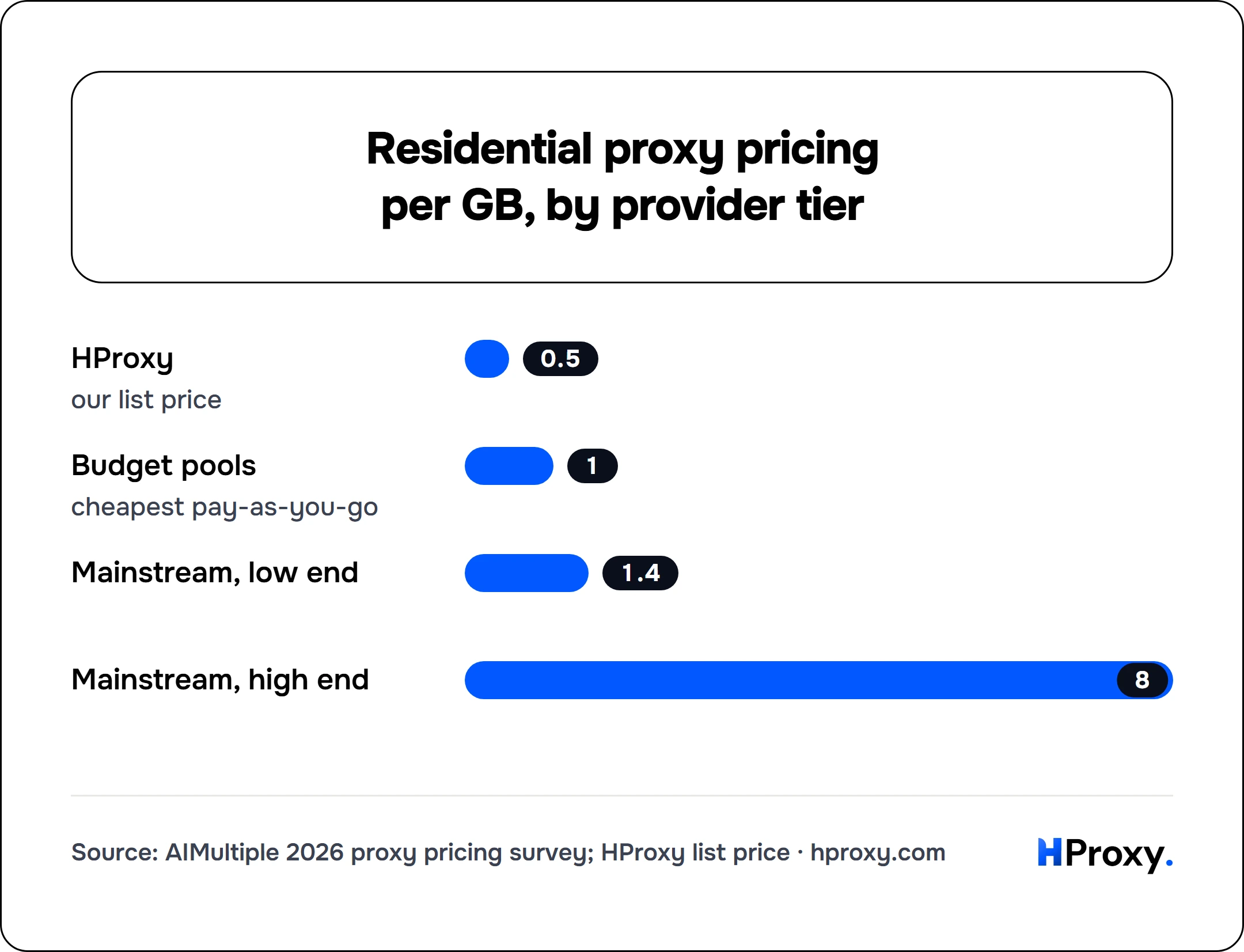
That sourcing is also why the meter looks the way it does. Residential is billed per gigabyte of traffic, not per IP, because you are drawing from a shared pool of real connections rather than renting one fixed line. You pay for the believability and the scarcity, not for raw speed, which residential actually has less of than datacenter. For scale, independent 2026 comparisons put typical residential pricing between $1.40 and $8 per gigabyte depending on provider tier, with a handful of budget pay-as-you-go pools near $1. Our $0.44/GB sits below that entry band, which is only possible because we run the network rather than reselling someone else's. The full market price table, the expiry traps, and the way to estimate your own gigabytes are in how much residential proxies cost, and the billing model itself is unpacked in pay as you go residential proxies.
So, do you actually need one?
Match the tool to the target and you will never overpay. If the site has little or no bot defense, a cheaper datacenter IP is faster and does the job, and paying for residential stealth there is pure waste. If the target has a real bot team, or you need to look like a genuine local, residential is what keeps you working where datacenter gets turned away at the door.
When that is the job, our residential proxies are built for it: real ISP addresses, ethically sourced, with country targeting from $0.44/GB and city targeting on Residential Premium from $1.00/GB. You can verify what a site sees through any address with our proxy checker before you trust it with real work. And because our balance does not expire, a paused project never torches prepaid credit, which is the whole point of our pricing stance. Survey panels are one of the clearest cases where nothing cheaper will do, which is why survey research runs on residential addresses matched to the country the questionnaire was written for. Buy the shape your target actually forces you into, not the most expensive tier on the page.
Sources and further reading
- Xianghang Mi et al., "Resident Evil: Understanding Residential IP Proxy as a Dark Service", 2019 IEEE Symposium on Security and Privacy. The large-scale study of the residential proxy industry, including its scale and its sourcing from compromised hosts.
- Cloudflare, "Using machine learning to detect bot attacks that leverage residential proxies". Why sites cannot simply blocklist residential ranges, and how they separate proxy abuse from genuine home users.
- DataDome, "What are data center proxies and how to detect them?". How anti-bot systems score datacenter versus ISP-registered IPs.
- Cloudflare, "JA3/JA4 fingerprint", on how the TLS ClientHello is hashed into a fingerprint and matched against the browser a request claims to be.
- MaxMind, "Geolocation accuracy", for how reliably an IP maps to a real city.