You point curl at a site through your proxy, wait for the HTML, and get one line back: 403 Forbidden. No page. No redirect. No login form. The proxy connected, the server answered, and the answer was no.
That is the part that trips people up. Nothing actually broke. The TCP handshake happened, your proxy relayed the bytes, and the target read every header you sent. Then it looked at the request and decided you were not welcome. A 403 is a decision, not a failure, and that changes how you fix it.
What causes a 403 Forbidden error through a proxy?
A 403 Forbidden error through a proxy means a server received your request and refused it. The connection worked, so nothing is broken. Usually that server is the site, because the proxy IP is flagged, your request headers look automated, you hit a rate limit, or a web application firewall flagged the traffic. Sometimes it is the proxy itself, refusing on its own policy, and the next section separates the two in one command. HTTP's own wording is precise here: RFC 9110 section 15.5.4 defines 403 as the server having understood the request and refused to fulfill it. Understood is the operative word. Your bytes arrived and parsed cleanly, so the refusal is a decision layered on top of a connection that already worked.
First: who sent it?
One thing has to be settled before any fix, because the same status code comes from two different places. The site can refuse you, and the proxy can refuse you, on its own policy, before the site ever sees the request. RFC 9110 says the server understood the request and refused it, and a proxy is a server.
We built both cases on 16 September 2026, with a stub proxy and a stub site on our own machine, and asked curl for a plain page and an https page through each:
| What we asked for | Who refused | What came back |
|---|---|---|
| plain page | the proxy | exit 0, 403, with Via: 1.1 stub-proxy and Proxy-Agent headers and the proxy's own body |
| https page | the proxy | exit 56, CONNECT tunnel failed, response 403, the site never reached |
| plain page | the site | exit 0, 403, with the site's Server header and no Via |
| https page | the site | exit 0, HTTP/1.1 200 Connection established first, then the site's 403 |
That gives two checks, and both take one command:
# Ask for an https page. The answer is unambiguous.
curl -i --proxy http://203.0.113.7:8080 https://example.com/

# CONNECT tunnel failed, response 403  ->  the proxy refused. The site is not involved.
# 200 Connection established, then 403  ->  the proxy did its job and the site refused.
# Ask for a plain page and read the headers.
curl -i --proxy http://203.0.113.7:8080 http://example.com/

# A Via or Proxy-Agent header on the 403  ->  the proxy answered.
# The site's own Server header and no Via  ->  the site answered.
The Via header is what makes the second check work: it is added by proxies on the way through, so a refusal that carries one came from a machine in the middle. Not every proxy sets it, which is why the https test is the reliable one.
There is a third sender worth knowing. A protection layer in front of the site can refuse before the site does, and Cloudflare marks its own challenge responses with a cf-mitigated header, documented here.
And if a script is doing the asking, make it notice. In our run the proxy refusal left curl at exit code 0 with the proxy's page as the body, so a job that checks only the exit code recorded a success for a page it never fetched. Adding --fail turned the same request into exit 22 with the status in the message.
The rest of this page is about the case where the site refused you, which is the common one.
A 403 is a block, not a breakdown
It helps to separate the two failure modes you see behind a proxy.
If the proxy could not reach the target at all, you get a timeout or a gateway error. That is the proxy or an upstream hop giving up before an answer comes back, and we walked through that case in how to fix a 504 gateway timeout through a proxy.
A 403 is the opposite situation. The answer came back fast and clear. The server is not overloaded and the route is fine. It simply refused to serve you. So none of the usual timeout fixes apply. Bumping your client timeout or switching to a faster proxy will not move a 403 one inch, because speed was never the problem.
The five reasons a target hands you a 403
Almost every 403 behind a proxy comes down to one of these.
The IP is flagged or obviously datacenter. This is the big one. Anti-bot vendors keep running lists of IP ranges that belong to hosting providers and known proxy pools, the reputation half of how websites detect proxies. If your exit IP sits in one of those ranges, plenty of sites return a 403 on the first request, before they even look at what you sent. Free and heavily shared IPs are the worst offenders, which is why a pool pulled from a public free proxy list can get blocked on sites that a clean residential IP walks right into.
Your headers look like a script. A real browser sends a dozen headers on every request. A bare curl or a default Python client sends almost none. When a site sees no User-Agent, or User-Agent: python-requests/2.31, or a request with no Accept-Language at all, that is a cheap and reliable bot signal. Some firewalls return a 403 on that alone.
You tripped a rate limit. Fire fifty requests a second from one IP and the site starts refusing you, often with a 403 rather than a 429. This is common when you are scraping and forget to pace yourself. If that is your use case, our notes on proxies for web scraping go deeper on request pacing and rotation.
The content is geo blocked. Some 403s are geographic. The site serves visitors from one region and refuses the rest. If your proxy exits in a country the target does not allow, you get a 403 no matter how clean the IP or how perfect the headers. The fix is an exit in an allowed region, not more retries.
A WAF threw a challenge. Cloudflare, Akamai, and similar services sit in front of the origin and score every request. When the score looks automated they can answer with a 403 instead of a JavaScript challenge page, the "Access denied" block page you have seen on Cloudflare-protected sites, which scraping past Cloudflare takes apart in full. A telltale sign is a Server: cloudflare header sitting next to your 403, sometimes with a cf-mitigated: challenge line under it. Cloudflare documents that its challenge responses carry that exact header with challenge as the only value it takes, and serve a text/html body no matter what resource you asked for, so a cf-mitigated line is a reliable signal you hit the edge and not the origin.
How to fix a 403 through a proxy
Work these in order. The first two are free and clear most cases.
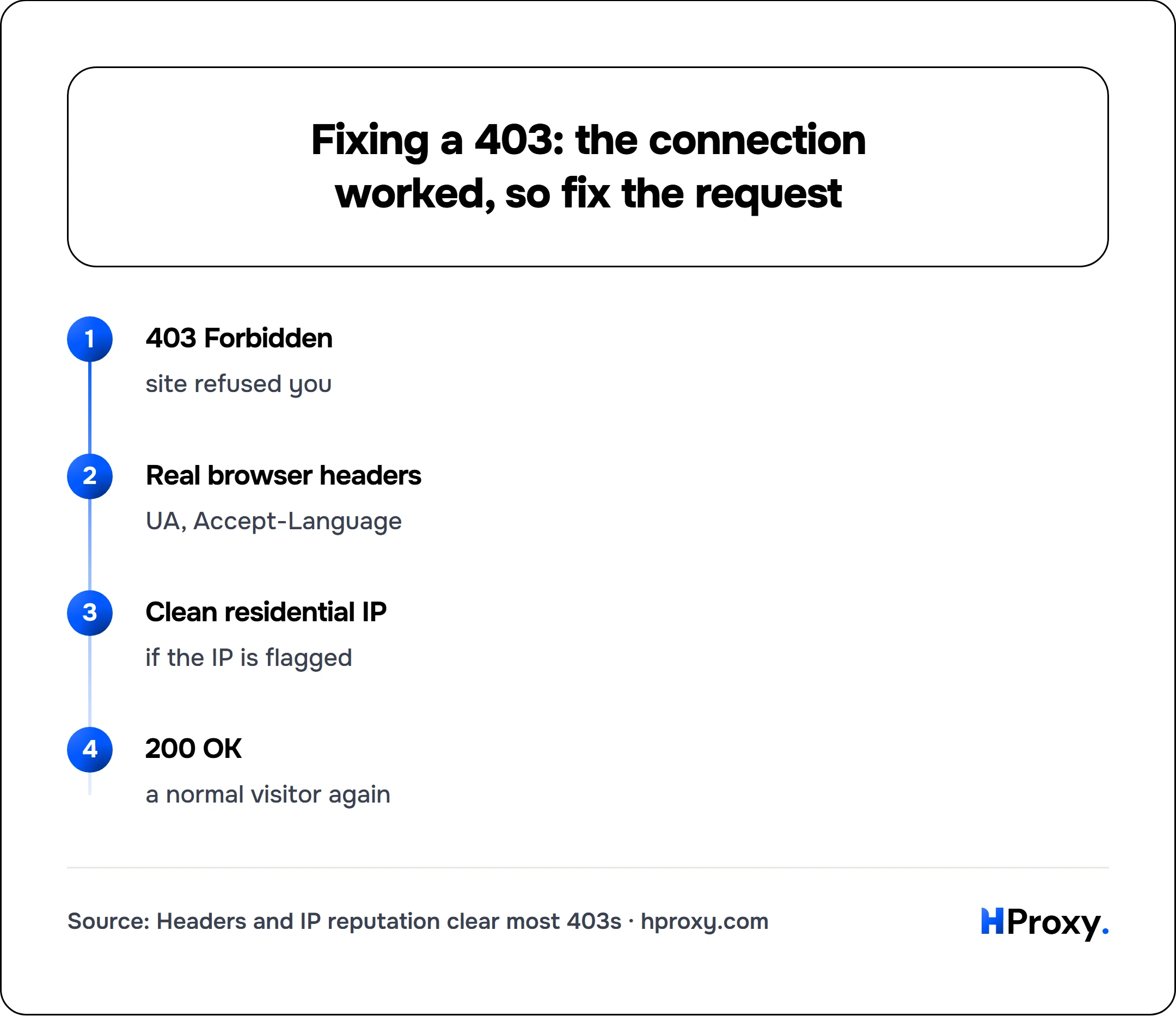
403 Forbidden
site refused you
Real browser headers
UA, Accept-Language
Clean residential IP
if the IP is flagged
200 OK
a normal visitor again
1. Confirm the proxy is elite, not transparent
A transparent proxy leaks your real IP to the target in headers like X-Forwarded-For or Via. X-Forwarded-For is the de-facto standard MDN documents for carrying a client's originating IP through a proxy chain, and Via is defined in RFC 9110 section 7.6.3 to record the intermediaries a message passed through. Either one on your request announces to the target that it is talking to a proxy. The site sees both that you are proxying and where you really are, and some firewalls 403 on that immediately. An elite (high anonymity) proxy sends none of those. Run your proxy through our proxy checker, which echoes back the exact headers the destination receives. If your real IP or a Via header shows up, the proxy is not elite, and you want a better one before you touch anything else.
2. Send headers that look like a real browser
This one is quick and it clears a surprising number of 403s. Here is a request that gets refused, sent as a bare proxy call:
curl -sSI -x http://203.0.113.7:8080 https://example.com/login
HTTP/1.1 403 Forbidden
Date: Fri, 03 Jul 2026 09:14:22 GMT
Content-Type: text/html; charset=UTF-8
Server: nginx
This is a plain header-check block, the kind a basic bot filter throws when it sees a bare python-requests or empty User-Agent. It clears with real headers. A Cloudflare managed challenge (the cf-mitigated: challenge case above) is a different animal: it weighs IP reputation and TLS fingerprint far above headers, so on a datacenter IP no header set alone fixes it, and you go to step 3.
Now the same request with a real browser fingerprint in the headers:
curl -s -o /dev/null -w '%{http_code}\n' \
  -x http://203.0.113.7:8080 \
  -H 'User-Agent: Mozilla/5.0 (Windows NT 10.0; Win64; x64) AppleWebKit/537.36 (KHTML, like Gecko) Chrome/126.0.0.0 Safari/537.36' \
  -H 'Accept: text/html,application/xhtml+xml,application/xml;q=0.9,image/avif,image/webp,*/*;q=0.8' \
  -H 'Accept-Language: en-US,en;q=0.9' \
  -H 'Accept-Encoding: gzip, deflate, br' \
  https://example.com/login
# 200
Send a current User-Agent, an Accept-Language, a full Accept, and Accept-Encoding. Match a browser you actually run. Do not invent a UA string that no real Chrome ever sent, because a few firewalls check the version against the TLS fingerprint, and a mismatch is its own flag.
3. Move to clean residential IPs
If the IP itself is the problem, no header trick saves it. You need an exit that anti-bot systems trust, and that means residential proxies on real consumer connections rather than datacenter ranges. Residential IPs carry the reputation of an ordinary home visitor, so the same request that got a 403 from a hosting IP often returns a 200 from a residential one.
4. Slow down and spread the load
If the block only shows up after a burst, you are rate limited. Add a short delay between requests, cap your concurrency, and rotate across a pool so no single IP carries the whole load. A steady, human pace beats a fast one that gets you refused after request forty.
5. Retry the exact request on a fresh IP
When a specific IP is burned, the cleanest move is to send the same request again through a different exit. If the flagged datacenter IP above keeps failing, retry on a clean residential exit:
curl -s -o /dev/null -w '%{http_code}\n' \
  -x http://198.51.100.14:8080 \
  -H 'User-Agent: Mozilla/5.0 (Windows NT 10.0; Win64; x64) AppleWebKit/537.36 (KHTML, like Gecko) Chrome/126.0.0.0 Safari/537.36' \
  -H 'Accept-Language: en-US,en;q=0.9' \
  https://example.com/login
# 200
Build this into your client: on a 403, switch IP and retry once or twice before you treat the request as truly failed. Do not hammer the same burned IP in a loop, because that just deepens the block.
A quick order of operations
When a 403 lands, run down this list instead of guessing:
- Is it really a 403 and not a timeout? A timeout is a different problem with different fixes.
- Does the proxy leak your IP? Check anonymity first.
- Are you sending real browser headers? Add them if not.
- Is the IP datacenter or shared? Move to a clean residential exit.
- Are you going too fast? Slow down and rotate.
- Is the content geo locked? Pick an allowed region.
Nine times out of ten the answer is a flagged IP, weak headers, or both, and you clear the block long before you reach the bottom of that list.
When the 403 is not about the proxy at all
One more thing, because chasing the proxy when the proxy is fine wastes hours. Some 403s are the site telling you that you are not authenticated. If the endpoint needs a login cookie, a session token, or an API key and you are not sending it, you get a 403 from any IP on earth, proxy or not. Test the same request from your own connection with the right credentials first. If it still 403s at home, the block is about auth or permissions, and no proxy change will fix it. If it works at home but fails through the proxy, then you are back to the five causes above.
Get the IP reputation and the headers right and the 403 usually goes away, because at that point you are just a normal visitor asking for a normal page.
If you would rather skip flagged IPs entirely, our residential proxies carry the clean reputation of an ordinary home visitor, and the proxy checker tells you whether an exit is elite before you ever route a request through it.
Sources
- RFC 9110 section 15.5.4, June 2022: "The 403 (Forbidden) status code indicates that the server understood the request but refuses to fulfill it."
- RFC 9110 section 7.6.3 and MDN on Via, read 16 September 2026: the header "is added by proxies, both forward and reverse", for tracking message forwards and avoiding loops.
- RFC 9110 section 9.3.6, June 2022, for the CONNECT request that an https page makes through a proxy.
- Cloudflare, detecting a challenge response, read 16 September 2026, for the
cf-mitigatedheader on a challenge. - libcurl error codes, read 16 September 2026, for exit 56 and exit 22.
- Measured by HProxy on 16 September 2026 with curl 8.16.0: a stub proxy that refuses, a stub proxy that relays and a stub site that refuses, all on this machine, asked for a plain page and an https page. Nothing outside the machine was contacted.