You set a proxy in Chrome, load a page, and instead of the site you get a flat gray error: ERR_PROXY_CONNECTION_FAILED. Not a slow load, not a half-broken page, nothing. Every tab fails the same way, and normal browsing worked fine a minute ago. On Firefox or Tor Browser the identical failure reads as the proxy server is refusing connections, but in Chrome you get this. The message looks vague, but it is actually one of Chrome's more specific errors, and that specificity is exactly what makes it quick to fix once you know what it points at.
The short version: Chrome tried to reach the proxy you configured and could not open a connection to it at all. That single fact tells you where to look and, just as usefully, where not to. Here are the six fixes, in the order that clears this error fastest.

What does ERR_PROXY_CONNECTION_FAILED mean?
Chrome shows ERR_PROXY_CONNECTION_FAILED (rendered in full as net::ERR_PROXY_CONNECTION_FAILED) when it cannot open a connection to the proxy server you told it to use. In Chromium's own network error list this is error number -130, defined as "Could not create a connection to the proxy server. An error occurred either in resolving its name, or in connecting a socket to it." That definition names the two ways it breaks: Chrome could not resolve the proxy's hostname in DNS, or it resolved the address and still could not open a socket to it. The break is between Chrome and the proxy, not between the proxy and the website you wanted. In plain terms, Chrome dialed the proxy and got no answer, so it stopped before it ever reached the target site.
Because the failure is on the Chrome-to-proxy leg, you can ignore anything to do with the destination website. The site is not blocking you; Chrome never got that far. That narrows the whole problem down to five things: a wrong address, a protocol mismatch, a dead proxy, a browser-side conflict, or something local blocking the connection. Here is each cause, how to spot it, and the fix.
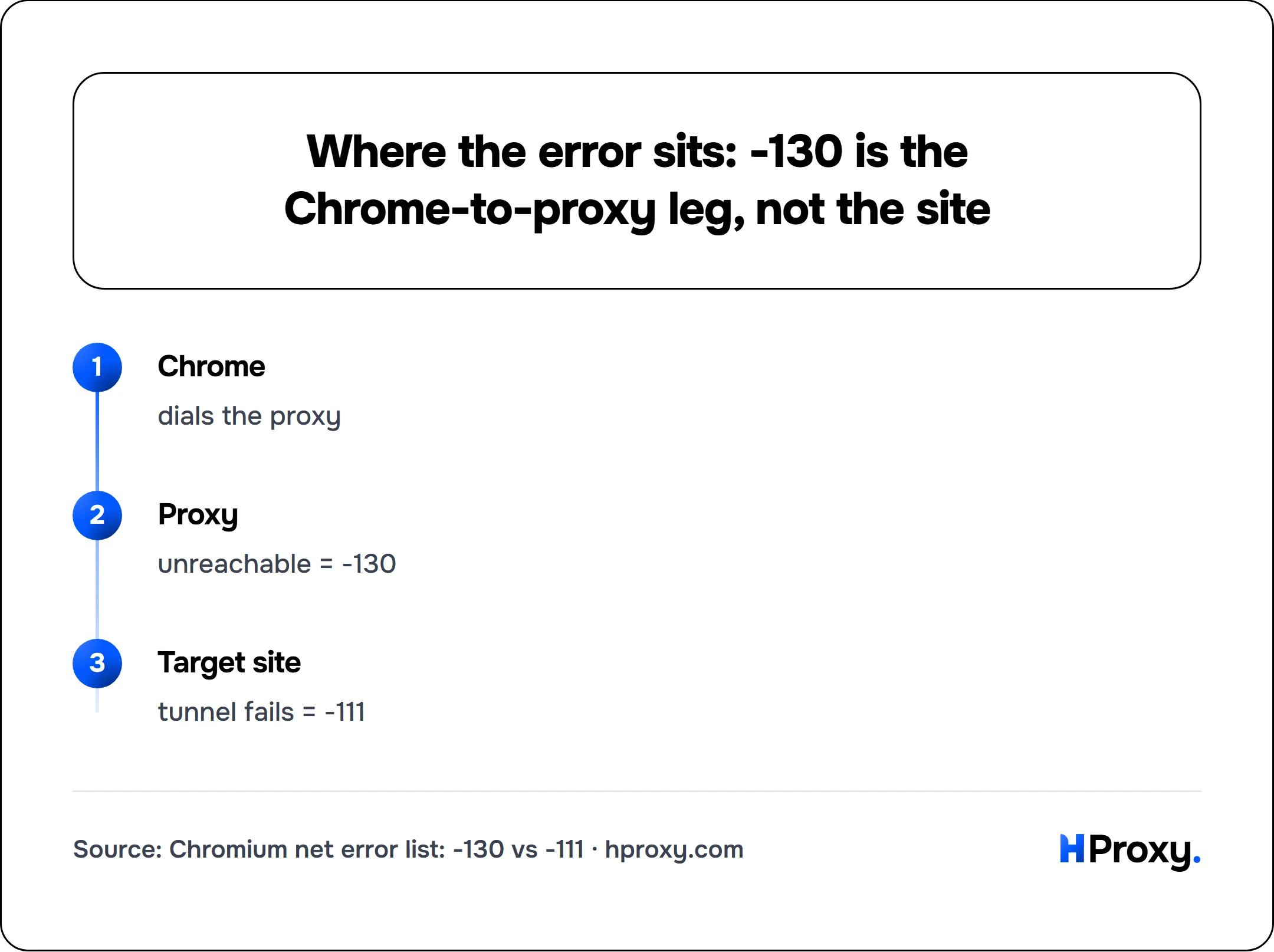
Chrome
dials the proxy
Proxy
unreachable = -130
Target site
tunnel fails = -111
Which fault gives which error
Chrome has a family of proxy errors and they are easy to mix up, so on 16 September 2026 we produced each one on purpose. Eleven stub proxies on our own machine, each broken in one chosen way, and a headless Chrome 153 pointed at each in turn:
| What was wrong with the proxy | Chrome ended on | How fast |
|---|---|---|
| nothing listening on the port | ERR_PROXY_CONNECTION_FAILED | 58 ms |
| it answered 403 to the tunnel request | ERR_TUNNEL_CONNECTION_FAILED | 14 ms |
| it answered something that is not HTTP | ERR_TUNNEL_CONNECTION_FAILED | 15 ms |
| it closed the connection saying nothing | ERR_EMPTY_RESPONSE | 16 ms |
| it asked for a login with 407 | ERR_INVALID_AUTH_CREDENTIALS | 17 ms |
| the setting carried a user name and password | ERR_NO_SUPPORTED_PROXIES | 14 ms |
| a SOCKS5 proxy wanted a login | ERR_SOCKS_CONNECTION_FAILED | 23 ms |
| an automatic configuration file named a dead proxy | ERR_PROXY_CONNECTION_FAILED | 19 ms |
| the automatic configuration file was missing or broken | no error at all | the page just waits |
Four things in that table are worth carrying away.
Speed is a clue. Every proxy failure ended within 60 milliseconds, most within 20. A page that spins for many seconds and then fails is usually not a proxy error at all.
Credentials do not go in the proxy setting. A proxy address written as user:pass@host:port gave ERR_NO_SUPPORTED_PROXIES, which Chromium describes as having no usable proxy configuration in the list. Let the browser ask for the login, or use a proxy that authenticates by address.
A SOCKS5 proxy that needs a login cannot work here. Chrome carries the scheme and implements no authentication method for it, so the proxy refuses the browser outright. That entry belongs in a terminal tool instead.
A broken automatic configuration file fails silently. A PAC file that answered 404, and one that was not a script, produced no proxy error at all: the browser behaved as if no proxy were set. We checked that against a control, a valid PAC naming a dead proxy, which failed in 19 milliseconds as expected. So on a machine that gets its proxy from a PAC URL, pages loading normally is not proof that the proxy is in use.
| Cause | How to spot it | Fix |
|---|---|---|
| Wrong IP or port | Every site fails instantly | Re-check the address, verify it is alive |
| Protocol mismatch | Fails on a proxy you know is good | Match HTTP vs SOCKS |
| Dead proxy | Worked earlier, fails now | Swap in a fresh one |
| Conflicting extension | Started after installing or updating an extension | Keep one proxy extension only |
| System vs extension clash | Chrome says "controlled by an extension" | Use one layer, not both |
| Firewall, AV or VPN | Fails only on this machine or network | Disable the blocker or change port |
How to fix ERR_PROXY_CONNECTION_FAILED
1. Check the IP and port, then confirm the proxy is alive
Start with the boring cause, because it is the most common. One wrong digit in the IP or a transposed port number, and Chrome is dialing an address where nothing is listening. It fails in exactly the way a dead proxy does.
Re-read the proxy address against your source, character by character. A proxy is written as host:port, for example 203.0.113.7:8080, so make sure the port on the right matches what your provider gave you and nothing got truncated when you pasted it. If your provider handed you a hostname rather than a numeric address, say gate.example-proxy.com:8080, that name has to resolve in DNS before Chrome can even attempt the socket, and a failed lookup of the proxy name is one of the two triggers Chromium lists for this exact error. Where you have the numeric IP, use it, so a DNS problem cannot masquerade as a dead proxy.
Then confirm the proxy is actually alive, outside Chrome, so you are testing the proxy and not your browser setup. Paste the IP and port into our proxy checker; it reports in one pass whether the proxy answers, where it exits, and how fast it is. If the checker calls it dead, Chrome was right to fail and no amount of browser tweaking will help. If the checker says it is alive but Chrome still fails, your problem is one of the next five. Our full walkthrough on how to check if a proxy is working covers the manual version if you prefer the command line.
2. Match the protocol: HTTP against SOCKS
Chrome has to speak the same protocol the proxy expects. Point an HTTP proxy setting at a SOCKS-only proxy, or the reverse, and the handshake never completes. Chrome reports that as ERR_PROXY_CONNECTION_FAILED because, from its side, the connection genuinely failed.
The port is your best clue. A proxy on 1080 is almost always SOCKS. Ports 8080, 3128 and 80 are usually HTTP. If your provider listed the proxy as SOCKS5, set the type to SOCKS5 in your extension or system dialog, not HTTP.
Fix it wherever you configured the proxy: in a proxy extension, change the profile's type field; in system settings, tick the correct proxy row. If you are not sure how your setup routes Chrome in the first place, our guide on how to set up a proxy in Chrome lays out each method and shows where the protocol setting lives in each one.
3. The proxy is dead, so switch to a fresh one
If the address is right and the protocol matches, the proxy itself may simply be down. This is the default explanation with free proxies, which have lifetimes measured in minutes, not days. A proxy you tested and configured correctly this morning can be gone this afternoon, and the moment it drops, every Chrome tab through it returns ERR_PROXY_CONNECTION_FAILED.
There is nothing to fix on your end here; the proxy died. Swap in a different one. Our free proxy list shows a last-checked timestamp and an uptime figure for every entry, so you can pick one that was confirmed alive minutes ago instead of gambling on a stale dump. Grab a fresh IP and port, update it in Chrome, and reload. If the error clears, the old proxy was the whole problem.
4. A broken or duplicate proxy extension is conflicting
Proxy-manager extensions are the usual way people route Chrome, and they are also a common source of this error. Two failure modes show up here. The first is having more than one proxy extension enabled at once, say FoxyProxy and SwitchyOmega both installed; they both try to control Chrome's proxy config, and whichever wins may be pointing at nothing. The second is a single extension left half-configured, with a saved profile that has an empty or wrong host.
Open chrome://extensions and look at which proxy tools are enabled. Keep exactly one proxy extension active and disable the rest. Then open the survivor's options and check that the profile you are actually using has a real host and port, not a blank field left over from setup. If the error started right after you installed or updated a proxy extension, that is almost certainly your cause.
5. System and extension proxy settings are fighting
Chrome does not have its own proxy engine on desktop; it either follows your operating system's proxy settings or hands control to an extension. When both are set, they can contradict each other. A classic case: you switched your extension to Off expecting direct browsing, but a proxy is still set at the Windows or macOS system level, pointing somewhere dead, so Chrome keeps failing.
Chrome will usually tell you who is in charge. Open Chrome's settings and look for a line saying the proxy is controlled by an extension, or open your system proxy panel and see whether a manual proxy is switched on. Pick one layer and clear the other. If you are using an extension, make sure the system proxy is off. If you are using system settings, make sure no extension is also trying to steer. Running both is how you end up chasing an error that neither layer alone would produce.
6. A firewall, antivirus, or VPN is blocking the connection
If the proxy checks out as alive from another machine but Chrome on this one still fails, something local is sitting between Chrome and the proxy. Corporate firewalls frequently block outbound connections to non-standard proxy ports. Antivirus suites with a web-shield or "secure connection" feature can intercept the same traffic. And an active VPN reroutes your entire connection, which can leave Chrome unable to reach a proxy that expects to be contacted from your normal IP.
Work through the local blockers one at a time. Turn off any VPN and reload; if the error clears, the VPN and proxy were colliding, and you need to pick one or chain them on purpose rather than by accident. Add Chrome or the proxy port to your antivirus and firewall exceptions. If you are on a locked-down network that blocks odd ports, a proxy listening on a common port like 8080 or 443 has a far better chance of getting through than one on an unusual high port.
Isolate it in under a minute
When the error hits, you do not have to guess which of the six it is. Two checks split the field:
- Paste the proxy into the checker. Dead? It was fix 3, and you just need a fresh proxy. Alive? The proxy is fine and your problem is browser-side or local, which means fixes 1, 2, 4, 5 or 6.
- Try the same proxy in a different app, or in a fresh Chrome profile with no extensions. Works there but not your main Chrome? An extension or a settings clash is the culprit (fixes 4 and 5). Fails everywhere on this machine while the checker says alive? Look local: firewall, antivirus or VPN (fix 6).
Two checks, and you have gone from a blank gray error page to a single known cause. ERR_PROXY_CONNECTION_FAILED looks blunt, but it is precise: Chrome is telling you it could not reach the proxy, and one of these six reasons is why. Fix the reason and the tab loads.
There is a third check when you want certainty in one line. Ask the same proxy from the command line: curl -x http://host:port https://example.com/. Exit code 7 is the same fault as ERR_PROXY_CONNECTION_FAILED, and exit 56 with CONNECT tunnel failed is the same fault as ERR_TUNNEL_CONNECTION_FAILED. Our curl proxy error page has the rest of the codes.
Sources
- Chromium net_error_list.h, read 16 September 2026:
PROXY_CONNECTION_FAILED(-130),TUNNEL_CONNECTION_FAILED(-111),EMPTY_RESPONSE(-324),NO_SUPPORTED_PROXIES(-336),INVALID_AUTH_CREDENTIALS(-338),MANDATORY_PROXY_CONFIGURATION_FAILED(-131) andPAC_SCRIPT_FAILED(-327), each with the comment that defines it. - Proxy support in Chrome, read 16 September 2026: the supported schemes, and "No authentication methods are supported for SOCKSv5 in Chrome".
- chrome.proxy API reference, read 16 September 2026, for what an extension writes when it takes over the setting.
- RFC 9110 section 9.3.6, June 2022, for the CONNECT request behind the tunnel error.
- Measured by HProxy on 16 September 2026 with Chrome 153.0.8010.36: eleven stub proxies on this machine, each failing in one chosen way, plus a control with a valid automatic configuration file. The target address is in a documentation range and was never reached. Nothing outside the machine was contacted.