Proxies come in a rough trust order, and mobile sits at the very top. Datacenter IPs get flagged on sight, residential IPs pass as ordinary people, and mobile IPs are the ones even a well-defended site is scared to block. So what is a mobile proxy, and why does it earn that spot? A mobile proxy routes your traffic through a real device on a phone carrier's 4G, 5G, or LTE network, so the site you hit sees a genuine cellular IP, the same kind your own phone uses on mobile data.
We run a proxy network with mobile plans in it, so here it is with the hype stripped out. Mobile IPs are trusted because of one structural quirk in how carriers hand out addresses, and that single fact drives the trust, the rotation, and the steep price all at once.
What is a mobile proxy?
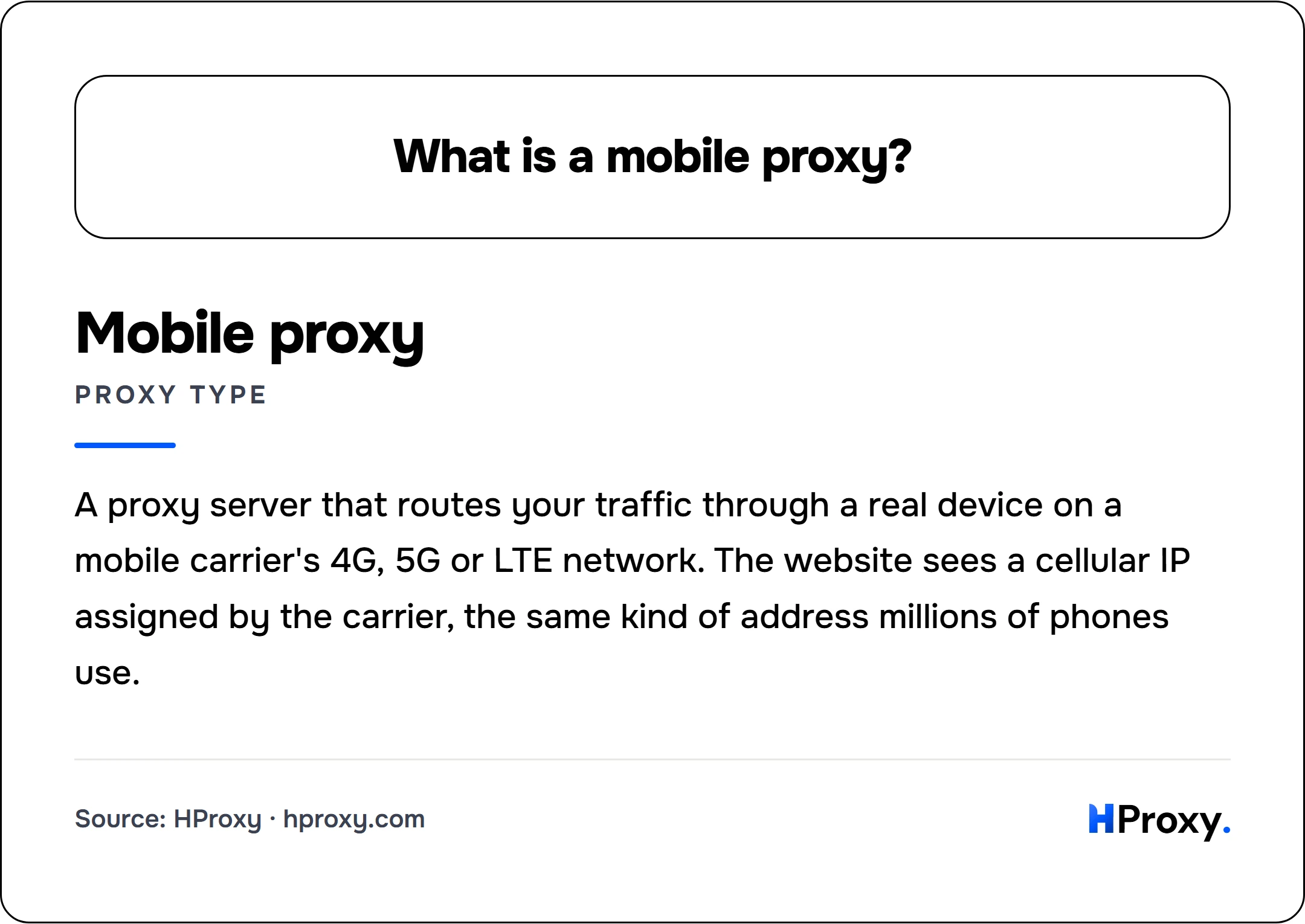
A mobile proxy is a proxy server that routes your traffic through a real device connected to a mobile carrier's 4G, 5G, or LTE network. The website sees a cellular IP assigned by the carrier, the same kind of address millions of phones use, which makes it the hardest proxy type to detect or block.
Mobile proxy
proxy type
A proxy server that routes your traffic through a real device on a mobile carrier's 4G, 5G or LTE network. The website sees a cellular IP assigned by the carrier, the same kind of address millions of phones use.
How a mobile proxy actually works
Behind every mobile proxy is a physical device with a SIM card: a phone, a USB modem, or a purpose-built mobile proxy box. That device connects to a cellular network exactly like your own phone does, and the carrier (Vodafone, AT&T, Deutsche Telekom, and the like) assigns it a public IP from the carrier's own range. When you send a request through the proxy, it leaves the internet from that carrier IP. To the target site, you are a phone on mobile data.
That carrier origin is the whole product, the same way a home connection is the whole product for a residential proxy. Every IP belongs to a network identified by its ASN (the public number that says who owns the address block), and a mobile IP's ASN belongs to a mobile operator. No hosting company, no data center. A site that looks up the address, which defended sites do in the first millisecond of every request, sees a mobile carrier and treats you accordingly. We walk through that lookup and the rest of the detection stack in how websites detect proxies.
Why a mobile IP is the most trusted address you can buy
Here is the quirk that makes mobile special. Carriers have far more subscribers than they have public IPv4 addresses, so they cannot give every phone its own. Instead they put huge numbers of real customers behind a small pool of shared public addresses using carrier-grade NAT (CGNAT), the address-sharing scheme standardized in RFC 6888. It is the norm on cellular networks, and it packs a lot of people onto each address: Cloudflare, which sees a large slice of global web traffic, notes that a single IPv4 address may represent hundreds or even thousands of users, and that CGNAT is common in mobile networks. At any moment, a single public mobile IP like 203.0.113.45 might be the exit for hundreds or thousands of real people: someone checking email on the train, someone scrolling a feed, someone paying a bill.
Now put yourself in the website's seat. It sees a request from that IP that looks a little like a bot and wants to block it. But it cannot, not without blocking every real customer sharing the same address. Banning one mobile IP is banning a crowd, and much of that crowd are paying users the site does not want to lose. So defended sites do the rational thing and give mobile IPs the benefit of the doubt. That reluctance to block is the entire value of a mobile proxy. You are not hiding in a data center, you are hiding inside a crowd of real people, and the site cannot swing at you without hitting them.
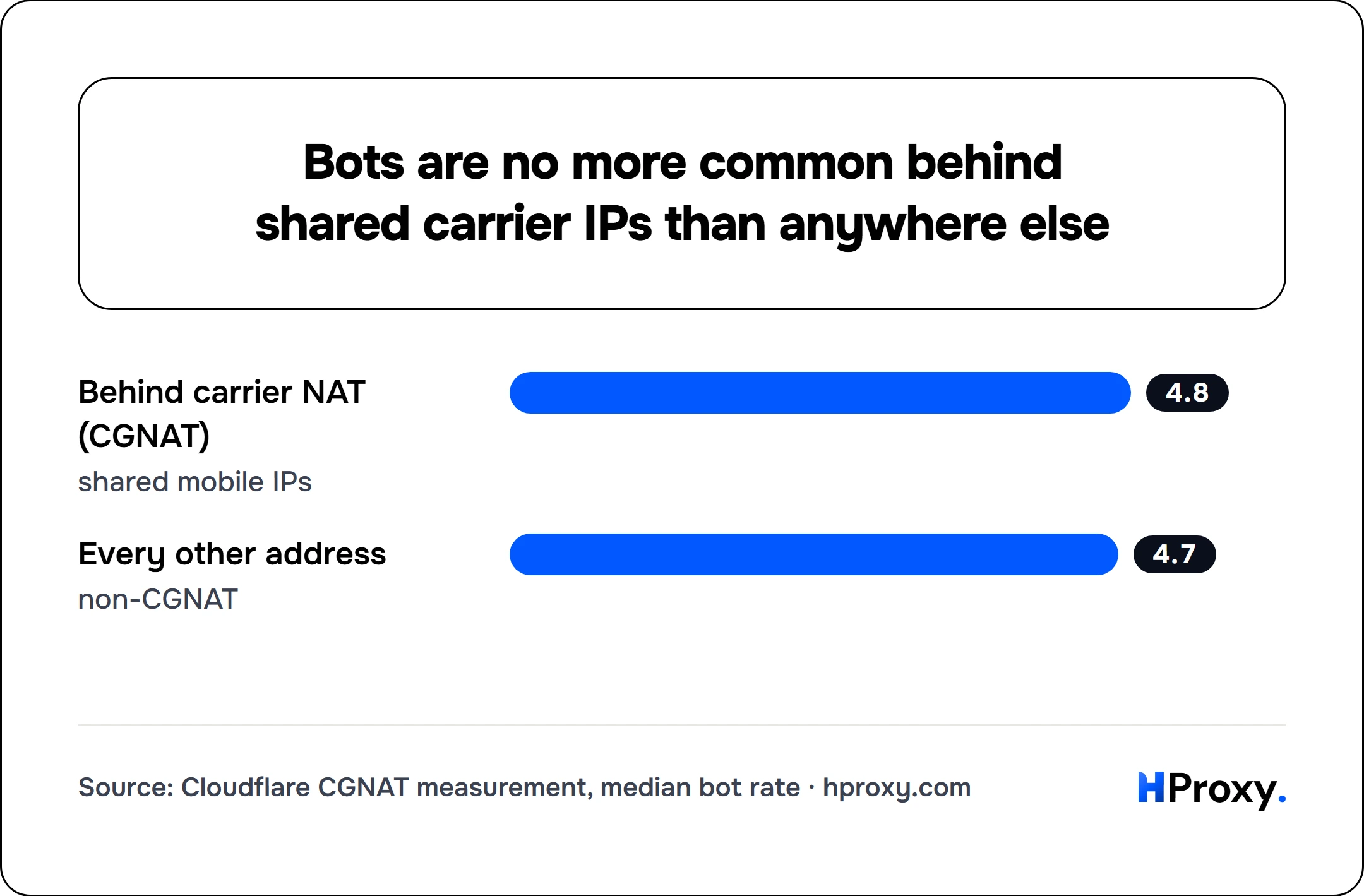
This is not a hunch. When Cloudflare measured traffic behind carrier-grade NAT, it found those shared IPs carried almost exactly the same share of automated traffic as the rest of the internet (a median bot rate of 4.8% versus 4.7% for non-CGNAT addresses), yet they were rate-limited three times as often. The crowd behind a shared carrier IP really is overwhelmingly human, so blunt IP blocking mostly punishes bystanders, which is the collateral damage a well-run site works to avoid. The lesson cuts both ways: mobile is not unblockable, but the IP-level filters that instantly sink datacenter proxies are exactly the tools that struggle most with a carrier crowd.
This is why mobile sits above residential on the trust ladder. A residential IP maps to roughly one household, so a site can block it with limited collateral damage. A mobile IP maps to a churning crowd, so blocking it is expensive for the site and rare in practice. Same idea as residential, just far more of it behind every address.
How mobile proxy rotation works
Mobile IPs rotate in a way no other proxy type does, because part of the rotation is built into the network itself. As a device moves between cell towers, or as the carrier reshuffles its CGNAT pool, the public IP can change on its own with no action from you. That is genuine carrier behavior, not a trick, which is part of why the fresh IPs look so clean.
On top of that natural churn, providers give you deliberate rotation. Most mobile plans, ours included, let you force a new IP two ways: on a timer (a fresh address every 5 or 30 minutes, say) or on demand through a rotation link you call whenever you want a change. Under the hood this usually means the device briefly drops and re-establishes its carrier connection, and the carrier hands back a different pool address. The rotation happens without dropping your proxy session, so your tooling keeps running through it.
The mental model is different from residential rotation. With a rotating residential pool you connect to one gateway and each request can exit through a different household. With a mobile proxy you hold one device, and its single carrier IP refreshes on a schedule or a trigger. If you want the static-versus-rotating trade in general, we cover it in rotating vs static residential proxies. Mobile is its own hybrid of the two: one device whose one IP keeps refreshing from a carrier pool.
What mobile proxies are best for
Mobile is the tool you reach for when the target is genuinely hard and nothing cheaper survives. In practice that means:
- Social media at scale. Instagram, TikTok, Facebook, and their peers are mobile-first platforms that expect their users on phones, so a mobile IP is the most natural possible fit. For creating or managing multiple accounts, mobile is the address type that draws the least suspicion, because the platform sees exactly the kind of network its real app traffic comes from.
- The most defended commerce. Sneaker drops, ticketing, and limited releases sit behind the fiercest anti-bot systems on the web, and mobile IPs clear friction that datacenter and even residential can trip on.
- Mobile ad verification. To see the ads and prices a real phone user is served, you have to look like one, and only a mobile IP genuinely does.
The flip side is knowing when mobile is overkill. If your target is an open API, a lenient site, or plain data collection, a mobile proxy is money set on fire: a datacenter or residential IP does the same job for a fraction of the cost. We lay out that cheaper end of the ladder in datacenter vs residential proxies. Reach for mobile when a target has beaten everything else, not by default.
Why mobile proxies cost the most
Mobile is the priciest proxy type by a wide margin, and the reason is physical. A residential proxy borrows a home connection that already exists. A mobile proxy needs real hardware that someone bought and keeps running: a modem or phone, a SIM card, and an actual cellular data plan the carrier bills every month. Each device is one more piece of kit to power, monitor, and replace when it fails. You are renting a slice of physical infrastructure, not just pulling an address from a large software pool.
Scarcity stacks on top. There are far more residential IPs in the world than devices dedicated to mobile proxying, so supply is genuinely limited and priced accordingly. That is why mobile costs what it does, and it is worth paying only when the trust it buys is trust you actually need.
The pricing model is different too, and usually in your favor once you are on mobile. Because a mobile proxy is a whole device rather than a metered pool, plans are typically a flat monthly rate per proxy with unlimited bandwidth, not residential's per-gigabyte meter. On ours you take a shared proxy (you split the device and its cost with other customers) or a dedicated one (the device is yours alone), and in both cases you can push as much traffic as you like without watching a bandwidth counter. Mobile sits with ISP and datacenter on our unlimited bandwidth plans for exactly that reason.
Mobile vs residential proxies
Mobile and residential are cousins. Both route through real consumer IPs, both clear the ASN gate that sinks datacenter proxies, and both look like ordinary people to a website. The differences are about degree and shape.
| Mobile | Residential | |
|---|---|---|
| Where the IP comes from | A phone or modem on a 4G/5G carrier network | A real home broadband connection |
| Network type (ASN) | Mobile carrier | Consumer ISP |
| Trust level | Highest (CGNAT crowds make blocking costly) | High (looks like a real household) |
| How it rotates | Carrier pool refresh, by timer or trigger | New exit per request or per sticky session |
| Pricing model | Per gigabyte, or per dedicated modem from specialists | Usually per gigabyte of traffic |
| Pool size and geo | Smaller, coarser locations | Huge, granular down to city |
| Best for | Social media, the most defended targets | Broad scraping, price and ad checks, most defended jobs |
The practical rule: start with residential and step up to mobile only when residential stops being enough. Residential already clears the gate that stops datacenter, and for the large majority of defended jobs it is plenty while costing much less and offering a far bigger, more geo-precise pool. That geo gap has a technical cause: because carriers backhaul many towers through a handful of shared gateways, geolocation databases place cellular IPs less accurately than fixed home broadband, so a mobile proxy reliably targets a country but rarely a specific city. Mobile is the escalation for the narrow band of targets, mostly mobile-first social platforms and the hardest commerce, where even a clean residential IP draws friction and only a carrier crowd gets waved through. Pay for the top of the ladder when the target forces you there, not before. Our residential pools are where most people should begin.
Buying mobile proxies
If your work lives on the hardest targets, mobile is the address type built for them. Our mobile proxies are billed by the gigabyte at $1.50/GB, with 4G and 5G carrier IPs and timer or on-demand rotation. If you are not sure mobile is the tier you need, that is genuinely worth a minute: check the full ladder and what each rung costs on our pricing page, start with the cheapest type your target tolerates, and move up to mobile only when the block rate proves you have to. The most trusted IP on the internet is worth buying, but only for the jobs that actually demand it.
Most of the market sells mobile as one line among five, and a few vendors sell nothing else. The specialists also change the meter, renting you a dedicated modem for a length of time rather than selling bandwidth by the gigabyte, and that is a genuinely different purchase. HProxy vs MobileHop works through which meter fits which job, including the case where a rented modem is the better buy.
Sources and further reading
- RFC 6888: Common Requirements for Carrier-Grade NATs (CGNs). The standard behind the address sharing that puts many subscribers behind one public IP.
- Cloudflare, "One IP address, many users: Detecting CGNAT to reduce collateral effects". The measured figures for how many users sit behind a shared IP, and how similar their bot rate is to everyone else's.
- MaxMind, "Geolocation accuracy". Why cellular IPs geolocate less precisely than fixed broadband.