Sneaker proxies are the part of a copping setup that decides whether your tasks check out or get cancelled an hour later. Everything else, the bot, the accounts, the payment profiles, sits on top of the IPs you run them through. Get the proxies wrong and a good bot still loses every task to a link ban or a region block.
We build the network these tasks run on, so we see both what people buy for a drop and what comes back as a support ticket the next morning. So copping makes its own demands of an IP: which proxy type fits which site, how many you need, and the pacing habits that keep clean IPs clean. No proxy guarantees a cop, and we will not pretend otherwise, but the wrong proxy guarantees you miss.
What proxies are best for sneaker copping?
For most sites, ISP proxies are the sweet spot: static, fast, and residential-grade, which suits Footsites and Shopify. Rotating residential is safer for the hardest targets like Nike SNKRS. Datacenter is cheap and quick but banned on protected sites. Region-match every IP to the release and run enough of them.
What copping actually demands from an IP
A limited release is a race with a referee. The race rewards speed, and the referee cancels anyone who looks automated. A sneaker proxy has to satisfy both at once, which narrows the field fast.
- Speed. Checkout is a race against thousands of other bots and real people for a few hundred pairs. A slow IP adds latency to every request, and on a sold-out-in-seconds drop that latency is the difference between a confirmation and an out-of-stock page. Datacenter and ISP IPs win here; rotating residential is slower because real home connections sit behind it.
- Clean, unbanned IPs. Retailers score IP reputation. An address a hosting provider owns, or one a hundred other coppers already hammered this morning, is flagged before your bot sends a single request. Fresh, residential-looking IPs pass; recycled or datacenter ranges get profiled.
- Region match. Most drops are region-locked. A US SNKRS release wants US IPs, an EU launch wants EU IPs. Run a task from the wrong country and you either see the wrong catalog or get filtered out before checkout. Match the IP location to where the release is happening, not to where you are.
- One identity per task. This is the big one. If ten tasks hit Nike, Shopify, or a Footsite from the same IP, the site links them, and a link ban cancels every order tied to that address at once. One clean IP per task keeps each attempt isolated, so a flagged IP costs you one task instead of ten.
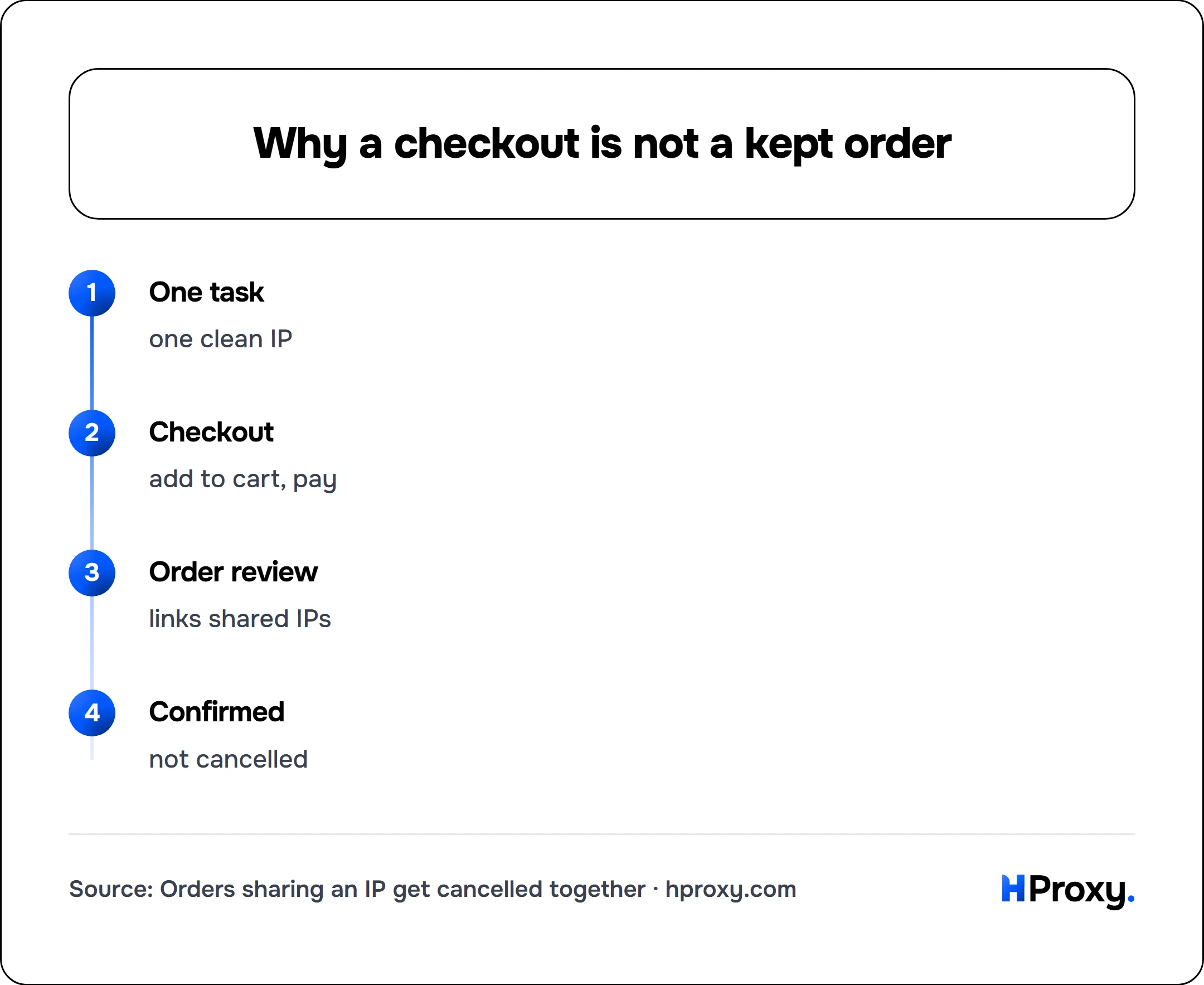
One task
one clean IP
Checkout
add to cart, pay
Order review
links shared IPs
Confirmed
not cancelled
Residential, ISP, or datacenter for sneakers
Three proxy types show up in every cook group. They are not interchangeable, and the sweet spot is not the most expensive one.
Datacenter proxies come from hosting providers. They are the fastest and cheapest option, and on a lightly protected Shopify site that low latency can win a checkout. The problem is that they announce themselves: sites can tell a datacenter owns the IP, so Nike, Footsites, and any protected Shopify store distrust them by default and cancel their orders first. Correct for easy targets, wrong for the sites everyone actually fights over.
ISP proxies are static residential IPs: an address registered under a consumer ISP, so it reads as a real home connection, but hosted on datacenter-grade infrastructure so it stays fast and always on. For sneakers this is usually the sweet spot. You get residential legitimacy and datacenter speed in one IP, and because it is static, the same trusted address can carry an account through warming and then the drop. Footsites and most Shopify releases are ISP territory. We break down the static-versus-rotating tradeoff in full in rotating vs static residential proxies.
Rotating residential proxies draw from a large pool of real home connections, changing IP per request or per short sticky session. They are the most believable to a website and the safest pick for the hardest targets, Nike SNKRS above all, where reputation checks are brutal. The tradeoffs are speed (real home lines are slower) and cost (metered per gigabyte). For checkout you want sticky sessions, so a single attempt holds one IP long enough to finish.
Mobile proxies, IPs from cellular carriers, are the heavyweight tier for the most defended drops, at the highest price. Most setups never need them, but they exist for when nothing else survives.
Which proxy works on which site
These patterns shift as retailers change their defenses, so treat this as a starting point and test on the actual site before a drop, not as a permanent law.
| Site | Proxy type that usually works | Notes |
|---|---|---|
| Nike / SNKRS | Rotating residential (or clean ISP) | Heavy IP-reputation checks; datacenter dies fast |
| Footsites (Foot Locker, Champs, etc.) | ISP (static residential) | Aggressive link bans; one IP per task |
| Shopify, protected (Kith, Undefeated) | ISP or residential | Datacenter usually cancelled |
| Shopify, lightly protected | Datacenter or ISP | Speed matters; use the cheapest tier that holds |
| Supreme | Residential or ISP | Region-match and pace carefully |
| Adidas / Confirmed | Rotating residential | Reputation-sensitive like Nike |
The rule inside that table is the same one that saves the most money in web scraping: use the cheapest tier the target will tolerate, and escalate only when cancellations prove you must. Reaching for rotating residential on a site that would have accepted ISP is just burning budget.
How many proxies you actually need
Size your order from tasks, not from a number that sounds right.
The unit that matters is the task: one attempt to check out one size on one account. On link-ban sites (Nike, Footsites, most Shopify) the safe default is one IP per task, because two tasks sharing an IP is exactly the pattern that triggers a cancellation. So the math is simple.
Sizing (strict, link-ban sites):
  proxies needed   =  number of tasks you run
  5 accounts x 6 tasks  =  30 tasks  ->  ~30 proxies + headroom

Assign one clean IP per task (no two tasks share an address):
  task 1  ->  203.0.113.10    account A, US
  task 2  ->  203.0.113.11    account B, US
  task 3  ->  198.51.100.24   account C, US
  task 4  ->  198.51.100.25   account D, US
On lightly protected sites you can safely run a few tasks per IP, which cuts the count, but weigh that saving against the cost of a mass cancellation if the site tightens up mid-drop. For rotating residential the counting changes: you are not buying named IPs, you are buying bandwidth through a pool, so you size by gigabytes and let sticky sessions hold one exit per checkout. Either way, buy for the drop you are actually running, and note that our pricing is pay-as-you-go, so unused balance does not evaporate between releases.
Warming and pacing
A brand-new account logging in from a brand-new IP moments before a hyped drop is a pattern retailers watch for. Warming is the fix: use the account and its IP normally over days or weeks before the release. Log in, browse, add to cart, maybe make an ordinary purchase, all from the same stable address. Static ISP IPs are ideal here precisely because they do not change, so the account keeps seeing one consistent, trusted location. By drop day the pair looks aged instead of freshly minted.
Pacing is the other half. Bots that machine-gun a site with monitor requests from their checkout IPs burn those IPs before the drop even starts. Keep monitoring separate from checkout, so the IPs you need clean at 10am are not the ones hammering the product page all morning. Do not refresh faster than a very keen human would. Our guide to avoiding IP bans covers the request-hygiene side in depth, and it applies directly here: the same behavior that gets a scraper blocked gets a checkout task cancelled.
Common mistakes that cost cops
The support tickets cluster around a handful of avoidable errors:
- Buying day-of and not testing. Proxies bought an hour before a drop, with no time to verify they are alive and region-correct, are how people watch a release fail in real time. Buy early, and check them with a free proxy checker so you see the real exit location before it matters.
- Reusing burned or public proxies. Cheap shared lists are already flagged from everyone else who used them. On a protected drop they are dead on arrival.
- Wrong region. Running US IPs on an EU-locked launch (or the reverse) filters you out before checkout, no matter how clean the IPs are.
- Too many tasks per IP. The fastest way to a mass cancellation. One clean IP per task on any site that link-bans.
- Datacenter on the wrong site. Cheap and fast is worthless if Nike cancels the order sixty seconds later. Match the tier to the target.
- Treating a successful checkout as a win. Retailers cancel after the fact when an order looks automated. The confirmation email is the finish line, not the checkout page.
How a SNKRS draw actually picks winners
The two launch formats you meet most on Nike SNKRS are the Draw (shown as DAW, sometimes DAN) and LEO, short for Let Everyone Order. A Draw takes entries during a window and notifies winners afterward, usually within 15 to 30 minutes even though Nike reserves up to 24 hours to decide. LEO looks like first-come-first-served because everyone can submit an order, but it is really a two-to-three-minute mini-draw: Nike collects the orders, then selects from them behind the scenes rather than rewarding raw speed. Either way the selection step belongs to Nike, not to your bot, which is the mechanical reason no proxy can promise a cop on SNKRS. Nike states plainly on its own Inside SNKRS: Fairness page that it uses analytics and machine learning to find and cancel bot entries, and that getting a bot to tap buttons or spinning up extra accounts on one device will not raise your odds and can get you blocked from launch access. A proxy keeps your entries looking like separate real shoppers, which is worth doing, but it does not touch the draw itself.
The part proxies do not solve
A proxy is one input, not the whole machine. The best IPs in the world will not save a misconfigured bot, a payment profile that keeps declining, an account the retailer already distrusts, or a SNKRS draw that simply did not pick you. Proxies solve one specific problem, IP reputation and isolation, and they solve it well. They do not solve the rest, and any provider telling you their proxies guarantee cops is selling you a story.
One more point worth stating: copping through bots and multiple accounts runs against most retailers' terms of sale, which is part of why orders get cancelled in review even when checkout succeeds. A proxy changes the network signal, not the rules you are operating under.
What good proxies do is make sure your setup gets a fair shot: your tasks look like separate, legitimate, region-correct shoppers instead of one bot wearing ten hats. For most drops that means ISP proxies for their mix of speed and residential legitimacy, with rotating residential held in reserve for the hardest sites. Our pricing is pay-as-you-go with a balance that does not expire, so you can size up for a big release without bleeding money on a quiet week. Buy early, test before the drop, one clean IP per task, and let the bot do the rest.
Sources
- Nike, Inside SNKRS Fairness, on how it handles bots and why extra accounts do not help: nike.com
- Complex, Nike says bots will not help you get Exclusive Access on SNKRS: complex.com