Search pia proxy and you land in a wall of VPN marketing. Private Internet Access sells itself as a VPN, and the proxy tucked inside the subscription barely gets a line on the product pages. It is in there, though. Every PIA plan ships with a SOCKS5 proxy you can point one app at, and plenty of subscribers pay for years without noticing it exists.
That gap between what people search for and what PIA advertises is why this review exists. If you typed pia proxy into Google, you probably want one of two things: to confirm the proxy is real and learn how to switch it on, or to work out whether it can do the job you have in mind. We set it up, checked the current connection details, and lined it up against the dedicated proxies we sell, so you can see where it fits and where it falls short.
If you were looking for PIA S5 Proxy, the residential proxy shop at piaproxy.com, that is a different business with no tie to this VPN on any record we read. Its story is on our PIA S5 Proxy company page.
Does PIA have a SOCKS5 proxy?
Yes. Every Private Internet Access subscription includes a SOCKS5 proxy at no extra cost. It runs from a single Netherlands endpoint, proxy-nl.privateinternetaccess.com on port 1080, and uses its own username and password that you generate inside your account. It is one shared endpoint, not a rotating pool of IPs.
What you actually get for your money
The proxy is bundled at no extra charge. There is no separate proxy plan, no add-on fee, and no upsell. If you have an active Private Internet Access subscription, the SOCKS5 proxy is already yours. That alone beats a lot of people's expectations, since plenty of VPNs drop the proxy feature entirely.
What you get is one endpoint. PIA runs its SOCKS5 service from a Netherlands host, proxy-nl.privateinternetaccess.com, on port 1080. Across every guide and support doc we checked, that is the address that comes up, and PIA has kept SOCKS5 tied to the Netherlands rather than spreading it across its full server map. Do not expect a menu of countries here. If you need the proxy to exit from a specific city, this is not the product for that.
One detail worth understanding before you rely on it: SOCKS5 does not encrypt your traffic the way a VPN tunnel does. It forwards your app's packets and rewrites the source IP, nothing more. That is exactly why PIA makes you generate a separate proxy username and password instead of reusing your VPN login. The proxy authentication can travel in the clear, and PIA does not want your main account credentials riding an unencrypted hop. If you want encryption on top, you run the VPN as well. PIA does bundle a second proxy option, Shadowsocks, that you switch on inside the app rather than paste into another program. Unlike plain SOCKS5 it encrypts the hop with AES-256 or ChaCha20, though it runs from only a subset of PIA's servers and is built for slipping through restrictive networks rather than handing one app a separate IP. For a primer on how the protocol works, read our guide on what a SOCKS5 proxy is.
| PIA SOCKS5 proxy | PIA Shadowsocks | |
|---|---|---|
| Encrypts the connection | No | Yes, AES-256 or ChaCha20 |
| Where you set it up | Account panel, then any app | Inside the PIA app |
| Servers | Single Netherlands endpoint | A subset of PIA's servers |
| Built for | Binding one app to a separate IP | Slipping through restrictive networks |
How to set up the PIA SOCKS5 proxy
Setup lives in your account, not on the desktop app's main screen, which is part of why people miss it. The flow looks like this:
- Log in to the client control panel on PIA's My Account page with your normal account username and password.
- Open the section for proxy or SOCKS credentials. Depending on the account layout it is labeled for proxy credentials or PPTP / L2TP / SOCKS username and password. PIA has shuffled this around over the years, so if it is not under the downloads area, look for the proxy or SOCKS heading.
- Click generate. PIA hands you a proxy username and password that are not the same as your VPN login. Save them somewhere safe. You can regenerate if you lose them, which invalidates the old pair.
- Open the app you want to route, for example a torrent client, and enter the proxy details: host
proxy-nl.privateinternetaccess.com, port1080, type SOCKS5, plus the generated username and password.
That is the whole process. One caveat on the connection values: PIA can update its infrastructure, so treat the host and port shown in your own dashboard as the source of truth if they ever differ from a third-party guide. The credentials are always freshly generated on your side.
What the PIA proxy is genuinely good for
For a bundled extra, it covers a real use case well. The classic one is binding a single application, usually a torrent client, to the proxy while the rest of your machine carries on as normal. qBittorrent, Deluge, Vuze and the rest all accept a SOCKS5 proxy in their network settings. You drop PIA's host, port and credentials in, and that client alone routes through the Dutch endpoint while your browser and everything else stay on your regular connection.
You can also flip the logic: run the PIA VPN across your whole system and keep one app on the SOCKS5 proxy so it exits somewhere else. Either way, the appeal is the same. It is a quick way to give one program a different IP without paying for a second subscription. If you already pay for PIA, that is a genuinely handy freebie.
Where it falls apart
The trouble starts the moment you ask it to behave like an actual proxy service. It is a single shared endpoint, and that shapes everything.
It does not rotate. Every request leaves from the same Netherlands IP range, and that range is shared across other PIA users doing the same thing. For anything that needs many IPs, that is a dead end. Try to scrape a protected site through it and you will trip rate limits and IP blocks almost immediately, because the target sees one address hammering it. Scraping wants a rotating pool, which is a different architecture entirely. Our breakdown of rotating versus static residential proxies covers why that distinction matters.
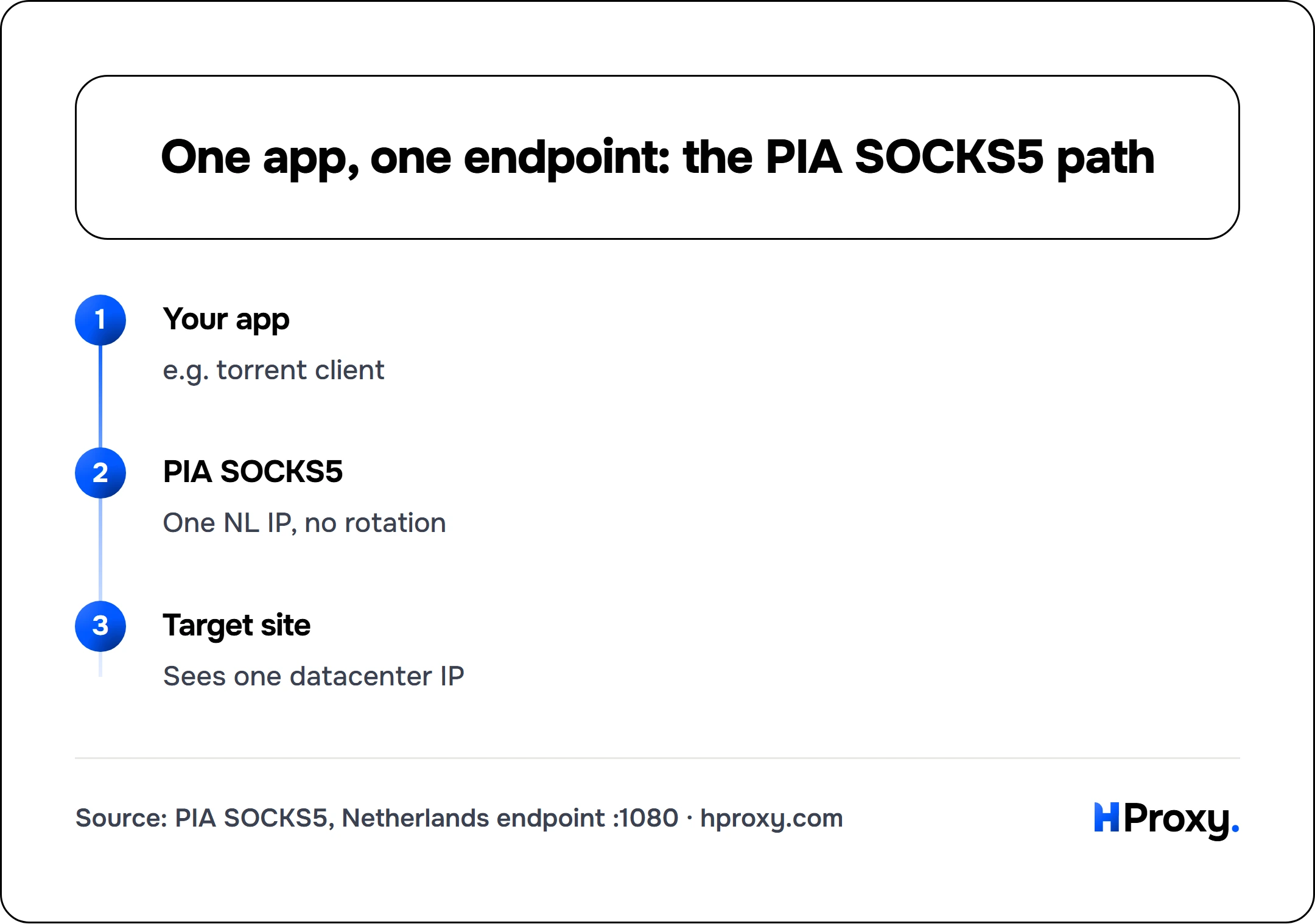
Your app
e.g. torrent client
PIA SOCKS5
One NL IP, no rotation
Target site
Sees one datacenter IP
It is not residential either. The exit is a datacenter and VPN IP, which sites recognize and score more harshly than a real home connection. Sneaker sites, large retailers and social platforms flag that traffic fast. If your job is multi-account management, stacking several accounts behind one shared VPN IP is close to the textbook definition of a ban pattern.
So the practical boundary is this: the PIA proxy is fine for routing one trusted app, and wrong for anything at scale. If you need many IPs, geographic choice, or residential trust, you want a dedicated residential proxy built for the job, not a VPN bonus feature.
PIA proxy vs a dedicated proxy
Put them side by side and they are not really competitors, they just share a protocol.
PIA's SOCKS5 proxy wins on price for what it does, because it costs nothing beyond the VPN you already bought, and it wins on simplicity. One endpoint, four values to paste, done. If your entire need is put my torrent client on a Dutch IP, it is hard to beat.
A dedicated proxy service wins on everything that involves scale or stealth: a pool of thousands of IPs instead of one, automatic rotation, a choice of countries and cities, and residential or mobile addresses that read as ordinary users. That is what you pay for when the work is scraping, ad verification, price monitoring or running many accounts.
If you want to feel the difference before spending anything, our free proxy list lets you test rotating public IPs against your target and watch how differently a fresh IP per request behaves compared to one static endpoint.
The verdict
Our rating: 3 out of 5, judged as the bundled feature it is rather than the proxy service it is not.
Rated as what it is, a bundled feature, the PIA SOCKS5 proxy is a solid inclusion. It does the one job it is built for, it costs nothing on top of the subscription, and the setup takes two minutes once you know it lives in the account panel and not the app.
Rated as a proxy service, it is not one, and it does not pretend to be. Single endpoint, no rotation, datacenter IP, Netherlands only.
Who it is for: PIA subscribers who want to bind a torrent client or a single app to a separate IP.
Who should skip it: anyone scraping, managing multiple accounts, or needing residential IPs or specific locations. That work needs a proxy pool built for it, and PIA's bonus feature will only get in the way.