Two people ask us for a "free proxy" and mean completely different things. One wants a free web proxy to open a blocked site right now without installing anything. The other wants a free proxy list, a batch of addresses to feed into a scraper. Same two words, two different tools, and picking the wrong one costs you an afternoon. Neither is the wrong choice on its own. They are built for different moments, and the confusion comes from both being called a proxy and both being free. HProxy runs a free proxy list alongside a set of free browser tools, so we field this mix-up almost daily. Here is the short version of which one you actually need.
This page is the comparison, built to settle the choice. If you want the web-proxy concept on its own first, how it works and what it hides, start with free web proxy, then come back here to decide.
What is the difference between a web proxy and a proxy list?
A web proxy is a website that loads one page for you through its own server, so you browse inside it with nothing to install. A proxy list is a set of ip:port addresses you plug into your own browser, tool, or script. The web proxy is convenience. The list is control.
Everything else follows from that one difference.
A free web proxy: one page, in your browser, right now
A web proxy is a page you visit, not software you install. CroxyProxy is the best-known example: you open its site, paste a URL, and it loads that page through its own servers so the target sees its IP instead of yours. It works from a locked-down school or office network, and it handles video and social sites better than most.
The limit is baked into the design. A web proxy only covers what happens inside that one tab. It cannot route another app, no script can point at it, and it almost always shows ads because someone has to pay for the bandwidth. The IPs are shared datacenter addresses that strict sites distrust, so logins and anything with real bot defenses tend to throw CAPTCHAs or security checks. The one-line summary is this: perfect for a quick look at a page, wrong for anything past that.
A free proxy list: raw addresses you control
A proxy list is a different kind of thing. It is a set of ip:port entries, sometimes with a username and password, that you configure yourself. You paste one into your browser's network settings, your scraper's config, curl, or whatever tool you are running. The target still sees the proxy's IP rather than yours, but now you decide exactly what traffic goes through it.
That is the entire appeal: control. One entry can serve your browser and a script at the same time. You can rotate through a hundred of them, or pick a specific country. HTTP entries suit browsers, while SOCKS5 entries carry any TCP traffic. The reason a list entry works in code and a web proxy never can is that a list entry is a real transport-level proxy defined by a standard, an HTTP proxy per RFC 9110 or a SOCKS5 proxy per RFC 1928, so any HTTP client, scraper, or SOCKS-aware tool already knows how to speak to it. A web proxy is an application a human drives by pasting URLs, with no such endpoint underneath, which is exactly why no script can point at one. Our free proxy list publishes verified entries with a last-checked time, an uptime figure, and the anonymity grade for each row.
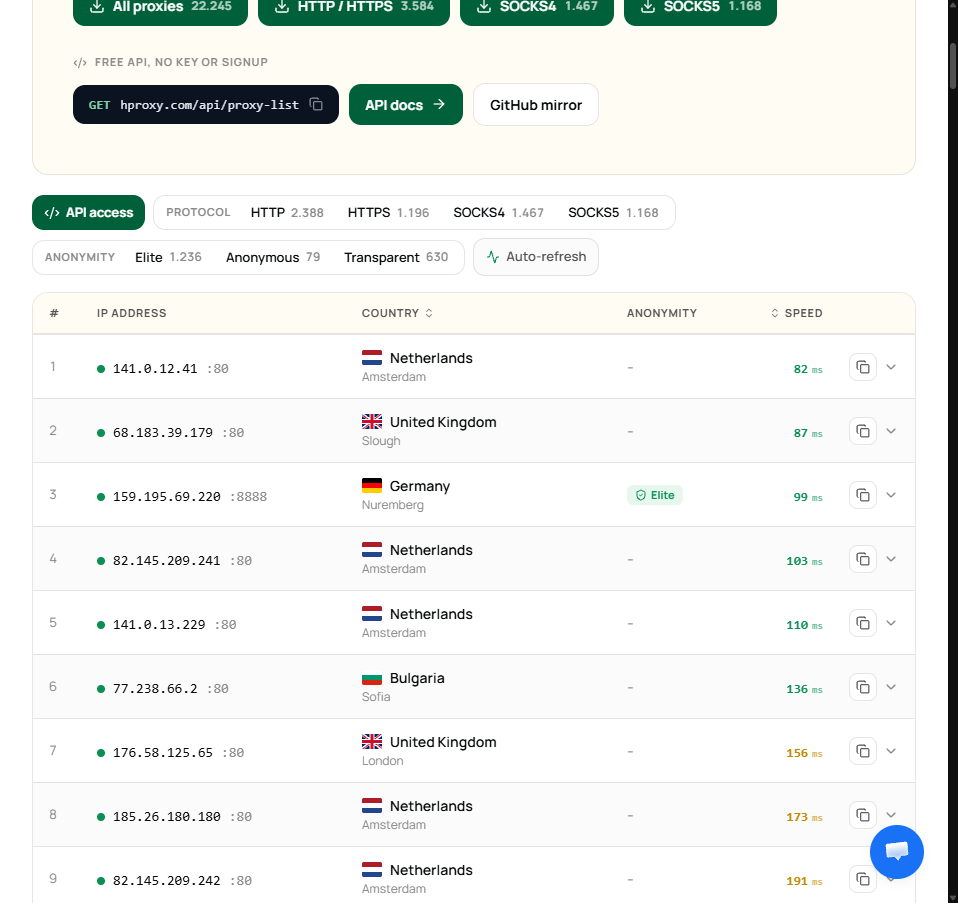
As we write this the list is carrying just over 22,000 verified proxies, split across HTTP, HTTPS, SOCKS4 and SOCKS5, with each row tagged by country, city, speed and anonymity grade. That is the difference in one picture: a web proxy gives you a page, a list like this gives you thousands of addresses you can filter, copy, and point your own tools at.
The cost of that control is that raw addresses come with no promises. Free proxies die fast, they are shared by strangers, and a list that looked full an hour ago is half dead now. You test before you trust, every time. That is why we built a free proxy checker that tells you in one pass whether an entry is alive, quick, and actually hiding you, and why we wrote a step-by-step on how to check if a proxy is working.
The difference at a glance
Same goal, opposite shape:
| Dimension | Free web proxy | Free proxy list |
|---|---|---|
| What it is | A website you browse through | ip:port entries you configure |
| Setup | None, open and go | You add it to each tool yourself |
| Reach | One browser tab | Any browser, app, or script |
| Who is in control | The service | You |
| Country choice | Whatever it offers | Pick from the list |
| Works in code | No | Yes |
| Testing needed | It loads or it does not | Check every entry, every time |
| Example | CroxyProxy | HProxy's free proxy list |
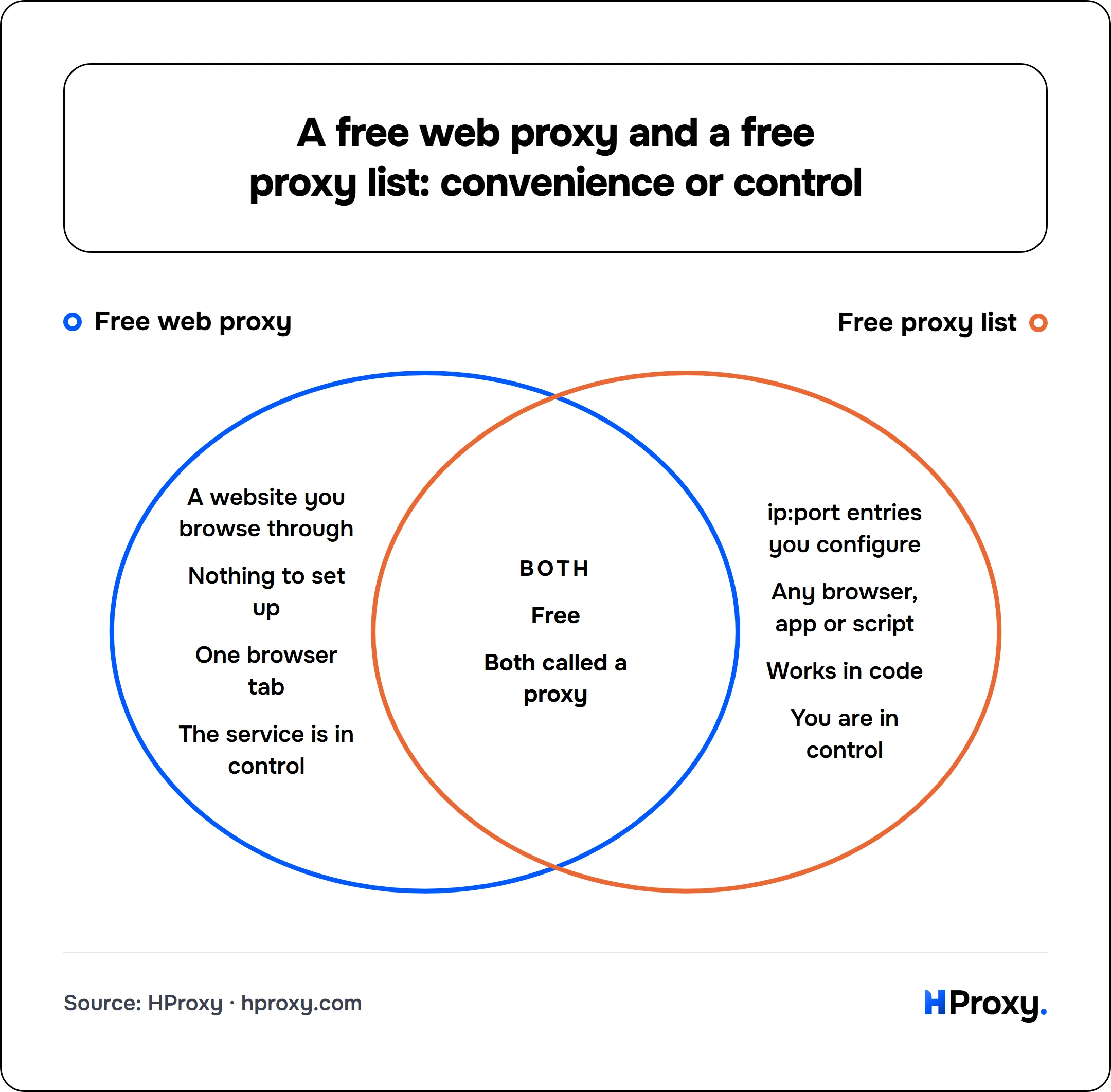
Only Free web proxy
- A website you browse through
- Nothing to set up
- One browser tab
- The service is in control
Both
- Free
- Both called a proxy
Only Free proxy list
- ip:port entries you configure
- Any browser, app or script
- Works in code
- You are in control
Read the table top to bottom and the choice usually makes itself. If any row on the proxy-list side describes your task (a script, a specific country, coverage past one tab), the list is what you want. If none of them do, the web proxy is less work.
Which one do you actually need?
Match the tool to the job.
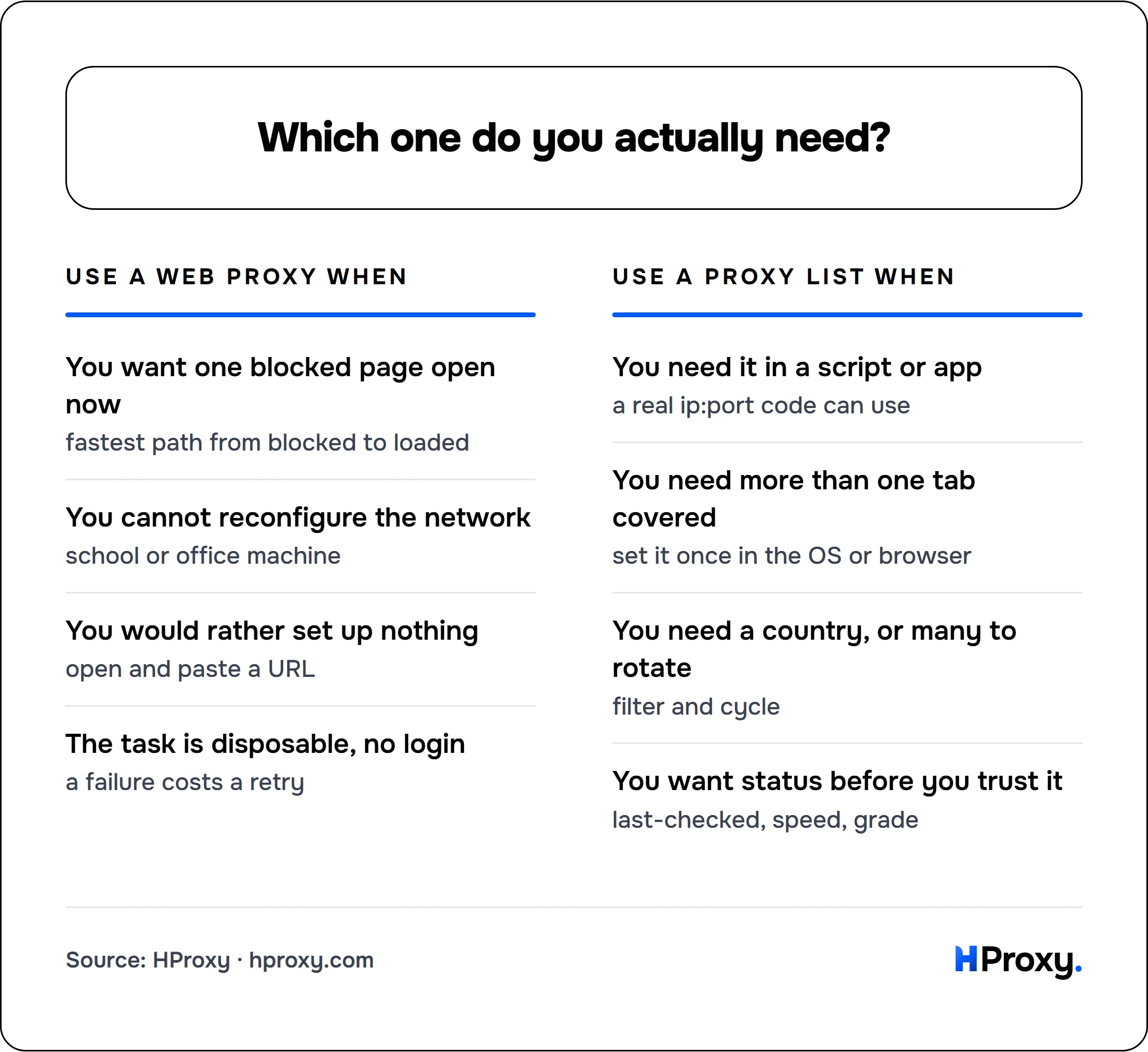
Use a web proxy when
You want one blocked page open now
fastest path from blocked to loaded
You cannot reconfigure the network
school or office machine
You would rather set up nothing
open and paste a URL
The task is disposable, no login
a failure costs a retry
Use a proxy list when
You need it in a script or app
a real ip:port code can use
You need more than one tab covered
set it once in the OS or browser
You need a country, or many to rotate
filter and cycle
You want status before you trust it
last-checked, speed, grade
Use a web proxy when you want to open one blocked page right now, you are on a network you cannot reconfigure, you would rather not install or set up anything, and the task is disposable with no login involved. It is the fastest path from "this site is blocked" to actually seeing it.
Use a proxy list when you need the proxy inside a script, scraper, bot, or specific app, you want to cover more than a single browser tab, you need a particular country or many IPs to rotate, or you want to see status and uptime before you commit. It is the only one of the two that code can use.
What they share: both are free proxies, and free proxies have a ceiling. A web proxy chokes on logins and strict targets. A list entry can vanish in the middle of a job. Neither belongs near a password, a payment, or a scrape with money riding on it. We drew that full line in when free proxies are fine, and it is worth a read before you lean on either for something that matters.
Not sure which one you were handed?
There is a quick tell. If someone gives you a link you click and then browse inside, that is a web proxy. If they give you text that looks like 198.51.100.23:8080, that is a proxy list entry, and it is waiting for you to plug it into something. One is a destination. The other is a setting.
Start with the one that fits
If you only need to glance at a blocked page, a web proxy is the quickest route and you are already done. If you want addresses you can actually work with, start with our free proxy list, keep the entries that pass the checker, and if you are pulling them into code, the free proxy API serves the same verified list as txt, JSON, or CSV. Pick the tool that fits the job, and test before you trust.
Sources
- RFC 9110: HTTP Semantics: defines the HTTP proxy behavior a list entry uses and that a scraper can speak to.
- RFC 1928: SOCKS Protocol Version 5: the SOCKS5 standard behind the list's non-web-traffic entries.
- HProxy free proxy data study: why both a web proxy and a list entry are datacenter IPs that die fast and need testing.